


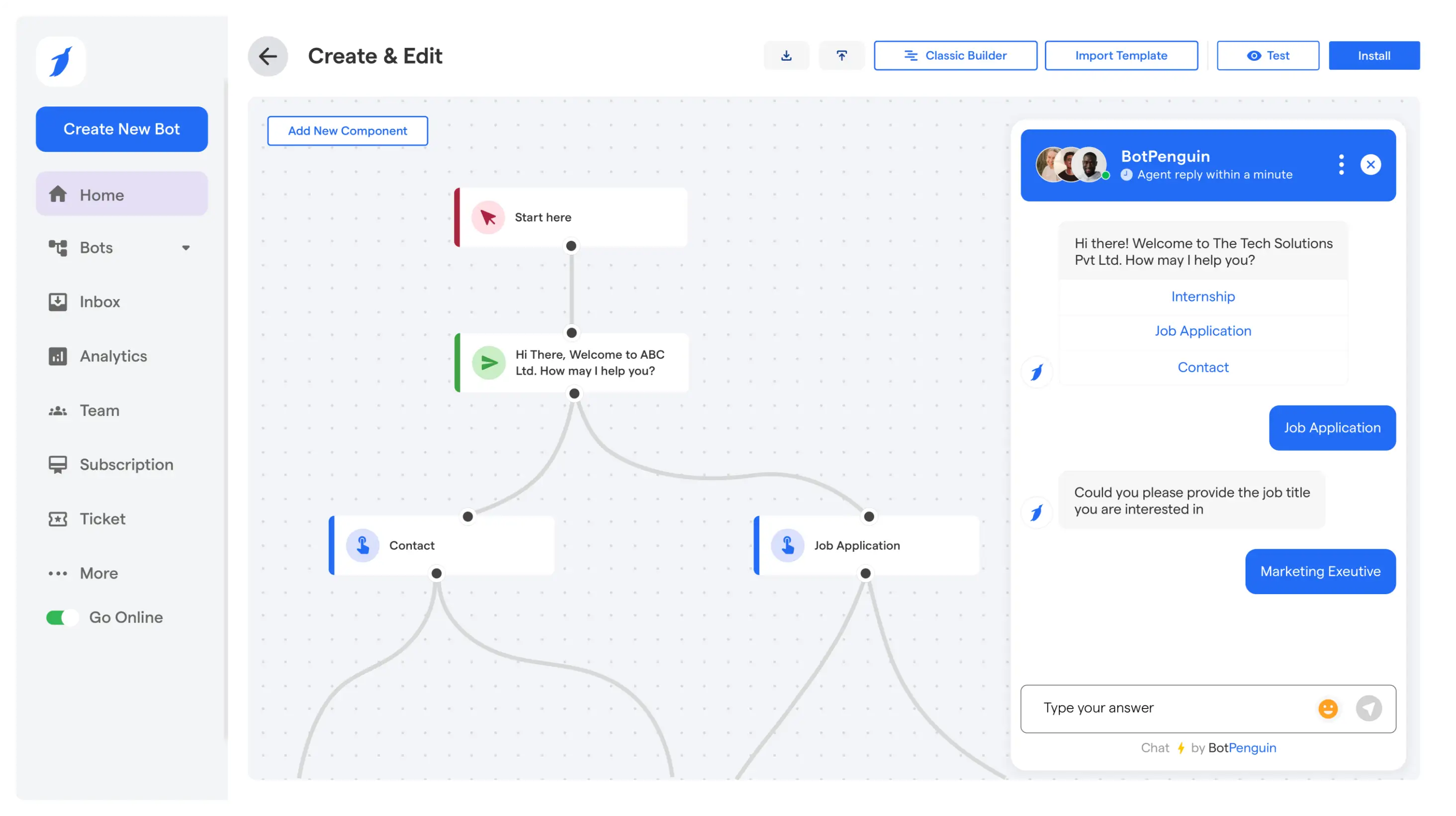

How to Add a Chatbot to WordPress: 2 Setup Methods, Plugin Conflicts and Fixes
Updated at Oct 26, 2026
10 min to read

WordPress automation is really about taking small, repeatable tasks off your plate. It can handle lead routing, customer support, marketing actions, and connected workflows, so your team spends less time managing routine handoffs.
WordPress is a prominent name for anyone wanting to launch a website. But what next?
Getting a website live is only the beginning. You still need to manage leads, follow up with visitors, send emails, update content, and keep everyday workflows moving… And doing it all by hand gets old fast.
That's where WordPress automation comes in.
It connects your website to tools that handle the routine stuff, so campaigns run, leads get followed up with, and content stays fresh without you lifting a finger every time.
In this guide, you'll learn how WordPress workflow and marketing automation work, which plugins are worth using, and how to get started.
If conversations are your main focus, our guide to adding a chatbot to WordPress covers chatbot-specific use cases and setup in more detail.
WordPress automation is using software tools, plugins, or webhooks to handle routine site management, content publishing, and marketing tasks without manual input, cutting busywork and boosting efficiency.
Roughly 41% of all websites run on WordPress today, and among sites with a known CMS, that share climbs to nearly 59%, per W3Techs.
Here’s why WordPress automation matters for growing sites:
Massive Time Recovery: Frees up time otherwise spent on manual post scheduling, database optimization, broken link checking, and software updates
Human Error Reduction: Prevents critical oversights, like forgetting to clear the cache after updates, missing regular backups, or failing to sync email subscriber lists with your CRM.
Real-Time Customer Touchpoints: Triggers cart recovery messages, chatbot responses, lead routing, or follow-ups when a visitor takes action on your site
Cross-Platform Syncing, Simplified: Connects your WordPress site directly to external tech stacks (like HubSpot, Slack, or Google Sheets) using webhooks and native integrations, no custom code needed
By automating your WordPress workflows, you turn a time-consuming manual site into an efficient, self-sustaining engine that drives growth on autopilot.
If you’re looking to automate WordPress workflows, lead routing, and customer interactions, platforms like BotPenguin can bring these tasks into one no-code setup.
Every WordPress site loses time differently, whether it's slow replies, manual posting, or scattered leads.
Automation fixes this with targeted building blocks, not one blanket tool.
Audience segmentation and on-site behavior triggers move visitors into the right nurture path without a marketer manually sorting contacts.
Social scheduling tools queue posts across channels in advance, while form submissions sync straight into a CRM, so follow-up starts the moment someone shows interest.
New inquiries get assigned to the right sales rep or team as soon as they land, based on rules like location, budget, or product interest.
This cuts back-and-forth manual assignment and keeps prospects from sitting untouched in an inbox, especially for teams juggling multiple product lines.
Chatbots and ticketing integrations handle first-response queries, FAQ-style questions, and appointment rescheduling without a human stepping in first.
Support tickets can route to the right department based on keywords or urgency, so agents spend their time on issues that genuinely need a person's judgment.
According to Salesforce Research, which polled more than 14,300 global consumers and business buyers, 88% say strong customer service boosts their likelihood of buying again.
Every question a visitor asks a chatbot is a signal. Recurring queries, unanswered questions, and drop-off points reveal exactly what a site's content is missing.
Instead of guessing what to write next, teams can build blogs, FAQs, and landing pages around what people are actually asking for.
Cart recovery nudges, order status updates, and inventory sync between WordPress and platforms like WooCommerce keep transactions moving without constant oversight.
Stock alerts and post-purchase follow-ups run on their own, so store owners catch issues before customers do.
These categories work best together, not alone. A single chat or form can trigger routing, CRM syncing, and campaigns at once. Next: how that connects.
WordPress automation can be powered by different tools, depending on what you want to automate. Some handle conversations, while others manage workflows, campaigns, or phone interactions.
Here’s a quick comparison of the main tools and where each one fits best.
Chatbots sit on your site and handle visitor questions the moment they show up, so they don't wait in a support queue.
Answer FAQs and product questions instantly, day or night, cutting first-response time to seconds.
Qualify visitors with a few quick questions before routing them to sales or support.
AI agents for WordPress go beyond chatbots, taking multi-step actions like booking, updating records, or completing tasks end to end.
Book appointments or demos directly within the conversation, no back-and-forth emails.
Voice AI handles spoken customer interactions, including phone calls and website voice conversations, depending on the platform.
BotPenguin's voice agents work through the website widget on the King plan and above, not through phone calls.
Tools like Zapier or Make connect WordPress to hundreds of external apps without custom code.
Trigger email sequences or Slack alerts the moment a form gets submitted.
Platforms built for scheduling, segmentation, and campaign triggers run in the background as visitors interact with a site.
Segment visitors by behavior and send targeted follow-ups without building lists manually.
Most sites end up piecing several of these tools together. BotPenguin is built to handle chatbots, AI agents, marketing automation, and voice agents for your website (King plan and above) in one platform, so that piecing-together step disappears.
WordPress automation works best when it starts with a clear job, not a long list of tools.
Maybe leads are sitting too long before someone responds. Maybe appointment requests still need manual sorting. Or perhaps customer questions keep landing with the wrong team.
Once you identify the bottleneck, the setup becomes much easier to shape.
Start with one process that keeps pulling people back into manual work.
It might be lead routing, appointment handling, customer support, campaign triggers, or moving data between WordPress and another business tool.
A narrow starting point makes the result easier to judge.
Choose the tool around the job, not the feature list.
A WordPress automation plugin can connect forms, CRMs, and apps. Chatbots handle visitor conversations, while AI agents can book, update records, or complete assigned tasks. Match the tool to the workflow itself.
If conversations are part of the workflow, compare the available WordPress chatbot plugins before choosing one.
Connect WordPress with the systems already involved in the process, such as your CRM, calendar, support desk, spreadsheet, or sales tool.
You can do this through a plugin, native integration, API, or webhook. The goal is to keep information moving smoothly between systems.
Every automation needs a clear starting point and a defined next move.
A form submission might create a CRM record, assign a sales rep, send a notification, or begin a chatbot conversation.
Map that sequence before you add extra branches or conditions.
Not every visitor or request should follow the same path. A high-value lead may go straight to sales, while a support request routes by topic.
Add conditions such as location, product interest, lead type, or urgency wherever the workflow most needs context.
Pro Tip: Start with two or three rules max. Teams often build ten on day one, then spend weeks untangling overlaps. Add complexity only after the simple version runs a few weeks.
Test the journey from beginning to end before launch. Submit the form, run the conversation, check the CRM, and confirm that each handoff reaches the right place.
Small gaps often stay hidden until you follow the full path exactly as a visitor would.
Once the workflow is live, watch where people drop off, where tasks still need human attention, and where data stops moving cleanly.
Those patterns will show you what needs adjustment. Treat the first version as a working system, not a finished one.
Get the sequence right once, and every automation you add after this becomes easier to plug in, not harder to untangle.
The right setup depends on the job you want WordPress to handle.
Some needs call for automation, while others are better solved with a specific tool.
Campaigns, segmentation, and follow-up depend on how visitors behave on your site, not on manual list-building or guesswork about timing.
Visitors show clear behavior patterns worth acting on (repeat visits, cart activity).
You run recurring campaigns that need consistent, rule-based triggers.
Follow-up currently depends on someone remembering to send it.
Leads, tasks, or data need to move between WordPress, your CRM, and other business systems without someone reentering the same information twice.
Information currently gets copied by hand between tools.
Multiple team members touch the same lead or task at different stages.
Delays happen because data sits in one system before reaching another.
Visitors need immediate answers, basic qualification, appointment help, or routing before a person handles anything more complex.
Support queries are repetitive and don't need human judgment.
Visitors expect a response outside business hours.
Qualifying a visitor before handoff would save your team time.
The task goes beyond answering questions and requires actions like booking, updating records, or handling multi-step requests inside one conversation.
A single interaction needs to trigger more than one system action.
Visitors currently have to repeat details across separate steps or forms.
Manual follow-up is needed after a chatbot conversation ends.
Customers prefer speaking instead of typing, and routine voice inquiries take up staff time.
Your website receives questions that visitors would rather ask aloud.
Common voice inquiries follow predictable, answerable patterns.
Phone-based automation is needed, and your chosen provider supports it.
For BotPenguin, voice agents are available through the website widget on King and above, not through phone calls.
WordPress needs to trigger actions across tools like CRMs, calendars, spreadsheets, Slack, or other connected apps without custom development work.
Your stack includes several tools that don't natively talk to each other.
New actions need to reach multiple apps at once.
No developer is available to build custom integrations.
One customer action needs to trigger conversations, routing, CRM updates, and marketing actions together, not as separate, disconnected steps.
A single lead touches support, sales, and marketing in sequence.
Manual handoffs between teams are causing delays or dropped leads.
You're ready to treat automation as a connected system, not isolated tools.
The right setup is the one that solves the immediate bottleneck while leaving room to connect more automation as your needs grow.
WordPress automation can save time, but a poor setup can create new problems just as quickly.
Most issues come from over-automating, adding too many plugins, or not checking workflows after launch.
Automating all customer chats makes your business feel cold and robotic. When real people have complex problems, automated responses can frustrate them and damage trust.
Solution: Automate basic tasks like sending order receipts, but make sure real humans handle complex support questions.
Too many heavy plugins slow your website, clutter your database, and cause conflicts that can break your site.
Solution: Choose lightweight plugins, or use simple web tools like Zapier to handle automation off your website.
If you "set it and forget it”, broken links, failed data syncs, or outdated emails can run for months without you ever noticing.
Solution: Set a reminder every few months to test your forms, check for errors, and make sure your messages still work.
Moving customer data between WordPress and other apps without basic safety measures can lead to leaked personal info and privacy law violations.
Solution: Use encrypted connections, protect API keys and login credentials, and collect only the customer data you actually need.
Avoiding these common traps keeps your WordPress automation fast, secure, and genuinely helpful, instead of causing hidden headaches.
Want to automate customer interactions without sounding robotic? BotPenguin lets you build AI-powered chatbots for your WordPress site that handle FAQs, capture leads, and route complex queries to your team, without adding heavy plugins.
You can also review BotPenguin’s security standards, case studies, and customer reviews before getting started.
WordPress automation works best when it solves a clear problem. Start with the tasks that slow your team down, then choose the right mix of workflows, chatbots, AI agents, or connected tools.
You do not need to automate everything at once. A focused setup is easier to test, manage, and improve as your site grows.
The goal is simple: make WordPress do more of the background work without losing control of the customer experience.
With the right setup, WordPress automation can keep leads moving, support customers faster, and free up your team to focus elsewhere.
WordPress automation uses plugins, integrations, chatbots, or workflow tools to handle tasks such as lead routing, customer support, marketing actions, and data syncing without requiring someone to manage every step manually.
Start by choosing one task, then connect WordPress to the right plugin or automation tool. Set a trigger, define the next action, test the workflow, and monitor performance after launch.
The right WordPress automation plugin depends on the task. Workflow plugins suit app connections, chatbots handle visitor conversations, and AI agents work best when the process requires actions like booking or updating records.
Yes. Many WordPress automation tools use plugins, visual workflow builders, native integrations, or webhooks. You can connect forms, CRMs, calendars, chatbots, and other business tools without writing custom code for every workflow.
You can automate lead routing, customer support, appointment handling, marketing triggers, CRM updates, cart messages, data syncing, and internal notifications. The exact options depend on your WordPress setup and the tools you connect.
WordPress automation covers workflows that run after specific triggers or conditions. A chatbot focuses on visitor conversations. Chatbots can also become part of a wider automation when conversations trigger routing, bookings, or CRM actions.
Yes. AI agents can handle multi-step WordPress workflows that involve conversation, context, and actions. They can qualify leads, book appointments, update records, or pass information between connected systems when the workflow allows it.
Automate Your WordPress Workflows
Capture leads, engage visitors, manage follow-ups, and streamline routine tasks with smart WordPress automation. Save time and keep your website workflows running smoothly.
Start NowCheckout our related blogs you will love.
Updated at Oct 26, 2026
10 min to read
Updated at Oct 24, 2026
9 min to read
Updated at Oct 12, 2026
8 min to read

Updated at Oct 12, 2026
12 min to read

Updated at Oct 12, 2026
6 min to read

Updated at Oct 12, 2026
6 min to read
Table of Contents



