



WhatsApp AI Chatbot vs Rule-Based: What’s the Difference?
Updated at Sep 16, 2026
7 min to read
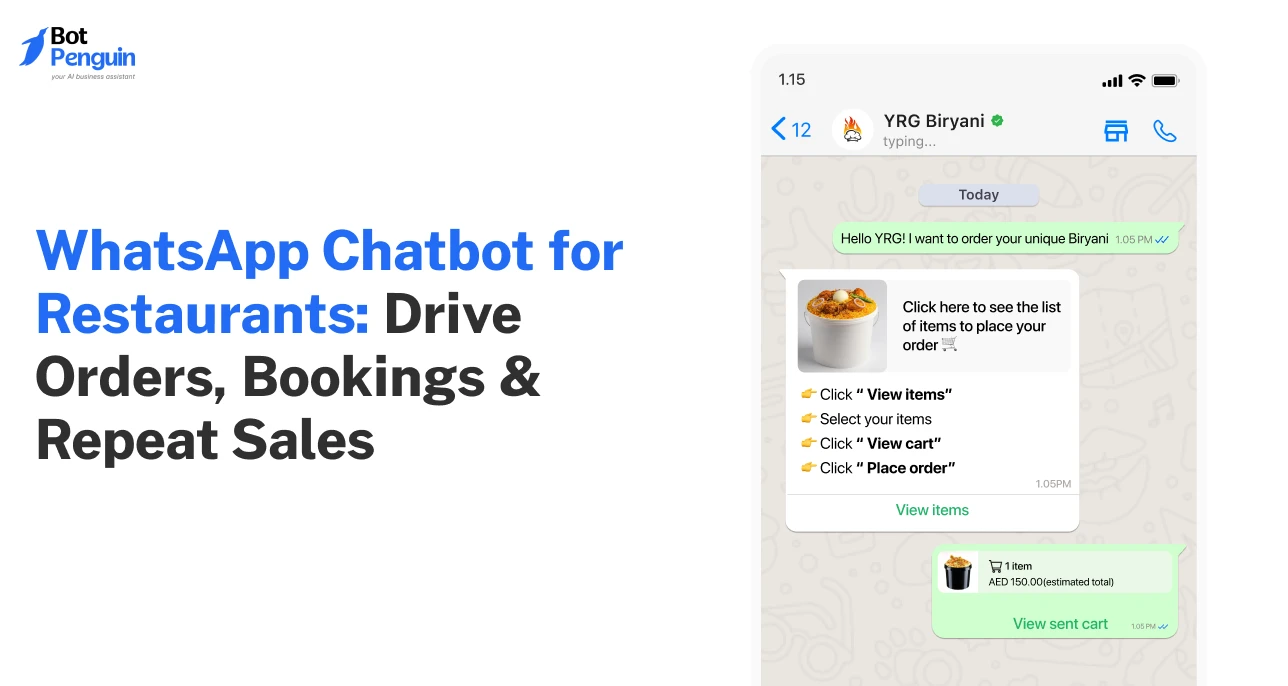
Most restaurant calls never turn into orders. Customers hang up, get busy, or move on to the next place that replies faster.
What's easy to miss is that every missed call or slow response is revenue walking out the door.
That's exactly where a WhatsApp chatbot for restaurants earns its keep. It handles orders, reservations, FAQs, and promos round the clock, no waiting, no missed calls.
This guide breaks down how restaurants and QSR brands use WhatsApp automation to serve faster, drive repeat orders, and cut manual work.
New to restaurant chatbots? Explore our complete guide.
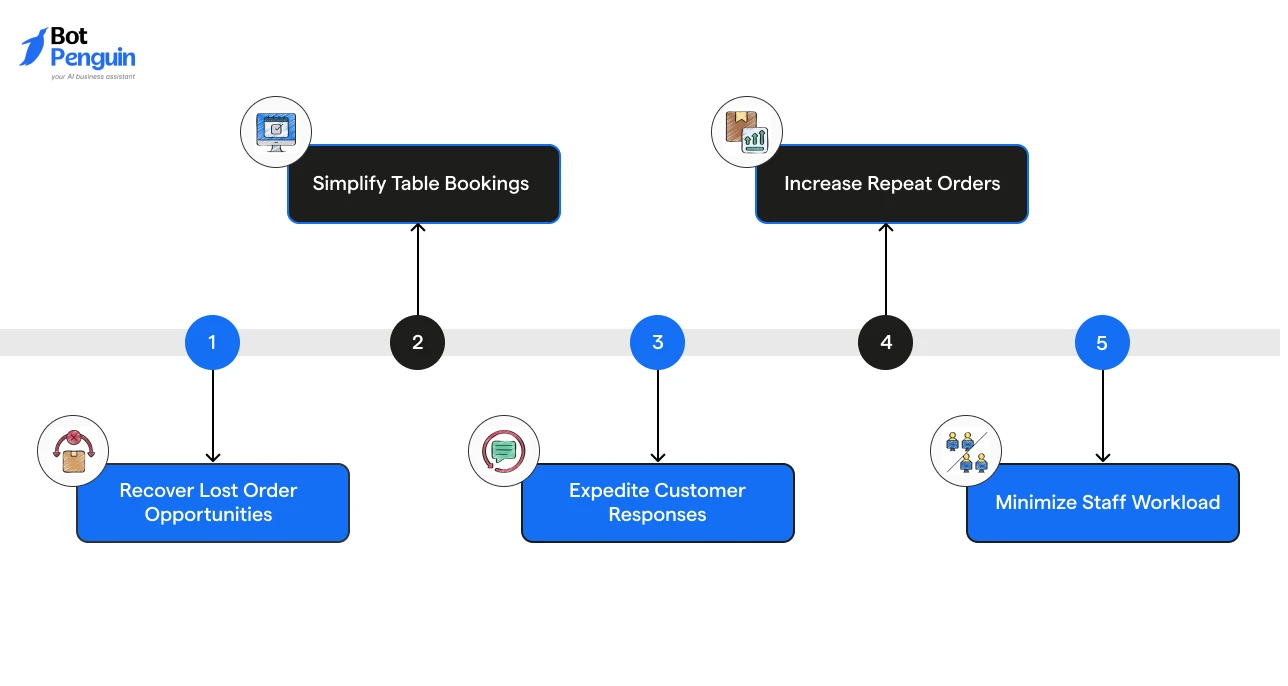
Running a restaurant means managing a constant flow of customer conversations.
However, during rush hours, staff cannot handle every message instantly. That is why restaurants and QSR brands are adopting WhatsApp chatbots to deliver faster customer experiences.
Restaurants are investing in WhatsApp chatbots because they help them:
Domino's Pizza Indonesia paired its CRM efforts with WhatsApp messaging and saw a 72% jump in sales year-over-year, delivering 6.3X ROI on its campaigns.
Restaurants that automate ordering, bookings, and support on WhatsApp capture more sales and repeat customers, as messaging becomes diners’ default channel.
Platforms like BotPenguin help restaurants set up WhatsApp chatbot workflows for orders, reservations, customer queries, and promotions, making it easier to manage conversations from one place.
Walk-in queues often slow down during peak hours. A WhatsApp chatbot for restaurants removes such friction points by letting customers order and book directly.
Here's how the two approaches compare:
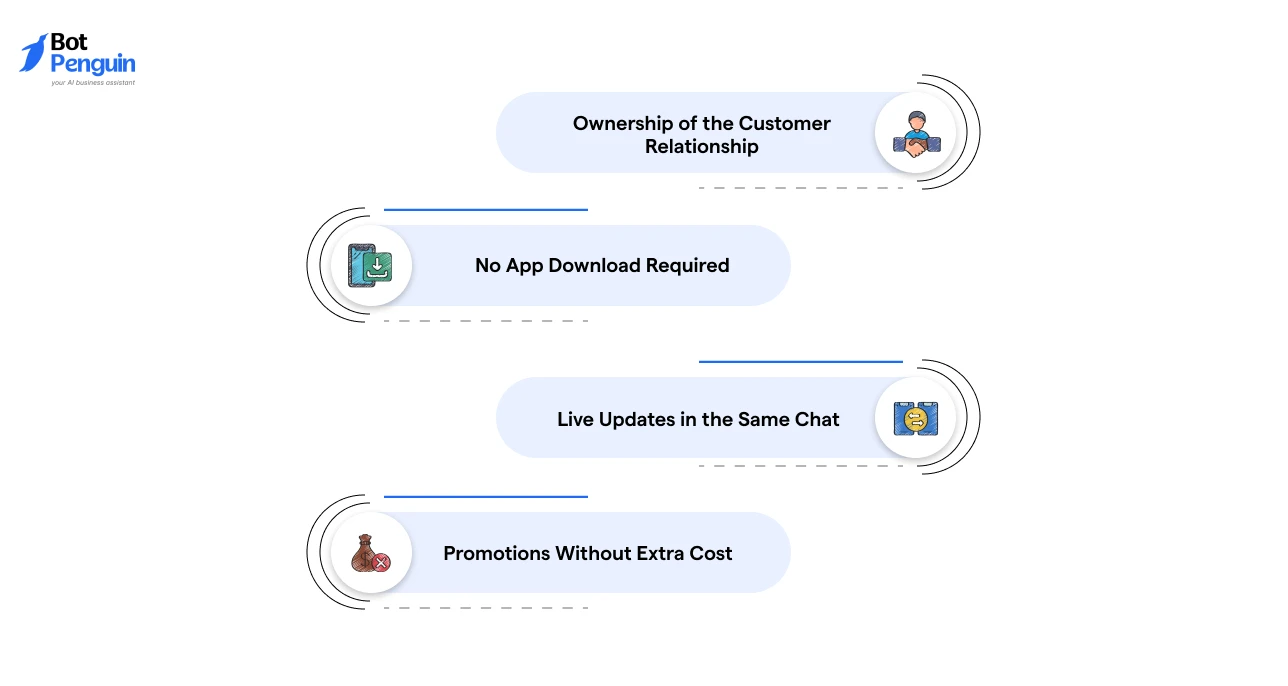
The gap widens further once you look beyond speed and cost, into who actually owns the customer relationship.
At this stage, it's worthwhile stepping past the comparison and seeing exactly how a WhatsApp chatbot handles an order or reservation, end to end.
A WhatsApp chatbot acts as a digital front desk for your restaurant.
While it runs in the background, customers experience nothing but quick, seamless replies. This is how it works in practice:
With a WhatsApp chatbot, restaurants can turn everyday customer messages into automated interactions that improve response times, increase order conversions, and reduce manual effort.
Every stage of a customer's interaction with your restaurant, from checking the menu to coming back for a second order, can run through WhatsApp.
Here's a quick look at where the chatbot fits across that journey, before we break each one down:
Let’s explore how restaurants use WhatsApp chatbots across each customer touchpoint in detail below.
Customers can scroll a visual, categorized menu directly in chat, complete with images and prices, instead of waiting for a PDF or a staff member to read it out.
72.4% of consumers prefer to buy from brands offering messaging, showing why in-chat ordering outperforms redirecting customers to a separate app.
This is often the first touchpoint, so a clear, well-structured menu here directly shapes whether the customer moves forward or drops off.
Beyond just placing the order, customers can customize items, apply available offers, and pay within the same thread using integrated payment links.
This keeps the entire transaction in one conversation, so there's no app-switching between ordering and paying.
The WhatsApp chatbot checks real-time table availability and confirms bookings instantly.
It can also collect preferences like seating area or occasion, so staff walks into the reservation already informed.
Customers get automatic updates as their order moves from confirmed to preparing to out for delivery, without needing to call and ask.
This visibility also reduces the anxiety that often triggers repeat "is my order coming?" messages.
The chatbot resolves common questions around timings, location, dietary options, or parking, freeing staff to focus on customers physically in front of them.
69% of consumers see hold time as wasted time, which explains why instant, automated answers matter most during rush hours.
Using WhatsApp broadcast automation, restaurants can send targeted offers, such as a discount to someone who hasn't ordered in a few weeks.
This runs without paying for ad placements on third-party platforms, keeping repeat-order costs low.
Explore these restaurant chatbot examples to see real-world chatbot flows across ordering, bookings, and customer support.
Thus, a WhatsApp chatbot turns everyday customer interactions into faster, smoother experiences. From first-time orders to repeat visits, it helps restaurants stay responsive and provide a more reliable customer experience.
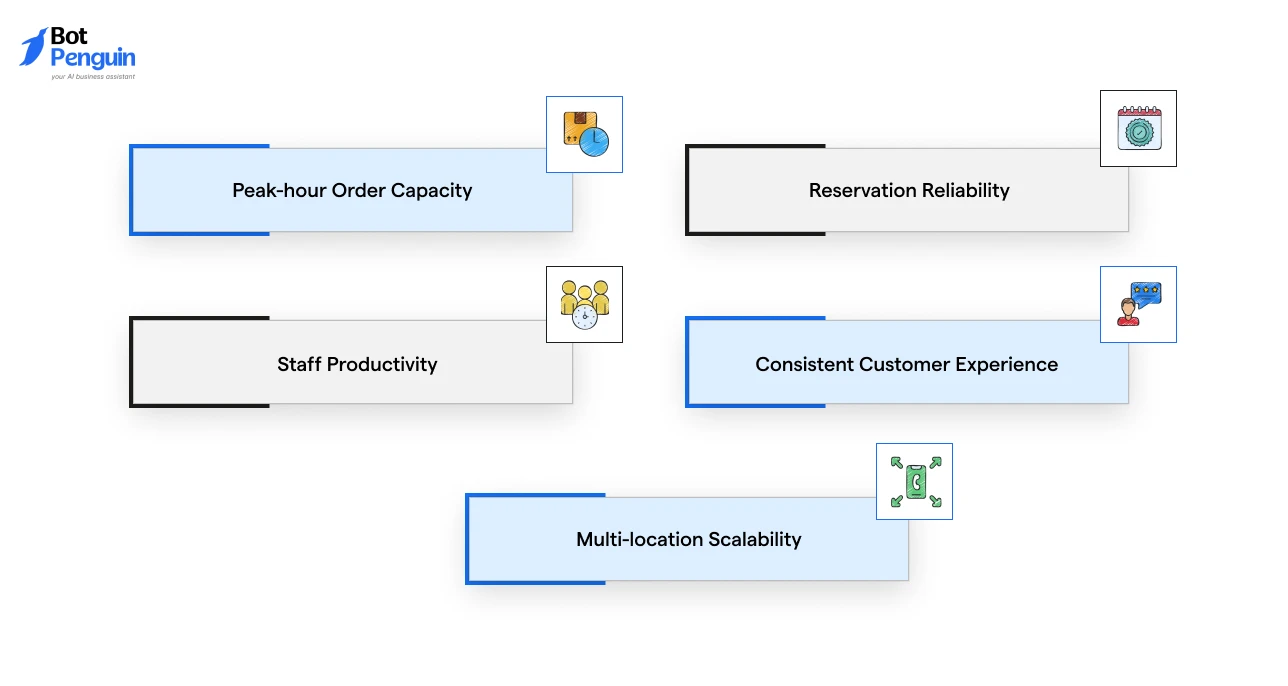
Using a WhatsApp-based chatbot in restaurants changes how teams manage daily operations.
Instead of spending time on routine customer requests, you can automate common interactions and keep service moving even during your busiest hours. Key advantages include:
In short: Whether you're a single restaurant or a multi-location QSR chain, a WhatsApp chatbot lets you handle more conversations, protect table and staff bandwidth, and keep service consistent, even at your busiest hours.
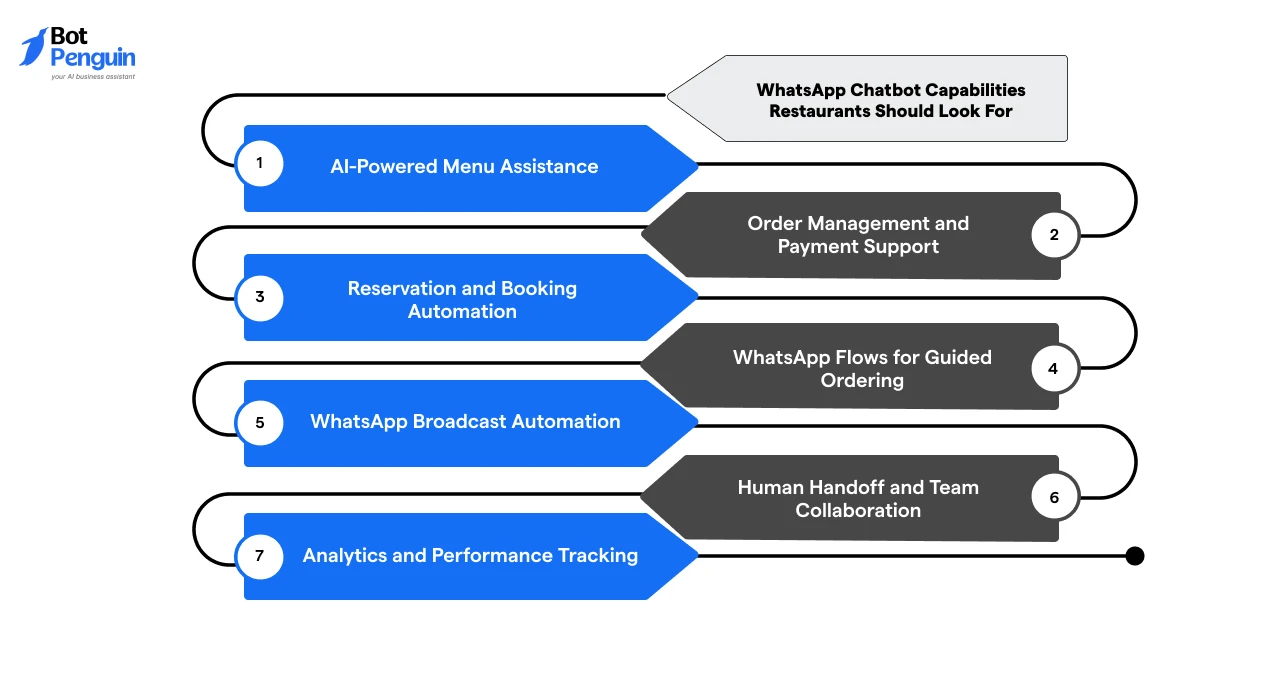
For restaurants, QSR chains, and cloud kitchens, the right WhatsApp chatbot solution should help manage the complete customer journey, from menu discovery and ordering to reservations and repeat engagement.
Here are the key capabilities to evaluate:
A restaurant chatbot should help customers explore menu items, check availability, understand ingredients, and get recommendations through natural conversations.
This makes it easier for customers to decide what to order without waiting for staff assistance.
Look for features that allow customers to browse items, customize orders, confirm details, and complete payments within WhatsApp.
A smooth ordering flow reduces drop-offs and helps restaurants process more orders with less friction.
The chatbot should handle table availability checks, booking confirmations, and reminders automatically.
This reduces manual booking efforts and helps restaurants manage reservations more efficiently.
WhatsApp Flows enable businesses to create structured in-chat experiences, such as digital menus, order forms, booking forms, and customer information collection.
For restaurants, this means customers can complete key actions with fewer messages and less typing.
A restaurant chatbot should support targeted broadcasts for promotions, new menu launches, special offers, and customer re-engagement campaigns.
This helps restaurants drive repeat visits without relying only on paid advertising.
Automation should not replace human support completely.
A good chatbot should allow smooth handoffs to staff when customers have special requests, complaints, or complex orders while keeping the conversation history available.
Look for reporting features that show conversation volume, customer preferences, order activity, and campaign performance.
These insights help restaurant teams improve customer engagement and optimize operations.
Pro tip: Choose a chatbot provider with official WhatsApp Technology Partner status and Business API access for reliable messaging, approved templates, and scalable communication.
Looking for a broader overview of chatbot features and use cases? Explore our WhatsApp chatbot guide.
Launching a WhatsApp chatbot does not require a complete overhaul of your existing process.
Start with the areas where your team spends the most time, then expand automation as your needs grow:
Identify Your Priority Workflows: Start with high-volume conversations such as menu inquiries, order requests, table bookings, and customer FAQs.
Choose and Connect Your Chatbot Platform: Select a WhatsApp chatbot solution with Business API access, then connect your restaurant’s WhatsApp number and configure your customer flows.
Train and Optimize the Chatbot: Add your menu, pricing, policies, and common customer questions. Monitor conversations regularly to improve responses and create smoother experiences.
With the right setup, a WhatsApp chatbot can become an extension of your restaurant team, helping you handle customer interactions without adding extra workload.
Learn how to build a WhatsApp chatbot from scratch or explore our restaurant chatbot template for a quicker setup.
A WhatsApp chatbot can streamline restaurant operations, but poor planning can turn automation into another customer frustration.
Here are some common mistakes restaurants and QSRs should avoid when implementing chatbot automation:
Many restaurants use chatbots only to share menus and basic information.
This leaves significant value on the table because customers need help completing actions, not just finding details.
How to Overcome It: Build conversational flows that help customers browse, customize orders, make reservations, check order status, and receive relevant recommendations.
Automation works best when it knows its limits. For complaints, special requests, or unusual orders, forcing customers to stay with a bot can create frustration.
How to Overcome It: Set up clear handoff points where staff can step in with full conversation context and resolve complex requests quickly.
Broadcasting the same offer to every customer can make messages feel irrelevant and lead to lower engagement.
Restaurant marketing works better when it matches customer behavior.
How to Overcome It: Use customer data to segment audiences and send targeted campaigns, such as offers for inactive customers, birthday deals, or location-based promotions.
A chatbot that works well during quiet hours may fail when order volumes spike.
Slow responses, unclear flows, or missing integrations can hurt the exact moments when customers need speed.
How to Overcome It: Test chatbot performance during high-demand periods and optimize ordering, booking, and support flows before full rollout.
Not every chatbot is designed for food businesses.
Generic solutions may lack features like menu management, order flows, reservation handling, and WhatsApp Business API support.
How to Overcome It: Choose a platform built for restaurant workflows with integrations, analytics, and scalability for growing operations.
When planned around real customer needs, a WhatsApp chatbot can become an extension of your restaurant team, improving service without adding complexity.
Solutions like BotPenguin help restaurants create WhatsApp chatbot workflows for orders, reservations, customer support, and promotions while keeping conversations simple to manage.
A WhatsApp chatbot helps restaurants manage customer conversations when they matter most.
During peak hours, when teams are busy preparing orders and serving guests, the chatbot keeps orders, reservations, and questions moving without delays. It helps narrow down missed opportunities while giving customers the quick responses they expect.
As restaurant operations grow, dealing with every message manually becomes harder. Automation helps teams stay responsive without adding extra workload.
The restaurants that win tomorrow will not just serve great food; they will make every customer interaction faster, simpler, and more connected.
A WhatsApp chatbot for restaurants and QSRs automates orders, reservations, customer queries, and promotions through WhatsApp.
WhatsApp chatbots help QSR chains handle high order volumes, answer customer questions, and streamline ordering during busy periods.
Yes. Customers can browse menus, customize orders, share details, and confirm purchases within the same WhatsApp conversation.
Yes. It can check availability, collect booking details, confirm reservations, and send reminders to reduce missed appointments.
Restaurants use WhatsApp broadcasts to send offers, updates, and campaigns to opted-in customers while following WhatsApp messaging policies.
QSRs use WhatsApp chatbots to manage customer conversations at scale, reduce manual workload, and deliver faster service during peak hours.
For many restaurants and QSRs, WhatsApp chatbots reduce friction because customers can order without downloading another app.
Boost Restaurant Orders With WhatsApp Chatbots
Automate orders, reservations, FAQs, and promotions on WhatsApp. Reduce missed inquiries, speed up responses, and deliver smoother customer experiences.
Get Started NowCheckout our related blogs you will love.
Updated at Sep 16, 2026
7 min to read
Updated at Sep 10, 2026
10 min to read
Updated at Sep 10, 2026
9 min to read

Updated at Aug 6, 2026
11 min to read
Updated at Aug 5, 2026
7 min to read
Table of Contents


