How to Add a Chatbot to Your Website: A Complete Step-by-Step Guide
Updated at Oct 6, 2026
17 min to read
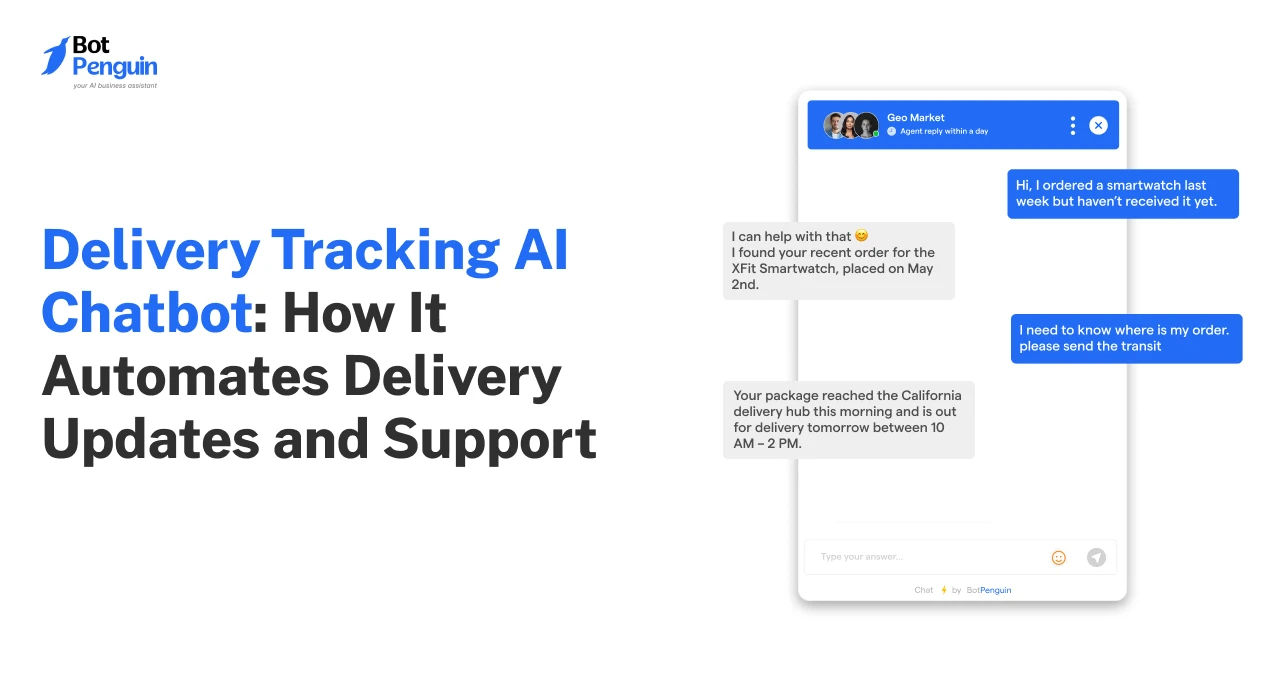
Most delivery support conversations begin with one simple question: “Where is my order?”
For businesses handling deliveries, shipments, service requests, or last-mile communication, the same question often appears repeatedly. Customers expect delivery status, tracking links, ETAs, courier details, and delay updates across channels.
A delivery-tracking AI chatbot helps businesses handle these recurring queries automatically. It shares delivery updates, guides customers through shipment issues, and routes complex cases to support.
This blog covers what delivery tracking AI chatbots are, how these work, what they handle, and what to check before choosing one.
A delivery tracking chatbot is a customer support automation tool that answers questions about delivery status, shipment movement, tracking links, ETAs, and delivery issues.
FedEx reports that 68% of shoppers consider real-time package tracking a table-stakes convenience feature.
Chatbots for order tracking & delivery help businesses answer customer questions regarding:
Thus, a delivery tracking AI chatbot improves delivery visibility by giving customers quick access to tracking information and shipment updates.
At this stage, it is also important to understand why businesses automate delivery and order-tracking queries with AI chatbots. Let’s explore that in the next section.
A chatbot for order tracking and delivery is essential because businesses often manage delivery questions across too many channels, systems, and support teams. Additionally, customers expect quick updates, but manual support does not always scale with that demand.
The points below explain the core business problems that make delivery chatbots useful in customer-facing tracking workflows.
Customers may ask tracking questions through website chat, WhatsApp, email, SMS, social DMs, or calls.
When the same delivery question appears across several channels, support teams repeatedly check the same details. This increases queue pressure and makes urgent delivery issues harder to spot.
Unclear delivery updates can make customers doubt whether their order, package, or service request is moving as expected.
A study found that 66% of consumers feel anxious after buying online, often because the post-purchase delivery experience feels uncertain. (Source: Narvar)
This shows how quickly unclear delivery visibility can become a trust issue.
Support agents often move between order systems, courier portals, CRMs, help desks, and internal notes to answer a single tracking question.
That system switching slows replies and pulls agents away from failed deliveries, wrong addresses, missing packages, refunds, or urgent complaints.
Some delivery issues cannot be solved with a basic status update.
Missing packages, failed delivery attempts, damaged shipments, incorrect addresses, return-to-sender cases, and urgent delays often require faster human review rather than sitting in regular support queues.
Delivery conversations often move across channels and teams. A customer may ask on chat, follow up by email, and later call support.
If those conversations are not connected, customers repeat details and may receive inconsistent updates. Delivery chatbots help collect context before support steps in.
In short, delivery tracking chatbots reduce recurring support requests while improving customer communication about deliveries. To see how that happens in practice, let’s break down how a delivery tracking AI chatbot works in the next section.
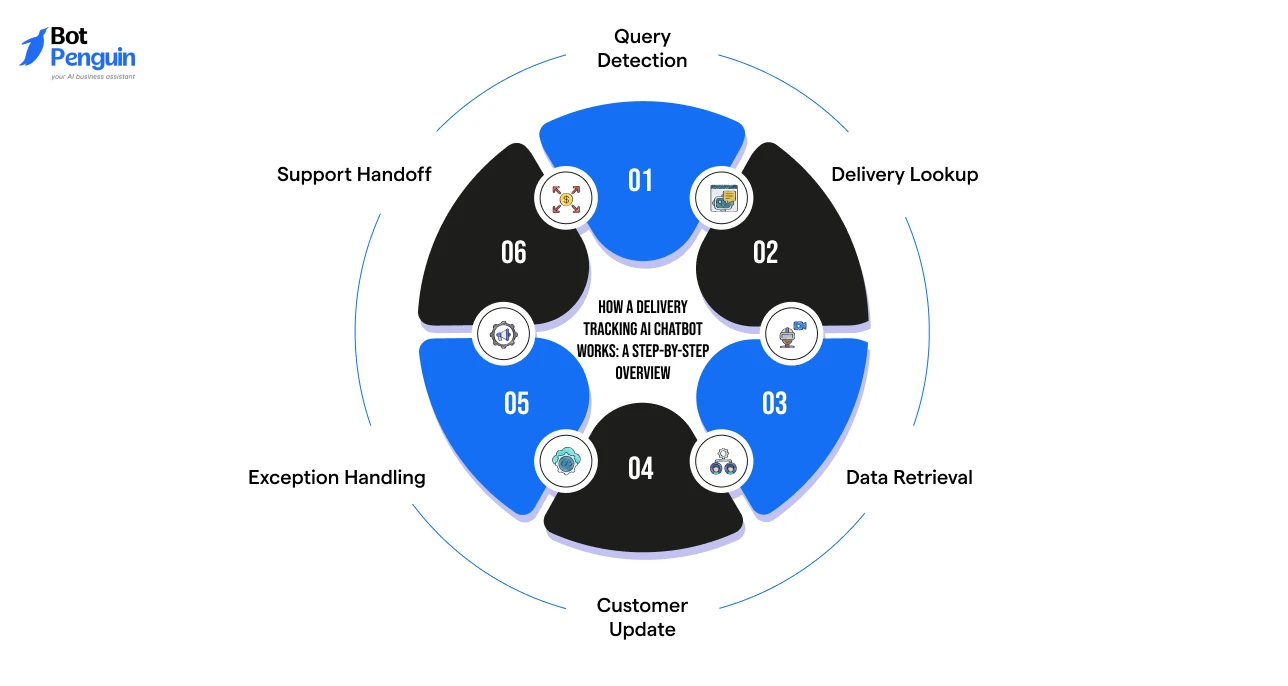
Chatbots for order tracking & delivery work by linking a customer’s delivery question to the appropriate tracking data, shipment status, and support action.
The process usually follows this flow:
The customer asks a tracking question, such as “Where is my delivery?” or “Why is it delayed?”
Here, the chatbot uses Natural Language Processing (NLP) and intent classification to identify whether the query is about status, ETA, tracking details, failed delivery, or missing package support.
The chatbot asks for the required details, such as the order ID, delivery ID, tracking number, phone number, or email address.
It then verifies the record against connected systems such as order platforms, courier tools, CRMs, help desks, or shipment-tracking APIs.
Once verified, the chatbot pulls the latest delivery data and maps it to a clear stage, such as assigned, dispatched, in transit, out for delivery, delivered, delayed, failed, or returned.
The chatbot converts the tracking data into a simple response with delivery status, ETA, tracking link, courier details, and the next expected step.
For delayed, failed, missing, returned, or address-related issues, the chatbot follows predefined rules to request more details, guide the customer, or escalate the case to support.
If human review is needed, the chatbot routes the conversation to an agent, attaching delivery details and tracking history.
It also records the query, shared update, and escalation status for future follow-ups.
For businesses looking to automate delivery updates and tracking support, platforms like BotPenguin support this type of workflow with omnichannel chatbot automation, predefined templates, integrations, live chat handoffs, and unified inbox support.
Once the process is clear, it becomes easier to see how the same chatbot logic adapts across different industries. The next section examines where delivery-tracking AI chatbots are used and how their roles vary by business type.
Delivery and order tracking AI chatbots are useful for any business where customers expect status updates after a booking, purchase, shipment, or service request.
The following are the key industries where tracking chatbots support frequent delivery questions and customer status updates:
Now, let’s study each of these industry-specific applications in detail below:
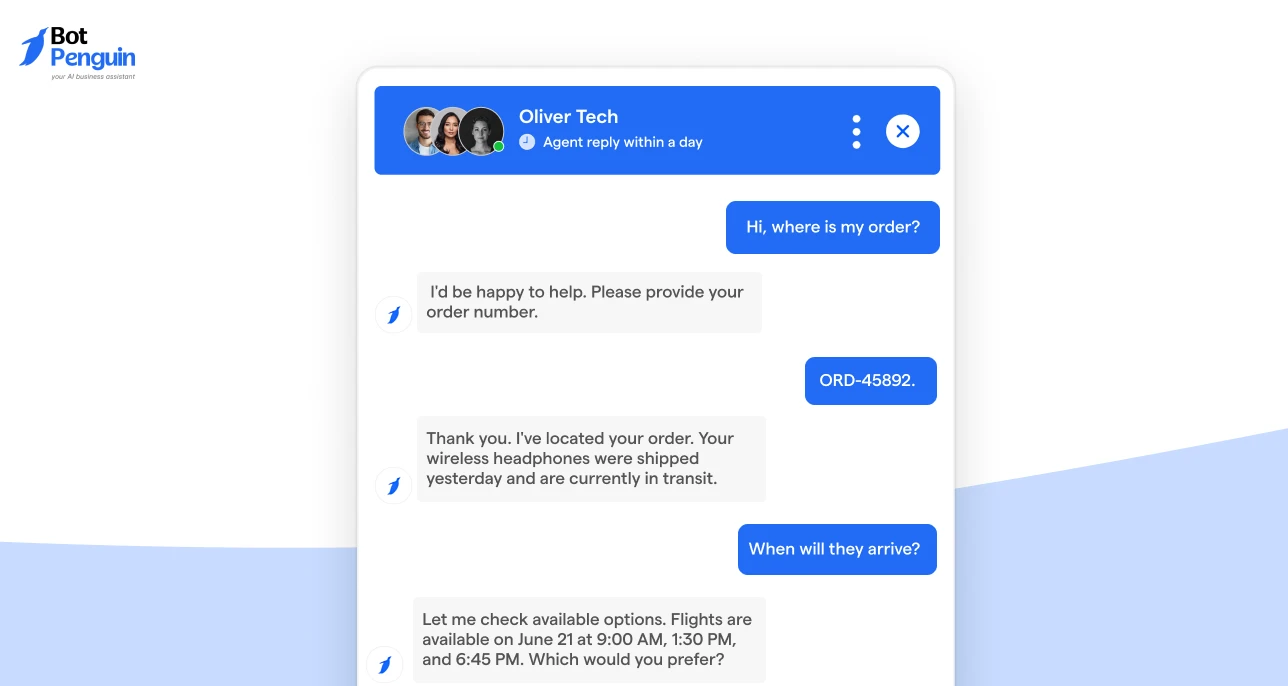
E-commerce brands use delivery chatbots to answer order status questions, share tracking links, provide delivery ETAs, and reduce repeated queries after checkout.
Courier and parcel companies use tracking chatbots to share shipment movement, delivery attempts, courier updates, failed delivery details, and proof-of-delivery information.
“Where Is My Order?” (WISMO) queries make up nearly 50% of all customer service contacts in logistics, making delivery tracking chatbots a necessity.
Food and grocery delivery businesses use chatbots to update customers on order preparation, rider assignment, live delivery status, delays, and refund or replacement requests.
Pharmacy delivery teams use Pharmacy chatbots to provide medicine delivery updates, order confirmation, dispatch status, delivery windows, and support escalation for urgent or delayed orders.
This becomes crucial for time-sensitive medicine deliveries where customers need clear visibility into order status and expected arrival times.
Retail stores with local delivery use chatbots to handle same-day delivery inquiries, pickup status, delivery slots, address updates, and missed deliveries.
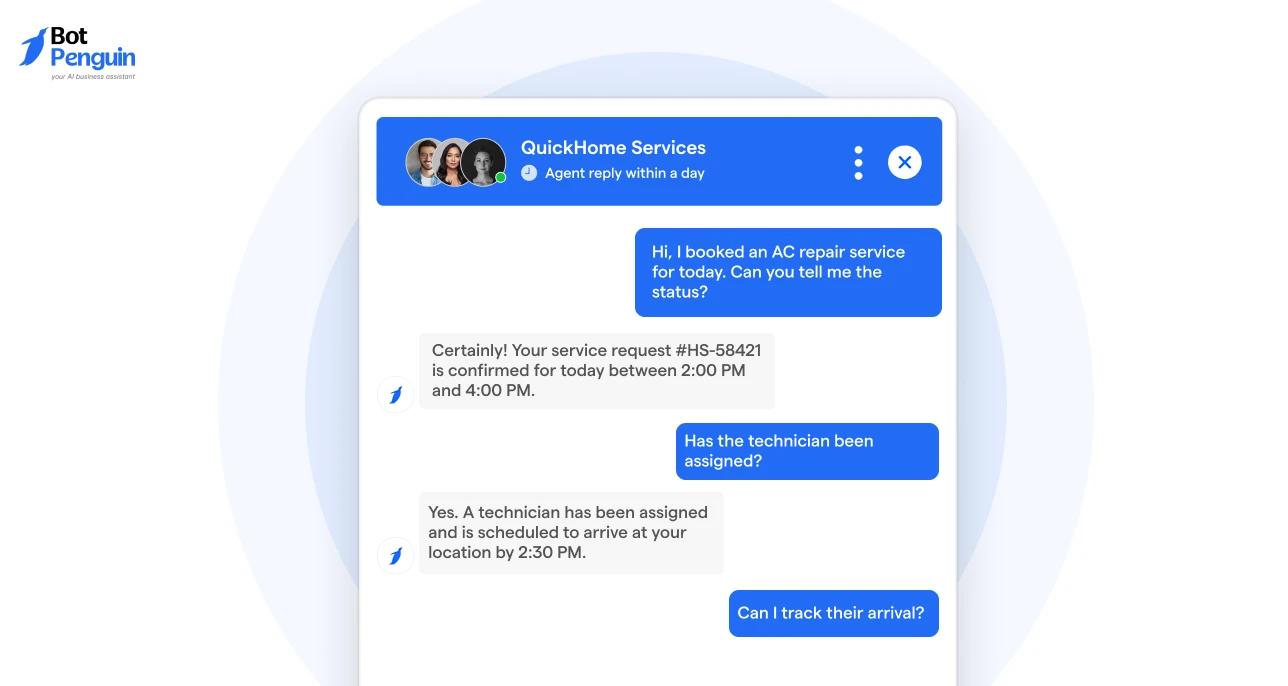
Service businesses use chatbots to update customers on technician arrival, scheduled visits, dispatch status, delays, and rescheduling requests.
These industries may use different delivery systems, but customers usually ask similar tracking questions. Next, let’s look at the specific delivery and order-tracking queries that an AI chatbot can handle automatically.
Delivery tracking AI chatbots work best when they handle clear, repeatable questions about shipment progress, delivery ETA, tracking details, and delivery issues.
The table below shows the main query types customers ask and how an AI chatbot can support each one.
These query types form the base of delivery tracking automation. The sections below show how each one works across common delivery support conversations.
An AI chatbot can answer basic delivery status questions by checking the current movement or fulfillment stage. It can help customers know if the delivery is:
This decreases the number of repeated delivery status questions that usually reach support teams when customers cannot see progress on their own.
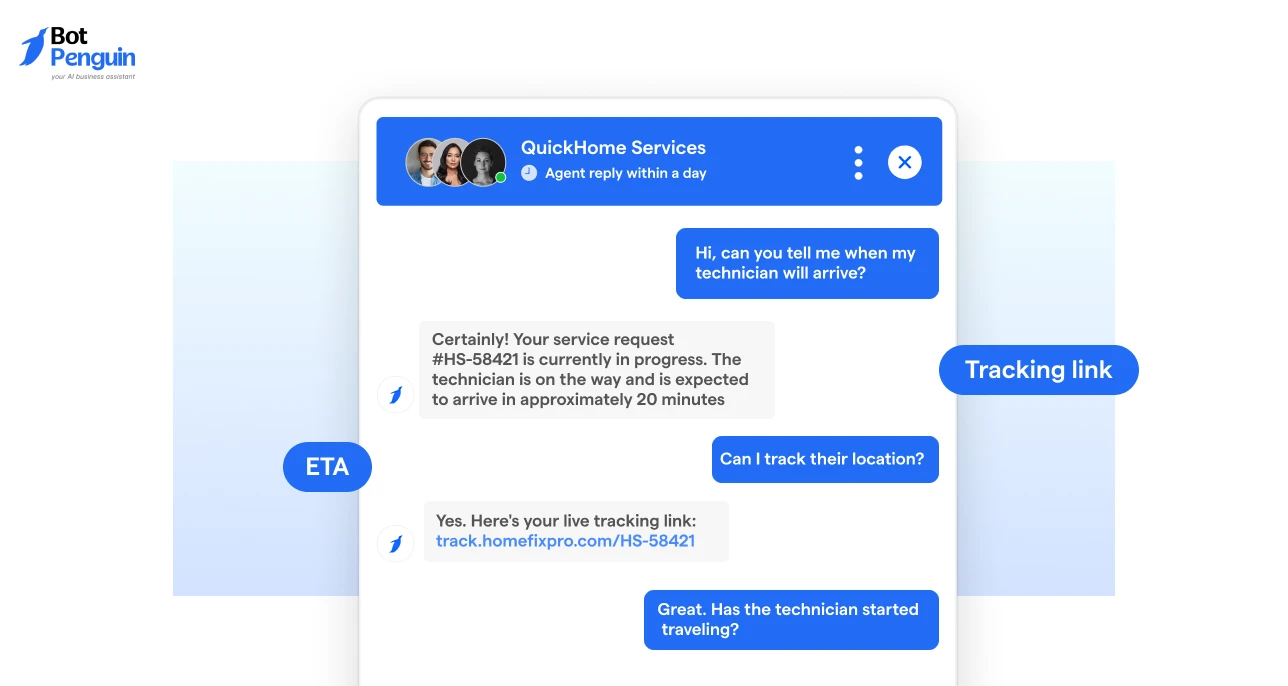
Customers often want to know when the delivery will arrive and where they can track it. An AI chatbot for delivery can share:
This helps customers get delivery clarity without searching through emails, apps, SMS updates, or waiting for manual support replies.
Delivery issues need more context than standard tracking updates. This is why exception handling matters.
An AI chatbot can support customers when:
These query types show that delivery-tracking chatbots are most useful when they handle both routine status checks and issue-based delivery conversations.
However, the chatbot must have the right capabilities to execute these query resolutions. The next section outlines the key features teams should look for when choosing a delivery-tracking AI chatbot.
A delivery-tracking AI chatbot should connect to the right systems, understand customer intent, provide accurate delivery updates, and route unresolved cases without adding more manual work for support teams.
The features below help business teams assess whether a chatbot can support real-world delivery-tracking workflows, not just scripted FAQs.
The chatbot should connect to order systems, delivery tools, CRMs, help desks, and customer databases.
This helps it identify deliveries using order IDs, tracking numbers, emails, phone numbers, or delivery IDs, rather than giving generic replies.
The chatbot should access courier, carrier, dispatch, or shipment tracking data.
This helps it show real delivery movement, such as assigned, dispatched, in transit, delayed, failed, out for delivery, or delivered.
Customers may ask the same tracking question in many ways. The chatbot should detect intent behind queries like “Where is my delivery?”, “Why is it late?”, or “My package has not arrived.”
The chatbot should route delayed, failed, missing, or address-related cases for support with tracking history attached. This helps teams review unresolved delivery issues without having to ask customers to repeat details.
These features show whether a delivery-tracking chatbot can handle real customer queries rather than just scripted responses.
However, features alone do not decide the customer experience. The conversation flow also needs to be structured clearly. This is where understanding a delivery tracking chatbot template becomes useful. The next section breaks down the core blocks a template should include.
A delivery-tracking AI chatbot template should provide teams with a ready-made conversation structure for common tracking questions.
It should include the core prompts, response blocks, issue-handling messages, and support handoff paths needed to manage delivery conversations smoothly.
The table below maintains a simple, adaptable template structure across delivery workflows.
A strong delivery tracking chatbot template does not need to be complex. It should guide customers from tracking lookup to the right delivery answer while keeping a clear route to support when automation is not enough.
Once the template structure is clear, it’s time to address the common mistakes that can undermine the effectiveness of a delivery tracking chatbot.
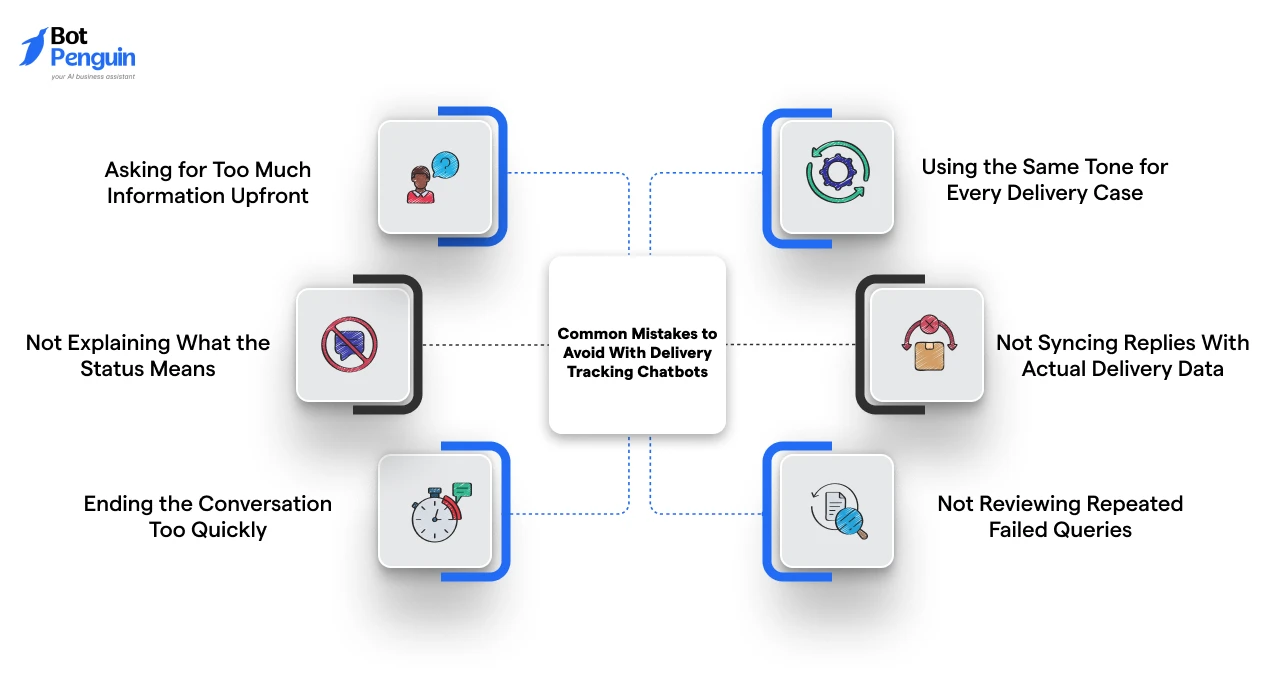
Delivery-tracking chatbots become less useful when they behave like static FAQ bots rather than guided delivery support assistants.
The goal is not only to answer quickly. The chatbot should provide the correct update, clearly explain the delivery status, and route unresolved cases to support without causing further confusion.
Here are the common mistakes that you should avoid:
Customers may drop off if the chatbot asks for order ID, delivery ID, phone number, email, and tracking number together. Too many fields make a simple tracking request feel like a long support form.
Solution: Start with the minimum detail needed to locate the delivery, such as tracking number, order ID, or registered phone number.
Delivery terms like “in transit,” “processing,” “exception,” or “failed attempt” can confuse customers. A status update is not useful if the customer does not understand what happens next.
Solution: Explain each status in simple language and add the next expected step, such as waiting for courier update, retrying delivery, or contacting support.
A delivery update may not fully solve the customer’s concern. If the chatbot ends after one status reply, customers may still need help with delays, address changes, or missed delivery attempts.
Solution: Add follow-up options such as “Track another delivery,” “Report a delivery issue,” “Update address,” or “Contact support”.
A missing or delayed delivery needs a more careful response than a normal “out for delivery” update. Using the same tone everywhere can make the chatbot feel robotic or careless.
Solution: Adjust the response tone based on the delivery situation, especially for delays, failed attempts, missing packages, and urgent cases.
If the chatbot uses stale or disconnected tracking data, customers may receive outdated answers. This can increase repeated delivery queries instead of reducing them.
Solution: Connect chatbot responses with live or regularly updated delivery, courier, dispatch, or order systems.
If customers keep asking the same follow-up question, the chatbot flow may be unclear. These repeated failures show where the delivery tracking experience needs improvement.
Solution: Review unresolved or repeated queries regularly and improve prompts, status explanations, escalation rules, and template responses.
Avoiding these mistakes helps teams make delivery tracking chatbots more useful, accurate, and support-ready.
For teams looking to build more reliable delivery-tracking workflows, BotPenguin helps avoid these gaps with customizable chatbot flows, omnichannel delivery conversations, live chat handoff, and unified inbox support for unresolved tracking issues.
Delivery tracking chatbots help businesses reduce repeating delivery queries, improve customer communication, and give customers faster access to tracking updates.
A well-planned chatbot can answer delivery status questions, share ETAs, provide tracking links, handle shipment issues, and route complex cases to support.
The key is to evaluate the chatbot against real delivery-tracking needs: connected data sources, accurate delivery updates, clear exception handling, and smooth support handoff.
When these elements work together, delivery tracking becomes easier for customers and more manageable for support teams.
A delivery tracking AI chatbot is a virtual assistant that helps customers check delivery status, ETA, tracking links, courier details, and shipment issues without waiting for a support agent.
It answers repeated tracking questions automatically using available delivery, order, courier, or shipment data, reducing manual replies for support teams.
Yes, if it is connected to delivery systems, courier tools, order platforms, dispatch software, or shipment-tracking APIs that provide live data.
It should include delivery lookup prompts, status update messages, tracking link responses, delay-handling messages, failed-delivery flows, and support handoff messages.
Queries should be escalated when deliveries are missing, failed, or unclear; when they are urgent; when they are address- or refund-related; or when the customer requests human help.
Ecommerce brands, courier companies, retailers, food delivery teams, pharmacy delivery services, 3PLs, and field service businesses can use them.
Track delivery query reduction, ticket deflection, handoff rate, unresolved queries, CSAT, response time, and exception resolution rate.
Businesses should avoid generic replies, unclear status explanations, outdated tracking data, excessive customer details, and weak escalation paths for delayed or unresolved delivery issues.
Subscribe to Our Newsletter
Get the latest business insights straight into your inbox.
Checkout our related blogs you will love.
Updated at Oct 6, 2026
17 min to read
Updated at Sep 28, 2026
19 min to read
Updated at Sep 25, 2026
9 min to read
Updated at Sep 1, 2026
10 min to read
Updated at Jun 24, 2026
10 min to read

Updated at Jun 16, 2026
10 min to read
Table of Contents