




Enhancing Recommendation Systems with Generative AI Models
Updated at Aug 8, 2026
11 min to read



Visualize that you went on a vacation trip, clicked captivating pictures, and want to unveil your picture dump to your contacts on Whatsapp Messenger.
Or imagine that you are working on a business project and want to bolster your sales or want your contacts to fill out the feedback form regarding your business project via Whatsapp Messenger. You won't send a link to each contact, will you?
It requires selecting targeted contacts from the list and sending them those form links or information. To make matters worse, when you choose the sixth contact, boom, a pop-up emerges stating, "You can share only with up to 5 chats", which makes sending the link or any information a sluggish and laborious work.
We live in the smartphone era; we must work smart. On that note, Guess which feature of Whatsapp messenger you would use?
That's right, the Whatsapp Messenger's Status feature!
By default, your Whatsapp status can be seen by everyone in your contact list if they, too, have your number saved in their contact list.

What if you want to display your Whatsapp status to a particular group of people, don't worry; we have covered you. It is how you can do it.
You need to customize your status privacy, for this follow the steps mentioned below:
Once you select the contacts, click on the green tick option in the bottom right corner, and you are good to upload your WhatsApp status.
A question might knock you "Do changes in privacy settings affect the Whatsapp Messenger status visibility that is already uploaded?"
The answer is "NO." If you want to alter the status visibility of an already uploaded status, you must re-upload the group after making requisite changes in the status privacy.
Now, if you like someone's status and you wish to save it, another question that might knock you is
In this blog, I'll be sharing the three most common methods to do so
Perhaps you are unacquainted with the fact that Whatsapp status has excellent features that can add more glamour to the plain standard text or media-based quality.
Here are the top Whatsapp status hacks, tips, and tricks you must know to level up your status game with a creative touch.
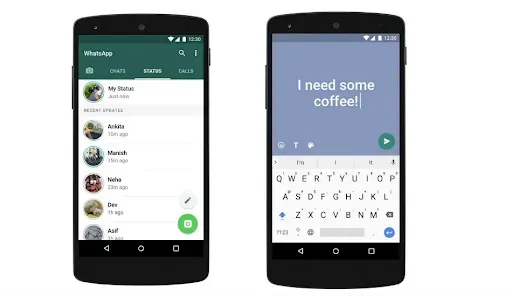
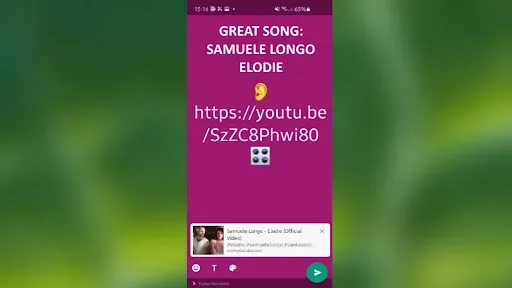
In the typing text-based status mode, you can change the background color and text font by following steps:
Here is the first tip: You can download a third-party app to get your text styled with innovative fonts. One such app available on the play store is "Stylish Text."
OR
You can also format it by using the symbols below at the text's start and end.
You can add emoticons by clicking on the emoticon icon and tapping on the cute emoji.
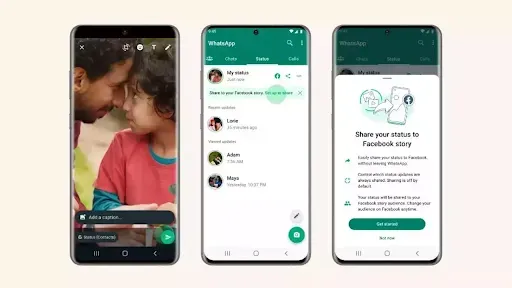
Here, you can click instant pictures and videos or choose existing ones.
Knock knock; it's time for a tip – if you hold a picture or video for 2-3 seconds, you can select multiple videos and images at a time and then edit each of them all at once, which is more convenient.
Have you ever noticed that you can insert the location and time in your Whatsapp status?
After selecting the media, you can see the emoticon icon in the top right corner, click on it and look for the 'location' and 'clock' icons under the 'content stickers' heading.
Tapping on the location icon will lead you to the maps screen; search for your present location, press enter, and you are good to go.
It's time for another tip - once you select your location, you can tap on that tag to change its look. Similarly, you can tap on analog and digital clocks to alter their appearance.
There you go, tip time again - You can unite different fonts to give a funky and stylish look.
Suggested Reading:
5 Common myths busted about WhatsApp privacy
I bet you didn't know about this nifty trick.
Tip – you can insert any colored solid squares and type an alphabet on each square. What an innovative idea, right?
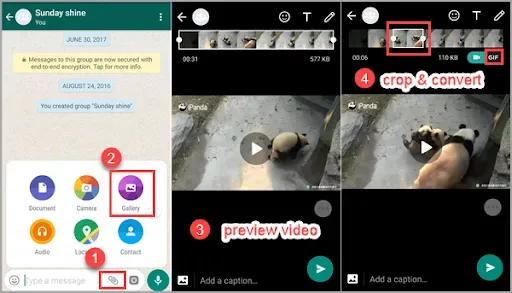
Whatsapp Messenger does not allow users to post videos longer than 30 seconds as single status, and it doesn't sound enjoyable to trim multiple 30 seconds slots of video and upload them after that.
You may not be able to pick up the succeeding slot from where exactly you terminated the last place in one go!
I will back you up on this tedious work issue.
Here is an app that will slash the whole video into 30 seconds in just a single tap; effortless.
So hurry up and download the "video splitter for Whatsapp Messenger Status and Instagram" app.
As of now, Whatsapp has inbuilt six filters.
Once you select any picture, you can see the '^' icon in the bottom middle, swipe up, and choose the desired filter.
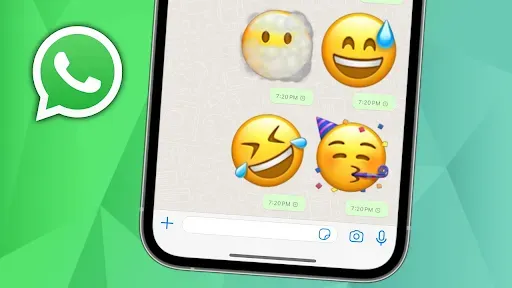
You might have a few people in your contacts list whose status you do not want to view, but you may consider it by mistake or due to the slideshow mechanism.
In this scenario, you can mute their status so that they appear under 'muted updates,' and you can view it when tapped manually.
While recording video, to switch the cameras, we tend to use the button present right on the screen, but it causes a bit of inconvenience.
To eliminate this, you can double-tap the screen to switch the camera. It works for both pictures and videos.
One more time, I have got a quick fix to dodge the issue of zooming in and out while shooting the video.
All you have to do is start shooting the video and glide your finger up to zoom in and down to zoom out. That's it, cool.

Let's say you are curious to know the names of people who saw your WhatsApp Messenger status. Well, that's trouble-free to do.
Open your status, and you can see an 'eye' icon at the bottom of the screen, tap on that icon, and the list of people who viewed your status appears with the exact count.
Yes, you read it right, that's possible. The magic trick behind it is that you have to turn off the read receipts.
It can be done by going to Whatsapp' settings', then 'Account,' 'privacy,' and last but not least, toggle off read receipts.
However, there is a drawback that this trick has - you won't be able to see if they have seen your Whatsapp status or message either. Nevertheless, you can see it right after you toggle on reading receipts.
Whatsapp is that social platform that every eight android users out of 10 use. Whatsapp provides a very advantageous feature of 'Whatsapp Status,' which can prove beneficial to you if used in a required way.
'Whatsapp Status' gives numerous tricks and tips that can be amalgamated into the status to make it more creative, captivating, and versatile for your purposes.
In this blog, various schemes and ends with the steps to be followed are mentioned that you can try and use effortlessly to use the 'Whatsapp Status' feature in the best possible way.
Integrating these tips and tricks altogether will help you master the Whatsapp status game.
Get a move on and try them out.
I hope you found this blog helpful and informative.
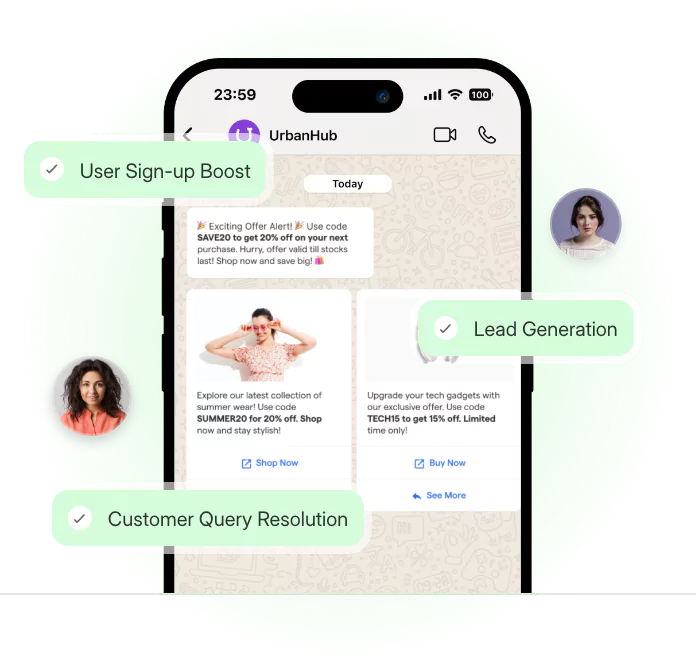
3X Your Business
Growth on WhatsApp
See how our chatbot automates replies, qualifies leads & books appointments on autopilot.
Watch Demo NowCheckout our related blogs you will love.
Updated at Aug 8, 2026
11 min to read

Updated at Aug 8, 2026
10 min to read

Updated at Aug 6, 2026
12 min to read
Updated at Jul 23, 2026
15 min to read

Updated at Jul 16, 2026
9 min to read
Updated at Jul 13, 2026
10 min to read
Table of Contents

