



WhatsApp AI Chatbot vs Rule-Based: What’s the Difference?
Updated at Sep 16, 2026
7 min to read

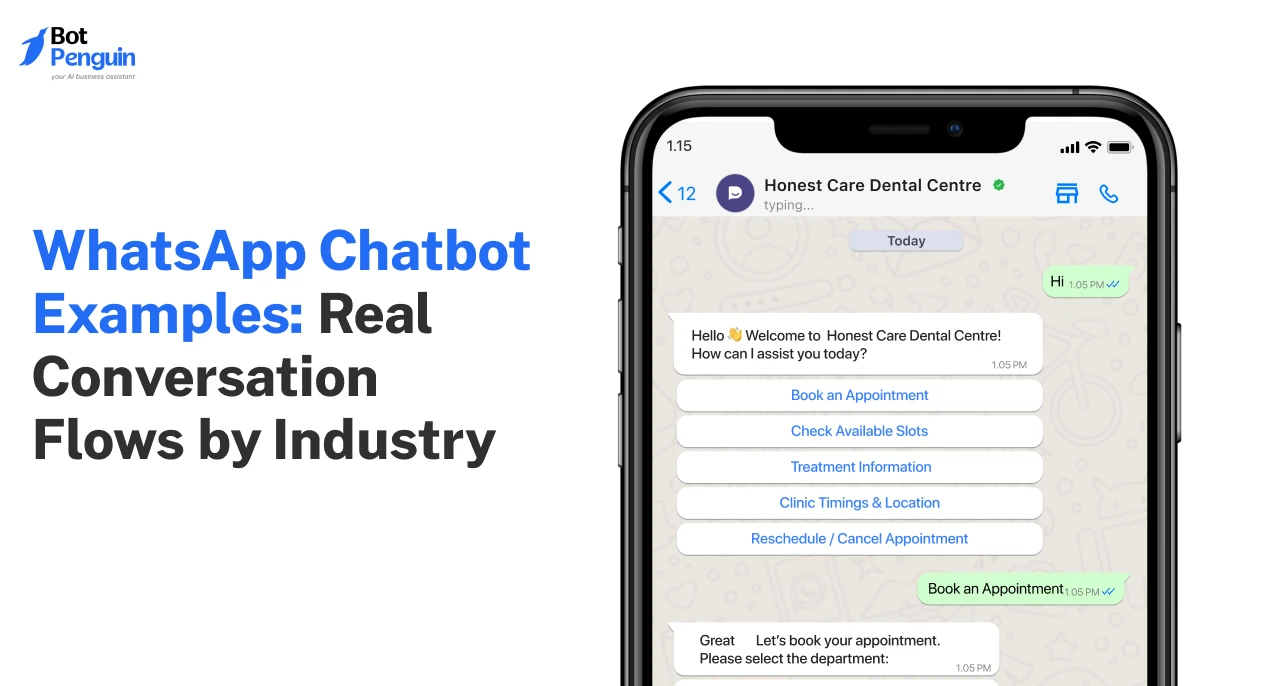
WhatsApp bot examples show how businesses handle support, qualify leads, recover carts, and book appointments through guided conversations. The strongest flows stay focused on one goal, use relevant context, and make the next step obvious for the customer.
A majority of WhatsApp business conversations have the potential to convert. But they don't. The difference? A script that answers versus a flow that guides.
The best bots know exactly what to ask, when to guide, and how to sound human instead of robotic. That’s why examples beat feature lists every time.
This guide walks through WhatsApp bot examples for customer support, lead generation, e-commerce, and appointment booking. It shows how high-performing conversation flows actually work.
Use them to spot what works, avoid what doesn't, and build a WhatsApp chatbot that moves customers forward.
A good WhatsApp chatbot is measured by how easily it helps someone get something done.
Whether the goal is booking an appointment, recovering a sale, or qualifying a lead, the best conversations follow a simple pattern.
As you read the WhatsApp bot examples below, notice these six elements that make each flow effective:
Launch the conversation when the user is most likely to need help, not at random.
That could be after someone abandons a cart, clicks a product, or sends a message after business hours.
Keep every question short and focused. Simple prompts are easier to answer and keep the conversation moving without overwhelming the user.
Use quick replies, buttons, and predefined options wherever possible.
The less users have to type, the more likely they are to complete the conversation.
Users ask unexpected questions or provide incomplete answers.
A good chatbot handles these moments with helpful fallback messages or routes the conversation to the right person.
Every message should move the user closer to a specific outcome. That could be a purchase, appointment, or qualified lead.
Avoid switching topics midway through the flow.
Every conversation should finish with a clear action. That could be a booking, payment link, support ticket, or human handoff.
87% of customers say it is essential for companies using GenAI to provide an option to reach a human agent. (Source: Gartner, 2026)
You’ll notice these same patterns in every example below. The use case changes, but the principles behind effective WhatsApp chatbot conversations stay remarkably consistent.
Many businesses use platforms like BotPenguin to put these conversation patterns into practice with no-code flow builders and AI-powered automation. Read BotPenguin reviews from businesses using the product.
In the next sections, we’ll explore how these principles come together in conversation flows. We’ll start with customer support, where a WhatsApp chatbot can resolve common queries and route complex ones to a human.
Customer support works well on WhatsApp because most queries are simple, recurring, and time-sensitive. A good support flow answers the easy ones quickly and knows when to bring in a human.
For customer support, we've divided this section into two common scenarios: resolving a routine query end-to-end, and escalating one that needs a human touch.
For industries like insurance, policy questions can send customers digging through documents or waiting for an agent.
A WhatsApp chatbot example like this keeps the answer and next step in one conversation.
Visitor: Does my policy cover water damage?
Chatbot: I can check that for you. Please share your policy number or plan name.
Visitor: My policy number is [Policy Number].
Chatbot: Thanks! Your plan covers water damage caused by burst pipes, but not gradual leaks. Would you like to view your full coverage details or file a claim?
Visitor: Show me the coverage details.
Chatbot: Here you go: [Coverage Document URL]
Visitor: Thanks.
Chatbot: Happy to help! If you need to file a claim, you can get started here: [Claim Form URL]
The flow works because it answers the immediate question and keeps the next action obvious. Flows handling account or policy details also need appropriate security and access controls.
Some questions need judgment, context, or account-level review. That is where the chatbot should step aside.
Here's how a bot handles that moment without making the customer repeat themselves.
Visitor: I already filed a claim, but the amount I received looks incorrect.
Chatbot: I can connect you with a support agent who can review your claim.
Chatbot: I’ll pass along this conversation and your claim details, so you do not need to repeat everything.
Visitor: Yes, please.
Chatbot: Done. A support agent can continue from here.
The important part is not just the handoff. It is carrying the context forward so the customer does not have to start again.
Twilio found that 76% of consumers say agents receive too little context after an AI handoff. (Source: Twilio, 2026)
Across both flows, the pattern is the same: resolve fast when you can, hand off cleanly when you can't, and never make the customer start over either way.
A good lead generation flow does more than collect contact details. It qualifies intent before passing the lead to sales.
Here are 2 WhatsApp bot examples that qualify a lead before handing it off, one for real estate, one for education.
Notice the bot never asks for a budget upfront. It earns that question later, once intent is confirmed.
Visitor: Hi, I saw the 2-bedroom apartment on your website. Is it still available?
Chatbot: Yes. Are you looking to buy for yourself or as an investment?
Visitor: For myself.
Chatbot: What is your preferred move-in timeline?
Visitor: Within two months.
Chatbot: Would you like to schedule a viewing?
Visitor: Yes.
Chatbot: Saturday slots are available at [Available Times].
This gives the sales team useful context before the conversation moves further.
NAR reports that 7% of REALTORS® use chatbots to capture leads or communicate with clients. (Source: NAR, 2025)
The bot skips the “tell us about yourself” step entirely. It gets straight to what the prospect actually wants to know.
Visitor: Hi, I want details about MBA admissions.
Chatbot: Are you looking to apply for the upcoming intake?
Visitor: Yes.
Chatbot: Would you like information about eligibility, fees, or counseling?
Visitor: Counseling.
Chatbot: Here are the available slots: [Available Time Slots].
The flow captures intent and moves the prospect toward the next step without unnecessary back-and-forth.
In both cases, the chatbot does the filtering early, so the human conversation starts with context instead of basic questions.
These two flows show how e-commerce chatbots can recover lost sales and answer post-purchase queries without slowing the customer down.
Cart abandonment is one of the most practical WhatsApp bot examples for e-commerce brands.
The shopper is already close to buying. The chatbot only needs to remove the final doubt.
Here's what that conversation looks like when a WhatsApp chatbot for e-commerce steps in at the right moment:
Chatbot: Still deciding? I can answer any questions about sizing, shipping, or returns.
Visitor: Does this ship internationally?
Chatbot: Yes, international shipping is available. Want me to check the exact cost and delivery estimate for your location?
Visitor: Yes, please.
Chatbot: Shipping to your location will cost [Shipping cost] and is estimated to arrive in [Delivery Estimate]. Ready to complete your order? I can bring you right back to checkout.
Visitor: Yes, take me back.
Chatbot: Done. Here is your checkout link: [Checkout URL]
This flow works because it resolves the exact doubt stalling the purchase, then hands the shopper a direct path back to checkout instead of a generic reminder.
Chatarmin reports 18-23% conversion rates for optimized WhatsApp cart-recovery flows across 450+ e-commerce brands. (Source: Chatarmin, 2026)
Order-status queries are simple but recurring, making them a good fit for WhatsApp automation.
Visitor: Where is my order?
Chatbot: Please share your order number.
Visitor: [Order Number]
Chatbot: Your order has shipped and is expected by [Delivery Date]. Track it here: [Tracking URL]
Visitor: Thanks.
The flow gives customers an immediate update without making them wait for a support agent.
Want to see this in action? Explore how BotPenguin powers e-commerce conversations, cart recovery, and sales automation.
Booking flows work best when they remove the back-and-forth around availability, confirmation, and reminders.
A prominent industry that uses appointment booking bots well is healthcare, where missed slots and no-shows carry a real cost.
Here’s how a WhatsApp chatbot for healthcare can handle an appointment request in one conversation.
Visitor: I need to book a check-up.
Chatbot: Sure. Here are the available slots this week: [Available Time Slots]. Which works best for you?
Visitor: Thursday at 2:00 PM.
Chatbot: You’re booked for Thursday at 2:00 PM. We’ll send you a reminder before your appointment.
Visitor: Thanks.
Chatbot: You’re all set. Here are your appointment details: [Appointment Details].
The flow keeps scheduling simple: show availability, confirm the slot, and give the customer a clear record of the booking.
For more examples of automation in practice, browse BotPenguin's case studies.
The examples above are starting points, not scripts to copy word for word. A few mistakes can quickly make a useful flow feel frustrating.
Opening with a long form disguised as a chat drives drop-off before the conversation even starts.
Solution: Ask only what's needed to move forward. Most flows only need one qualifying detail upfront. Everything else, like budget or account specifics, can wait until intent is confirmed.
Trying to script a bot response for every possible question creates a maze, not a conversation.
Solution: Build fallback paths early, not as an afterthought. If a query falls outside three attempts or shows frustration signals, route to a human immediately instead of looping.
Canned responses like "Thanks for reaching out!" feel robotic and stall momentum.
Solution: Pull in real details, order status, appointment slots, or lead context, so replies feel specific. A bot that says "Your Thursday 2 PM slot is confirmed" builds more trust than a generic acknowledgment ever will.
Conversations that fizzle out after answering a question waste the intent you just captured.
Solution: Close every flow with a concrete action, checkout, booking, handoff, or confirmation. If there's no obvious next step, that's usually a sign the flow was designed around a question, not a goal.
Deploying these WhatsApp chatbot templates exactly as shown ignores how your customers actually behave.
Solution: Treat them as a framework. Adjust trigger timing, question order, and escalation points based on your own conversation data, not assumptions about what should work.
A strong WhatsApp flow should feel less like automation and more like a clear path to the next useful action.
WhatsApp bot examples make one thing clear. The best flows do not feel complex. They answer one question, remove one blocker, and move the visitor to the next step.
For e-commerce, that means recovering a cart. For customer support, lead generation, and appointment booking, it means faster replies and cleaner handoffs.
A WhatsApp chatbot for business works best when the flow is focused. Start with one high-intent use case. Build the trigger, response, and action. Then improve it from real conversations.
These flows become easier to launch and manage when they are built around a clear customer goal.
Common WhatsApp bot examples include answering order questions, qualifying leads, recovering abandoned carts, booking appointments, sending order updates, and handing complex queries to a human agent.
Yes. WhatsApp chatbot templates can be adapted to your products, services, customer journey, and support process. Adjust the questions, triggers, replies, and next steps instead of copying a template exactly.
A good WhatsApp chatbot example has a clear goal, short questions, relevant replies, and an obvious next step. It should also provide a simple human handoff when automation cannot resolve the request.
WhatsApp chatbots can qualify leads by asking about intent, timing, requirements, or preferences before passing them to sales. This gives human teams useful context and reduces unnecessary back-and-forth during follow-up.
Yes. A WhatsApp chatbot can remind shoppers about abandoned products, answer purchase-related questions, and provide a direct checkout link. The flow works best when it addresses the reason preventing the purchase.
Yes. A WhatsApp chatbot can show available slots, collect booking details, confirm appointments, and send reminders when connected to the required scheduling system. This reduces manual coordination between customers and staff.
A chatbot should hand off when a request needs judgment, account-level review, sensitive handling, or information outside its scope. Passing the conversation context helps the human agent continue without making customers repeat themselves.
Build High-Converting WhatsApp Chatbot Flows
Use practical conversation examples for support, sales, ecommerce, and bookings to create focused WhatsApp chatbot experiences for your customers.
Build Your ChatbotCheckout our related blogs you will love.
Updated at Sep 16, 2026
7 min to read
Updated at Sep 10, 2026
10 min to read

Updated at Aug 6, 2026
11 min to read
Updated at Aug 5, 2026
7 min to read
Updated at Jul 24, 2026
6 min to read
Table of Contents



