


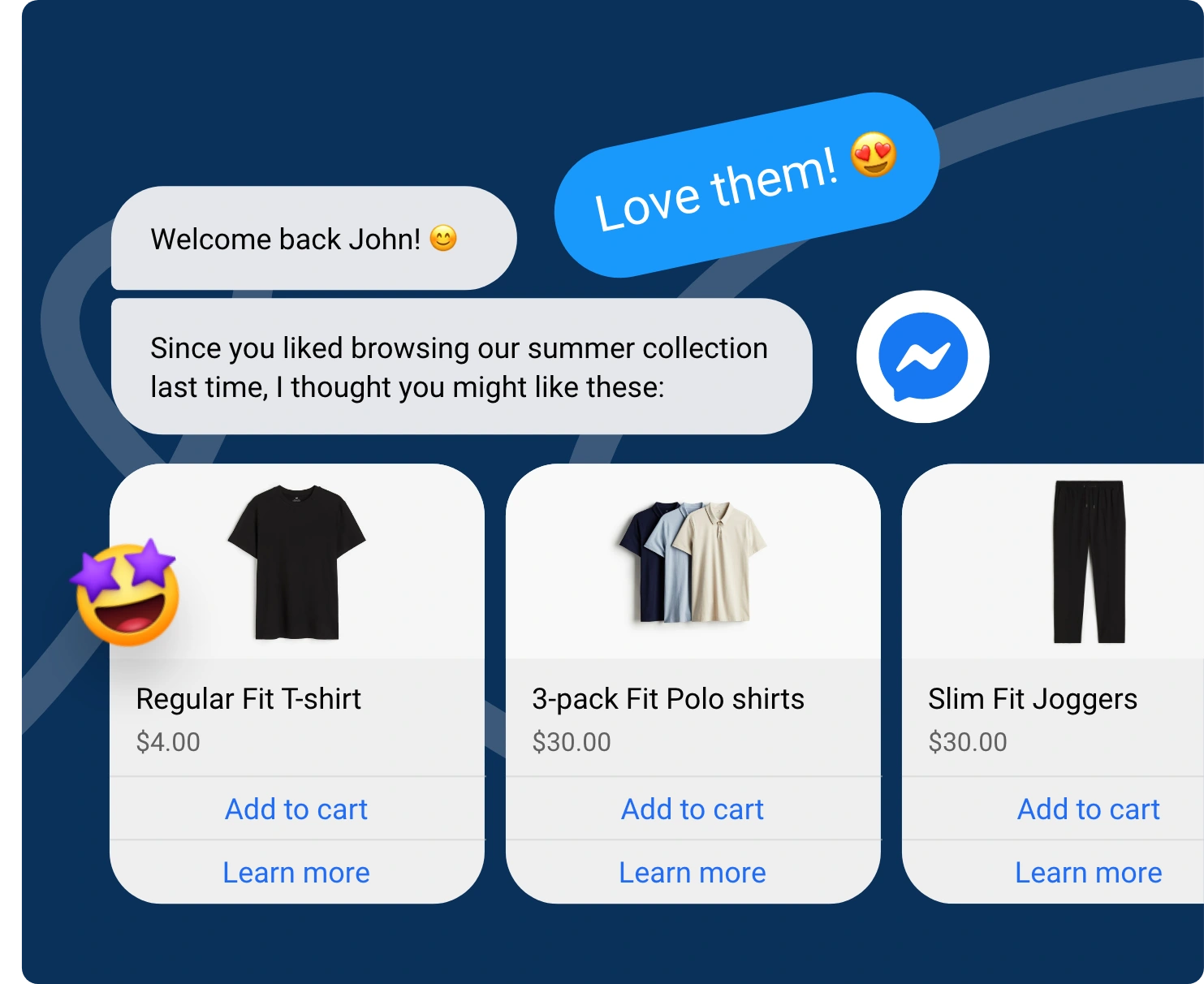

The Future of Facebook Chatbots: 6 Trends for 2026
Updated at Jul 27, 2026
7 min to read
Updated On Jul 21, 2026
12 min to read
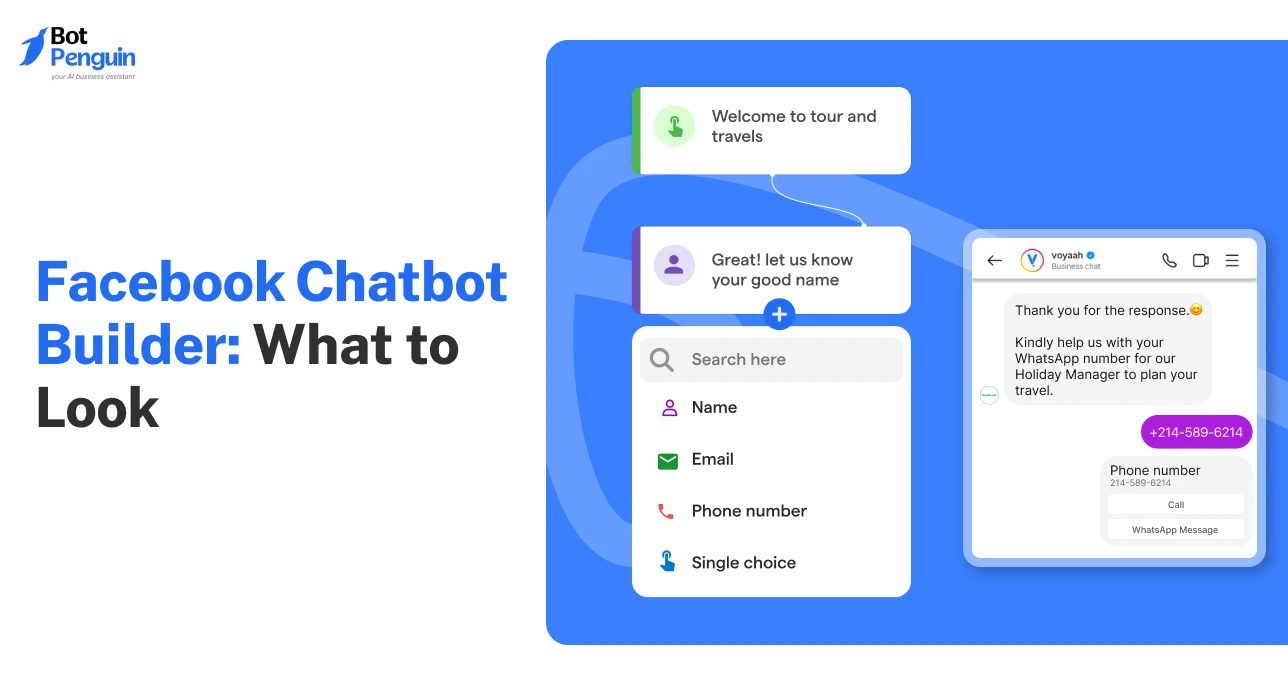
A Facebook chatbot builder is the tool you use to design automated Messenger conversations, usually without writing code. It lets you map out replies, buttons, and flows through a visual interface, then connects that logic directly to your Facebook page so customers get instant responses the moment they message you.
Your Facebook page isn't the problem. Your response time is.
People message when they're ready to buy, book, or ask a question. Every delayed reply gives them a reason to look elsewhere.
That's why smart businesses run conversations that qualify leads, answer questions, and move customers forward around the clock.
The right Facebook chatbot builder makes this possible without writing a single line of code.
In this guide, you'll learn what separates a good platform from a great one, the features worth paying for, and how to choose the best Facebook bot builder for your business.
New to Facebook chatbots? Start with our complete Facebook chatbot guide.
A Facebook chatbot builder gives you a no-code way to design Messenger conversations from scratch.
Through a visual editor, you map out flows, capture leads, respond to frequently asked questions, and link the bot to the tools already running your business, no developer required.
As of June 2026, over a million businesses run AI agents on WhatsApp and Messenger, part of over a billion daily conversations across Meta's apps.
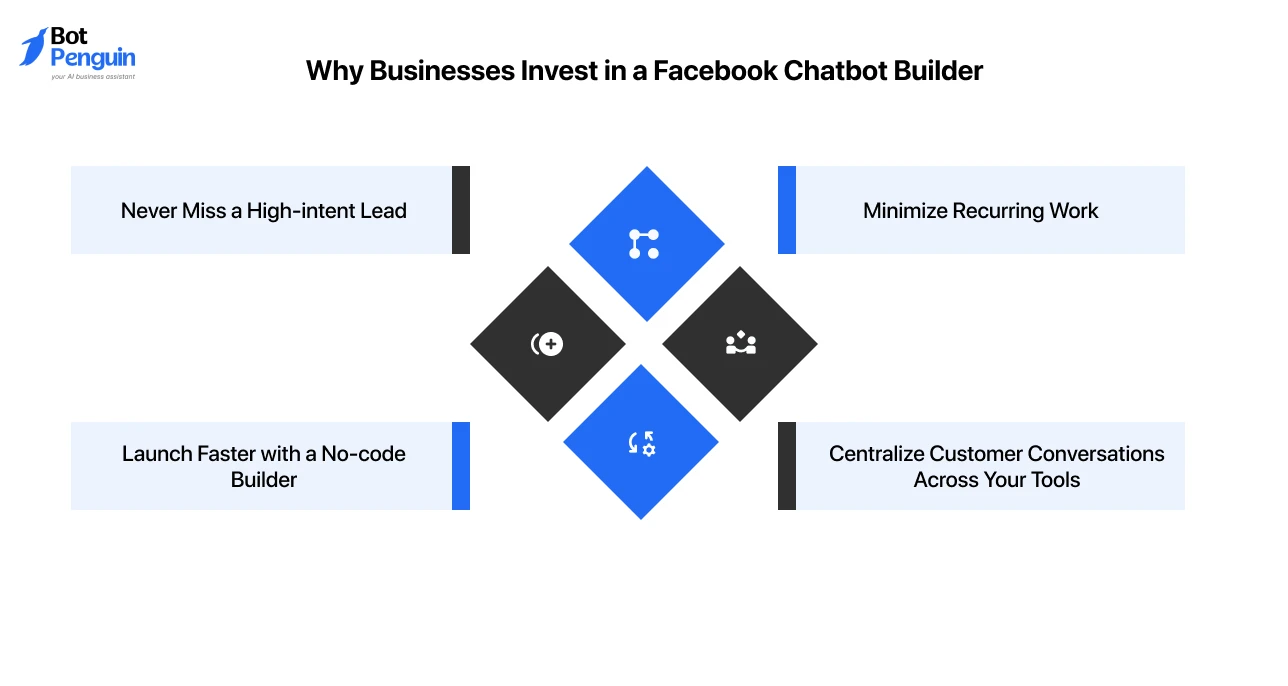
The right chatbot builder helps you create better customer experiences while making your team more productive.
Here’s why businesses are investing in the right platforms:
A Facebook chatbot builder, thus, presents a smarter way to manage customer conversations at scale.
Whether your goal is to generate more leads, improve support, or streamline operations, the right platform helps you do it with less effort and greater consistency.
Platforms like BotPenguin combine no-code automation, AI-powered conversations, and business integrations, making it easier to turn Messenger into a reliable growth channel.
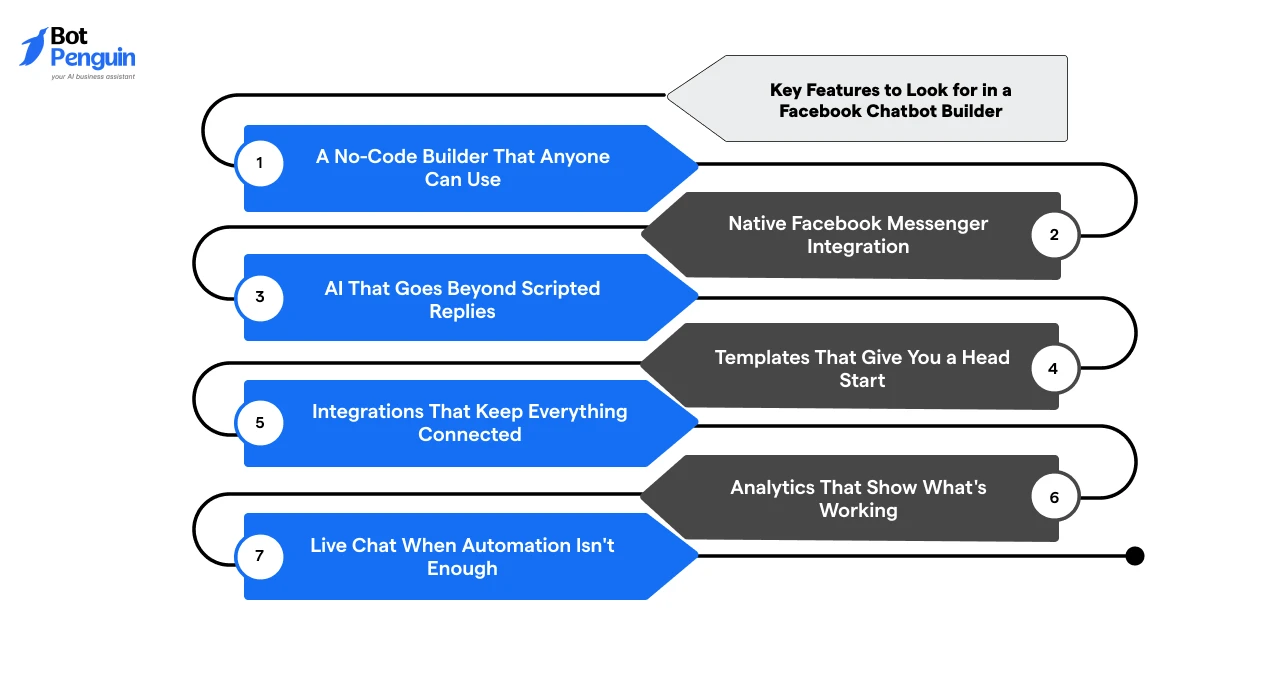
Choosing a Facebook chatbot builder isn't about finding the platform with the longest feature list.
It's about picking one that makes automation easy, fits your existing workflow, and can grow with your business. Here are the capabilities worth prioritizing:
Your first sign should be how little training it takes before your team can build a flow on their own.
Look for a visual drag-and-drop builder that lets you map conversations, add buttons, create branching paths, and update workflows with ease.
The simpler it is to build and refine your bot, the faster you can launch new campaigns and respond to changing business needs.
Your chatbot should plug directly into your Facebook Page and Messenger from day one.
A native integration makes deployment straightforward and ensures conversations flow smoothly without complex setup.
If you plan to run Meta campaigns, support for Click-to-Messenger ads and other Messenger entry points is a valuable advantage.
A truly AI-powered chatbot can understand natural language, answer open-ended questions, and guide users without relying on rigid decision trees.
It also knows when a conversation needs human attention, creating a smoother customer experience.
Gartner projects 40% of enterprise applications will include task-specific AI agents by year-end, up from under 5% last year.
Pre-built templates for common use cases like lead generation, customer support, appointment booking, FAQs, and product recommendations help you get up and running quickly.
The best builders let you customize every flow instead of locking you into fixed journeys.
A chatbot becomes far more useful when it works with the rest of your business.
Look for integrations with your CRM, help desk, calendar, email marketing platform, payment gateway, and automation tools.
This keeps customer information synchronized and eliminates unnecessary manual work.
Launching your chatbot is only the beginning.
Built-in analytics reveal how customers interact with your bot, where conversations drop off, which flows convert best, and how many leads you're generating.
These insights make it easier to improve performance over time.
Even the smartest chatbot won't answer every question. That's why the best platforms let you transfer conversations to a live agent without losing context.
Customers get faster resolutions, and your team can step in only when their expertise is needed.
The best Facebook chatbot builder should simplify automation, not add another tool to manage.
Prioritize platforms that are easy to use, integrate with your existing systems, and provide the flexibility to improve customer conversations as your business grows.
Compare the best Facebook chatbot platforms before you decide.
A no-code Facebook chatbot builder is the right starting point for most businesses, but it helps to know what you'd be trading off if you went the developer route instead.
Here's how the two approaches compare:
If you've decided to go the no-code route, our guide to creating a no-code Facebook Messenger bot walks you through the entire process.
Points Worth Remembering
Unless your business has highly specialized requirements, a no-code builder delivers the speed, flexibility, and scalability needed to launch and grow with confidence.
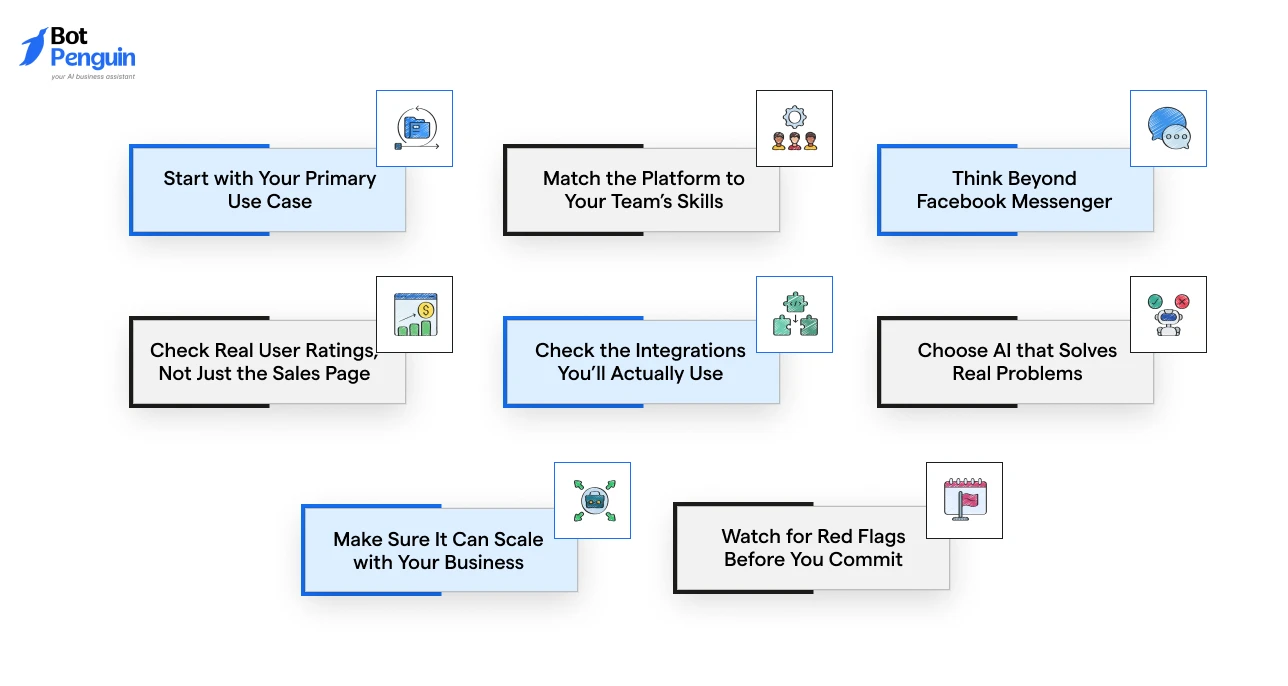
Finding the right Facebook chatbot builder is about selecting a builder that fits your goals today while giving you room to grow tomorrow.
Use these questions to narrow down your options:
A chatbot builder is only as good as your team's willingness to use it.
Choose one that solves your current problems, fits how you already work, and grows with you instead of holding you back in a year.
That's why many businesses choose platforms like BotPenguin, which balance ease of use with the flexibility to support more advanced automation as they grow.
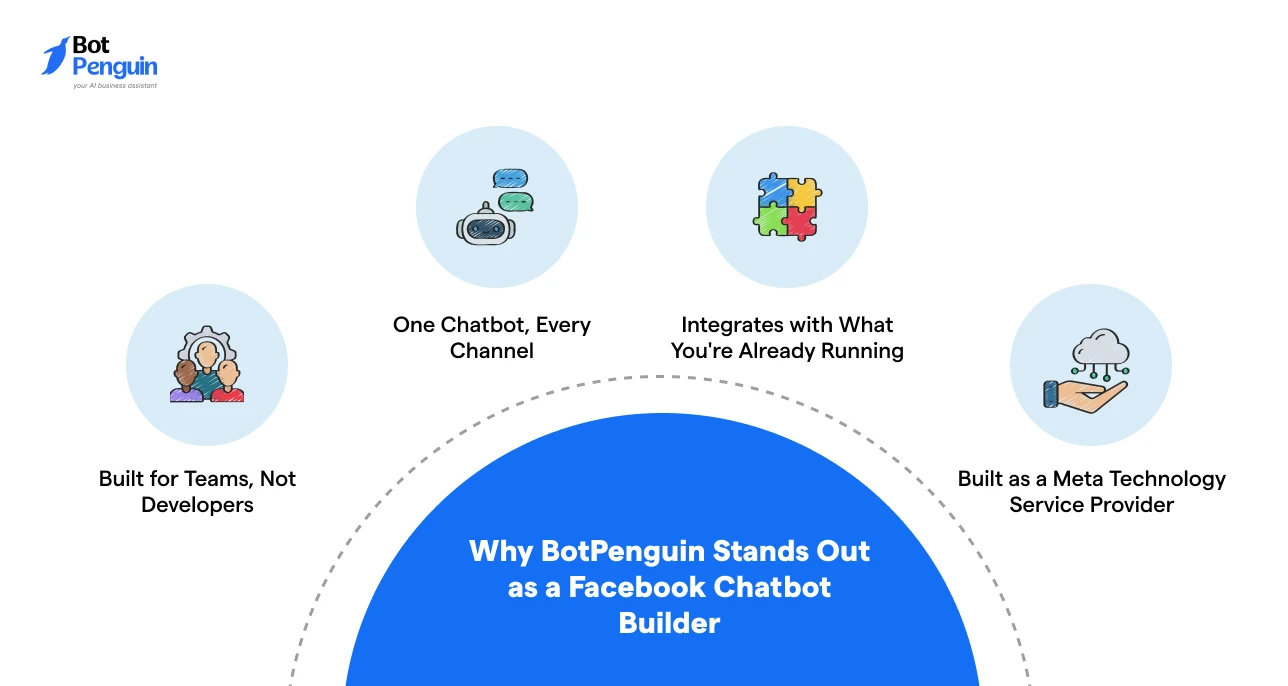
By now, you know what to look for in a Facebook chatbot builder.
BotPenguin brings that entire checklist together: no-code building, native Messenger support, AI that goes beyond scripts, cross-channel reach, deep integrations, and room to scale, into one platform.
Whether you're launching your first chatbot or managing thousands of Messenger conversations a month, here's what that looks like in practice:
Ready to automate Facebook Messenger without the complexity? Explore BotPenguin and start building your chatbot in minutes.
A great Facebook chatbot doesn't come from adding more automation; it comes from choosing the right foundation.
The best Facebook bot builder should be simple to use, flexible enough to adapt, and powerful enough to support your business as it grows.
Take time to compare features, test the platform, and make sure it fits the way your team already works.
A solution like BotPenguin brings together AI, no-code automation, and seamless integrations, making it easier to create meaningful Messenger experiences.
Choose a platform that helps you solve today's challenges while giving you the confidence to scale tomorrow.
A Facebook chatbot builder is a tool used to create automated Messenger conversations for lead generation, customer support, bookings, and sales. Most platforms provide visual flow editors, templates, integrations, and AI features without requiring extensive technical knowledge.
No. A no-code Facebook Messenger bot can be created using drag-and-drop tools, prebuilt templates, and visual workflows. Marketing, sales, and support teams can usually build, test, publish, and update conversations without developer assistance.
A reliable Facebook bot builder should include a visual flow editor, AI-powered responses, live chat handover, templates, analytics, audience segmentation, broadcasts, and CRM integrations. It should also support easy testing, updates, and scalable conversation management.
Not exactly. A builder focuses on designing conversation flows, while a Facebook chatbot platform usually includes the builder plus hosting, analytics, integrations, team access, AI tools, contact management, campaign features, and support for additional communication channels.
Facebook chatbot builder pricing can range from free plans to several hundred dollars per month. Costs usually depend on contacts, conversations, AI usage, team members, integrations, supported channels, and whether advanced automation or enterprise features are required.
Yes. A Messenger chatbot builder can automate replies to common questions, collect lead details, recommend products, confirm bookings, and route complex queries to human agents. The quality of automation depends on the flows, AI model, and knowledge provided.
Build Smarter Facebook Chatbots Without Coding
Capture leads, answer customer questions, and automate Messenger conversations with AI-powered workflows. Launch faster, engage more customers, and grow your business with BotPenguin.
Get Started NowCheckout our related blogs you will love.
Updated at Jul 27, 2026
7 min to read
Updated at Jul 25, 2026
10 min to read
Updated at Jul 25, 2026
6 min to read
Updated at Jul 25, 2026
7 min to read
Updated at Jul 21, 2026
8 min to read
Updated at Jul 20, 2026
12 min to read
Table of Contents


