


What Is Zendesk and How Does It Work? A 2026 Guide
Updated at Oct 24, 2026
12 min to read

A strong chatbot script determines whether a conversation moves forward or leaves users searching for answers. It gives your chatbot a clear path to ask questions, understand intent, handle unexpected replies, and guide people to the right next step.
You do not have to write every conversation from scratch. This guide shows you how to write a chatbot script and includes eight copy-paste chatbot script examples for common business conversations.
Use them for lead qualification, customer support, bookings, FAQs, ecommerce recovery, feedback, greetings, and appointment reminders. You can also customize and build each flow in BotPenguin without writing code.
A chatbot script is the planned conversation a bot follows to guide users toward a clear outcome. It defines opening messages, user choices, response branches, fallback replies, and handoff points, helping businesses create conversations that remain useful and easy for customers to complete.
Unlike a single automated reply, a script considers what happens after the user responds. It connects each answer to the next logical question or action.
A useful chatbot script starts with the outcome, not the greeting. Before writing individual messages, decide what the user should accomplish by the end of the conversation.
Give each conversation one primary purpose.
A lead generation flow may need to qualify a prospect. A booking flow should help the customer reach an available appointment.
Avoid questions that don't help achieve that goal.
List the reasons someone may enter that conversation.
For a support chatbot, users might want to track an order, report a problem, or speak with support. Mapping those intentions early prevents the conversation from becoming one long question-and-answer sequence.
Tell users what the chatbot can do.
Instead of opening with a generic "How can I help?", make the first message useful. Give users a few obvious paths when possible.
Every important user choice should lead somewhere relevant.
If someone wants to book an appointment, move toward service and time selection. If they need support, ask for the information required to resolve that problem.
Users will not always choose the expected answer.
Include a fallback for unclear responses and give them an easy way back into the flow. Avoid trapping users in repeated error messages.
Not every conversation should end with automation.
Define situations where the chatbot should transfer the conversation to a person, collect contact information, or create a follow-up request.
The chatbot conversation templates below follow these principles. Treat each one as a starting structure, then adjust the questions and branches around your actual customer journey.
Use this chatbot script when someone reaches a pricing, product, or service page. The flow captures basic information while qualifying what the visitor wants before a sales follow-up.
Copy-paste script:
Bot: Hi 👋 Looking for the right plan, or just exploring?
[Looking for a plan] [Just exploring]
User: Looking for a plan
Bot: Great. What best describes you?
[Solo/freelancer] [Small team] [Large company]
User: Small team
Bot: Roughly how many people would use it?
[1-5] [6-20] [20+]
User: 6-20
Bot: Got it. What's the main thing you want to solve?
[Capture leads] [Support customers] [Book appointments]
User: Capture leads
Bot: Perfect. What's the best email for sending your next steps?
User: sam@acme.com
Bot: Thanks. Your details are saved. Would you like to start exploring now?
[Start free] [Maybe later]
On a website, quick-reply buttons can keep this conversation visual. On messaging channels, keep each option short enough to scan easily.
▶ Build this flow free in BotPenguin
Use this script to help customers identify common support needs before escalating the conversation. Keep the first choices focused on the requests your support team handles most often.
Copy-paste script:
Bot: Hi. What can I help you with today?
[Track an order] [Report a problem] [Talk to support]
User: Report a problem
Bot: I can help with that. Which area is causing trouble?
[Account] [Payment] [Product/service]
User: Account
Bot: What seems to be happening?
[Can't log in] [Need to update details] [Something else]
User: Can't log in
Bot: Let's start with a password reset.
Would you like the reset instructions?
[Yes] [I already tried that]
User: I already tried that
Bot: Understood. I'll pass this to the support team. What's the best email for the follow-up?
User: sam@acme.com
Bot: Thanks. Your request has been recorded.
A team member can continue from here.
The important part is the escalation path. If automation cannot resolve the issue, the conversation should stop collecting unnecessary information and move toward support.
▶ Build this flow for free in BotPenguin
An appointment chatbot script should reduce the effort between "I want to book" and confirmation. Ask only for information required to identify the service, select a slot, and complete the booking.
Copy-paste script:
Bot: Hi 👋 Want to book an appointment?
[Book now] [View services] [Ask a question]
User: Book now
Bot: Great. Which service do you need?
[Consultation] [Follow-up] [Other]
User: Consultation
Bot: Which day works best?
[Monday] [Tuesday] [Wednesday]
User: Tuesday
Bot: Here are the available times:
[10:00 AM] [1:30 PM] [4:00 PM]
User: 1:30 PM
Bot: Tuesday at 1:30 PM is available. What's your name?
User: Alex Morgan
Bot: Thanks, Alex. Confirm Tuesday at 1:30 PM?
[Confirm] [Choose another time]
User: Confirm
Bot: You're booked ✅ We'll send your appointment details shortly.
Businesses that need a fuller scheduling workflow can also explore BotPenguin's appointment booking options.
▶ Build this flow for free in BotPenguin
An FAQ chatbot works best when it helps users narrow their question instead of displaying a long menu of answers.
This chatbot flow template works well on product pages, service pages, or other high-intent website sections.
Copy-paste script:
Bot: Hi. What would you like to know?
[Pricing] [Features] [Getting started] [Something else]
User: Features
Bot: Sure. What are you most interested in?
[Customer support] [Lead capture] [Appointment booking]
User: Appointment booking
Bot: You can create a conversation that collects booking details and guides customers toward an available slot.
Bot: Want to see how a booking flow works?
[Show me] [Ask another question]
User: Ask another question
Bot: No problem. Choose a topic:
[Pricing] [Features] [Getting started] [Talk to someone]
User: Talk to someone
Bot: Sure. Leave your contact details, and the team can follow up.
Keep the answers focused. If the full explanation already exists on another page, let the chatbot provide the short answer and direct users there for details.
▶ Build this flow for free in BotPenguin
Use this script when a shopper returns to a cart or starts a conversation while deciding whether to complete an order.
The flow should identify the blocker before pushing the customer back toward checkout.
Copy-paste script:
Bot: Still deciding on the items in your cart?
[I have a question] [Ready to checkout] [Not right now]
User: I have a question
Bot: Sure. What do you need help with?
[Delivery] [Returns] [Product details]
User: Delivery
Bot: Enter your delivery location or postal code, and I'll show the available options.
User: 10001
Bot: Thanks. Here are the delivery options available for that location.
Bot: Ready to continue with your cart?
[Go to checkout] [Ask another question]
User: Go to checkout
Bot: Perfect. Let's continue your order.
Notice that the script addresses the customer's question before returning to the purchase. A cart recovery conversation should remove friction rather than simply repeat "complete your order."
▶ Build this flow free in BotPenguin
Feedback conversations should be quick. Ask for the score first, then use the response to determine whether another question is useful.
Copy-paste script:
Bot: How was your experience today?
[Great] [Okay] [Not good]
User: Not good
Bot: Sorry the experience fell short. What was the main issue?
[Slow response] [Problem unresolved] [Something else]
User: Problem unresolved
Bot: Thanks for telling us. Would you like someone to follow up?
[Yes] [No]
User: Yes
Bot: What's the best email or phone number to reach you?
User: sam@acme.com
Bot: Thanks. We've recorded your feedback and your follow-up request.
For positive responses, keep the path shorter. Thank the customer and close the conversation instead of forcing additional questions.
▶ Build this flow free in BotPenguin
A welcome message should tell visitors what they can do next. Avoid making them guess what the chatbot understands.
Use this free chatbot script as a starting point for a homepage or service-page greeting.
Copy-paste script:
Bot: Welcome 👋 What brings you here today?
[Explore the product] [Get pricing] [Need help]
User: Explore the product
Bot: Great. What are you hoping to improve?
[Lead generation] [Customer support] [Bookings]
User: Customer support
Bot: Got it.
Would you like to see how automated support works or speak with someone about your setup?
[See how it works] [Talk to the team]
User: See how it works
Bot: Perfect. I'll show you the most relevant option.
[Continue]
User: Continue
Bot: Here you go. You can ask another question anytime.
A website greeting can appear after a visitor opens the chat widget. On messaging platforms, use the same structure after the customer starts the conversation.
▶ Build this flow free in BotPenguin
An appointment reminder script should make the next action obvious. Patients should immediately understand the appointment details and know how to confirm or request another time.
The examples below use a dental clinic, but you can adapt the same structure for medical clinics, salons, consultation businesses, and other appointment-based services.
Hi [Name], this is [Clinic] 🦷.
This is a reminder about your dental appointment on [Date] at [Time] with Dr. [Name].
Reply C to confirm or R to reschedule.
Hi [Name], we'll see you tomorrow at [Time] for your [cleaning/checkup].
Reply C to confirm, R to reschedule, or CALL if you need the front desk.
Hi [Name]. Need another time for your appointment?
Reply R to see available slots, and we'll help you reschedule.
These short appointment reminder templates work as standalone messages. You can also connect the response to an interactive conversation.
Bot: Hi Sam. Reminder from Bright Smile Dental 🦷
Your appointment is Friday at 2:00 PM.
[Confirm] [Reschedule] [Contact clinic]
User: Reschedule
Bot: No problem. Here are the next available slots:
[Thu 10:00 AM] [Fri 4:00 PM] [Sat 9:00 AM]
User: Sat 9:00 AM
Bot: Saturday at 9:00 AM is available. Would you like to move your appointment?
[Confirm new time] [See more times]
User: Confirm new time
Bot: Done ✅ Your appointment is now Saturday at 9:00 AM. We'll send the updated details shortly.
You can adapt the same appointment reminder script for WhatsApp or SMS by shortening the options to fit the channel.
If you prefer an existing healthcare flow, explore the dentist chatbot template or doctor appointment chatbot template.
For salon bookings and reminders, you can adapt the same logic from BotPenguin's spa and salon template.
Businesses building reminder conversations specifically for WhatsApp can also connect the script with their WhatsApp chatbot setup.
▶ Build this reminder flow for free in BotPenguin
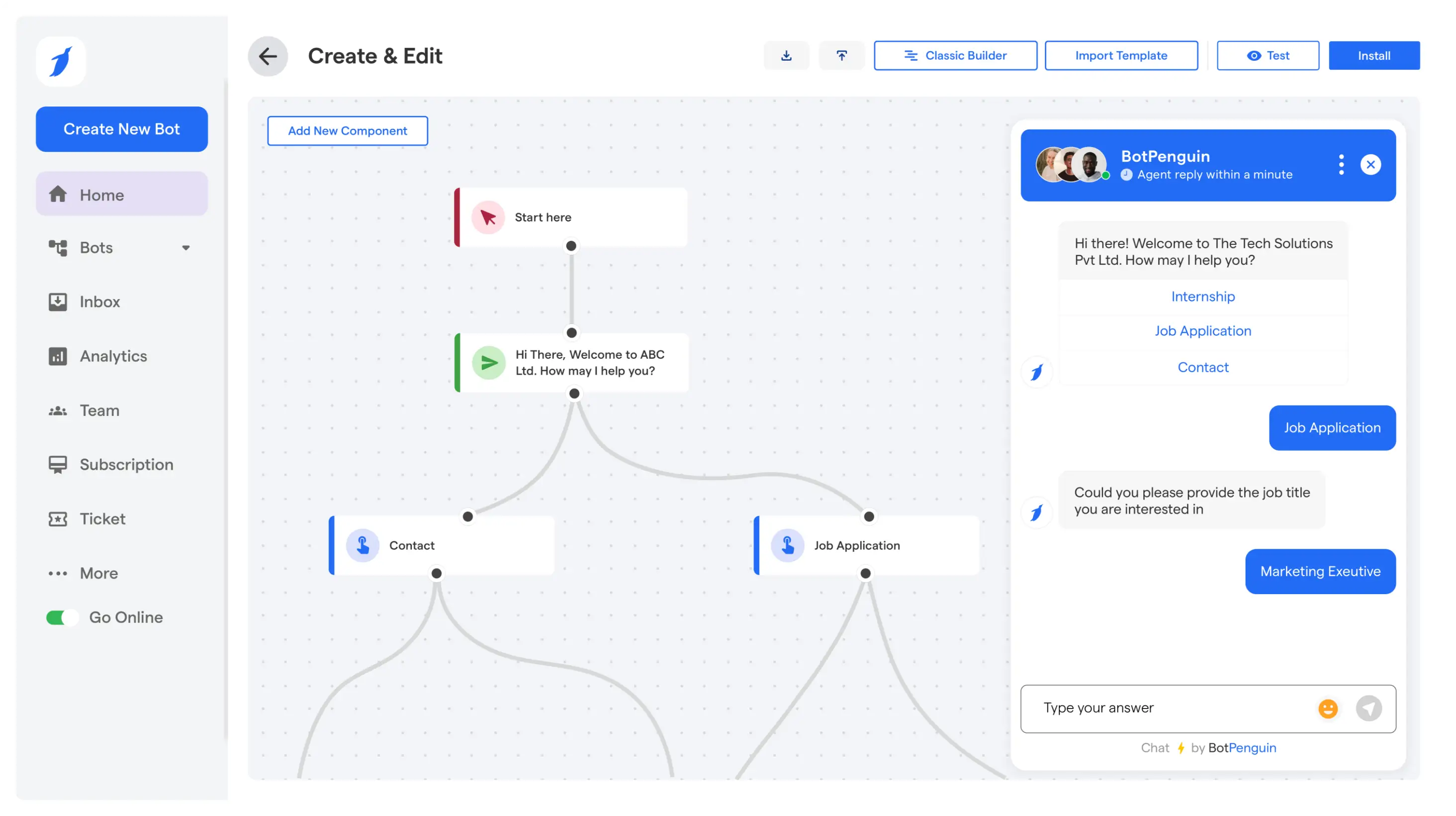
A chatbot script gives you the conversation logic. The next step is turning those messages and response branches into a flow customers can actually use.
Start with one goal. Add the required questions, connect each user choice to the right next step, and test the conversation end to end.
You can build these flows in BotPenguin and customize the wording around your business. If you would rather begin with an existing structure, explore BotPenguin's ready-made chatbot templates for different industries and use cases.
The strongest chatbot conversation is rarely the longest one. It simply helps the customer understand what to do next and makes that next step easy to complete.
Ready to turn your chatbot script into a working flow? Build your chatbot for free with BotPenguin
A chatbot script is a planned conversation that defines what a chatbot says and how it responds to different user choices. It maps openings, questions, response branches, fallback messages, actions, and human handoffs around a specific business goal.
Start by defining one conversation goal. Identify the user's likely intentions, write a clear opening, and connect each response to the next useful step. Add fallback messages for unexpected answers and include a human handoff when automation cannot complete the request.
Yes. You can copy and adapt the chatbot script examples in this guide for your own business conversations. Change the wording, questions, options, and actions to match your customer journey before turning the script into a live chatbot flow.
Yes. You can adapt these business scripts for WhatsApp conversations. Keep messages concise, make response choices clear, and adjust each flow around how customers interact with your business on WhatsApp.
A chatbot script focuses on the conversation itself, including messages, questions, replies, and fallback wording. A chatbot flow maps how those conversation branches connect, including actions, conditions, integrations, and handoffs that occur after each user response.
A good appointment reminder clearly states the customer name, business name, appointment date, and time. It should also provide an immediate way to confirm or reschedule. For dental appointments, short confirmation choices can then trigger an interactive rescheduling flow when needed.
Build Better Chatbot Conversations
Turn ready-to-use chatbot scripts into working flows for leads, support, bookings, reminders, and customer conversations with BotPenguin without coding.
Start Building FreeCheckout our related blogs you will love.
Updated at Oct 24, 2026
12 min to read
Updated at Oct 23, 2026
10 min to read
Updated at Oct 16, 2026
8 min to read
Updated at Oct 15, 2026
7 min to read

Updated at Oct 13, 2026
17 min to read

Updated at Oct 12, 2026
15 min to read
Table of Contents

