


Cache-Augmented Generation for Chatbots: A Complete Guide
Updated at May 27, 2026
10 min to read
Updated On May 22, 2026
8 min to read
Repeated queries are one of the biggest hidden costs in chatbot systems.
Implementing CAG in AI chatbots solves this by reusing responses instead of recomputing them for every query.
For a deeper understanding of how CAG for chatbots works and why it matters, refer to our detailed guide. This article focuses strictly on execution.
Here, we break down how CAG fits into chatbot architecture, the exact implementation steps, and the best practices required to make it scalable and reliable.
Teams are moving toward cache-augmented generation (CAG) chatbots to reduce latency, lower LLM costs, and eliminate redundant processing in high-volume systems.
Most modern chatbots rely on retrieval-heavy architectures (RAG), where every query triggers retrieval, processing, and generation, even for repeated questions.
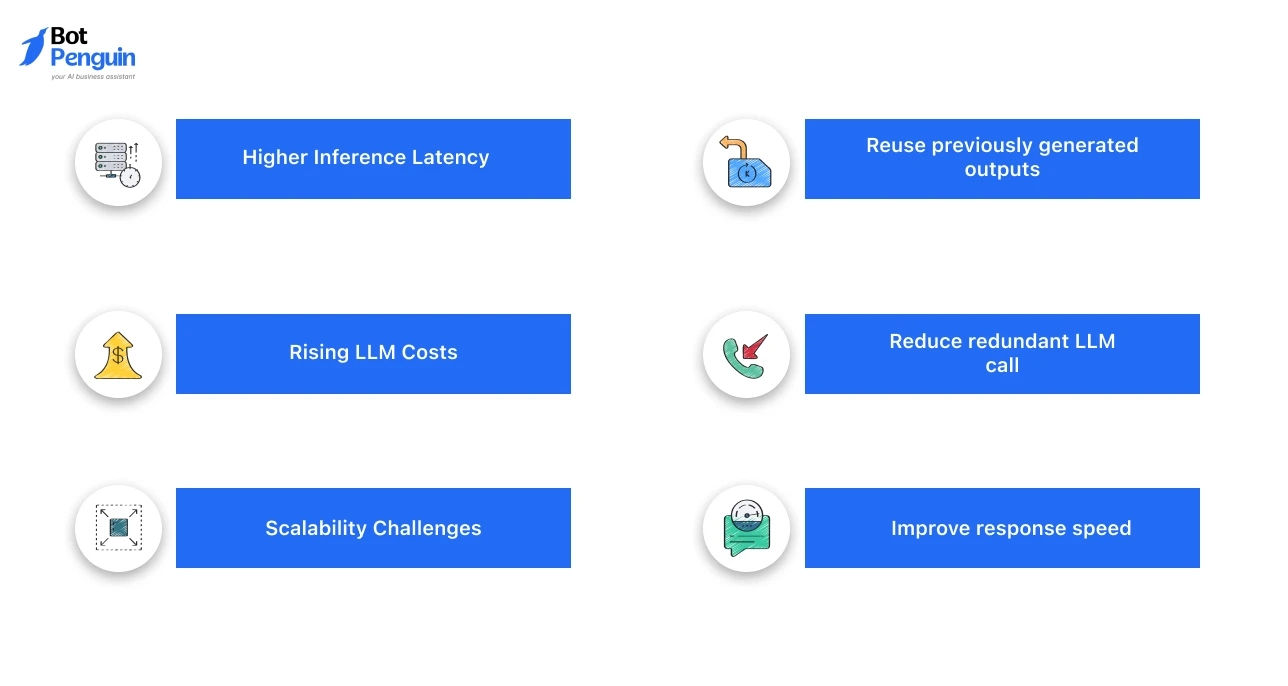
At scale, this creates three core problems:
This is where CAG shifts the approach. Instead of recomputing responses, CAG systems:
The result is a more efficient and scalable chatbot system aligned with real-world usage patterns. Next, let’s understand where CAG fits within the overall chatbot architecture.
CAG fits into chatbot architecture as a pre-generation optimization layer that introduces response reuse into the pipeline. Instead of processing every query from scratch, the system first checks whether a relevant response already exists.
In a standard LLM pipeline, the flow is: Query → Retrieval → Generation → Response
With building a chatbot with CAG, this becomes: Query → Cache Check → (Hit → Response) / (Miss → Generation → Cache Storage)
This modifies how the system routes queries:
From a system design perspective, CAG does not replace existing components. It adds a reuse layer that improves efficiency while keeping the core architecture intact.
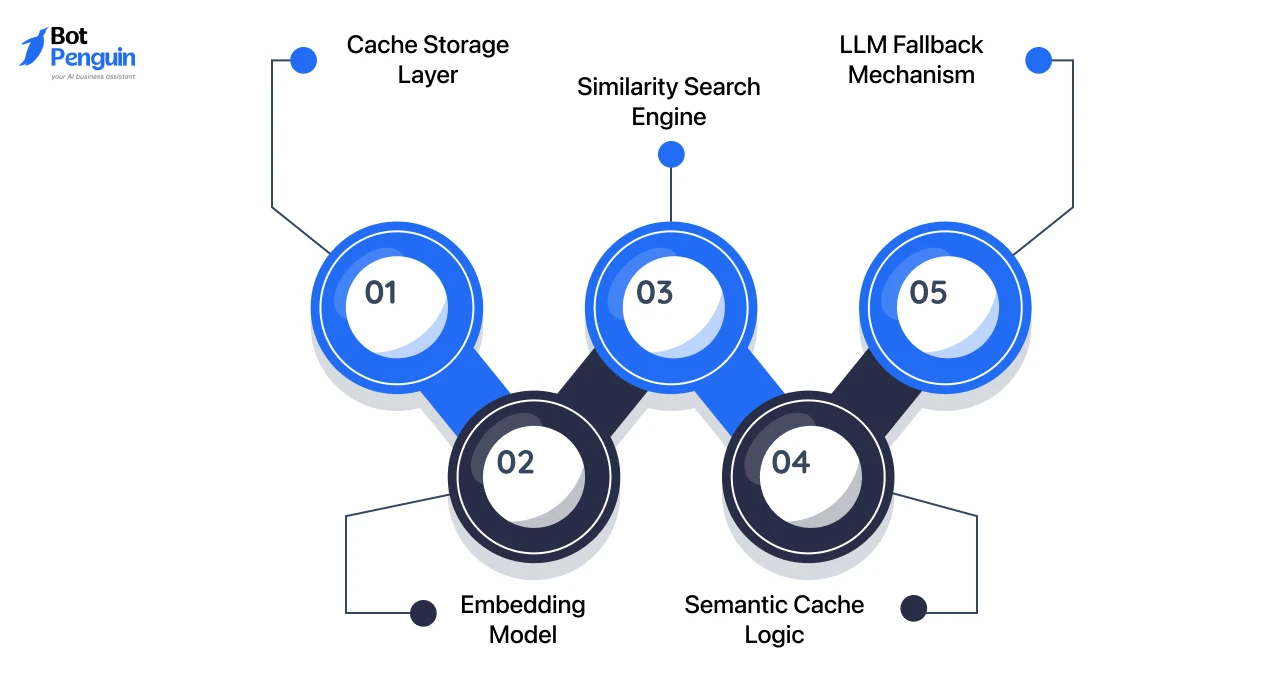
A CAG system introduces specific components that enable caching and matching within the chatbot pipeline. These include:
Each component plays a distinct role in enabling controlled response reuse without affecting system accuracy.
A cache-first pipeline ensures that queries are evaluated for reuse before triggering generation. The execution flow follows:
This approach allows the system to handle repeated queries efficiently while maintaining flexibility for new or complex inputs.
This architecture defines how the CAG for chatbot works in practice, but its impact depends on how you actually implement CAG in your chatbot. We’ll discuss that next.
This architecture defines how the CAG for chatbot works in practice, but its impact depends on when and where you apply it. We’ll discuss that next.
The next section walks through how to actually implement CAG in your chatbot, step by step.
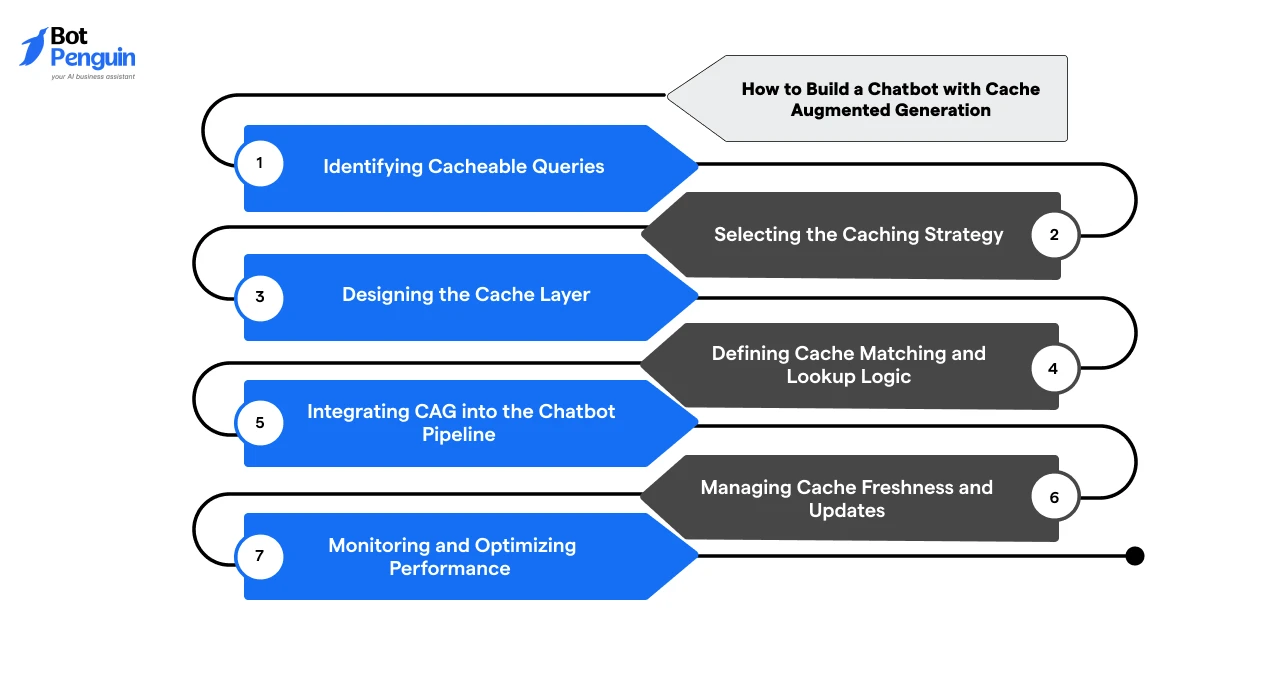
When building a chatbot with CAG, focus on optimizing query handling rather than redesigning the system. The idea is to reuse responses wherever possible and trigger generation only when needed.
At a high level, the process involves identifying repeatable queries, setting up a cache layer, integrating it into the pipeline, and refining it over time.
The steps below outline how this works in practice.
Not every query should be cached. The goal is to identify interactions where recomputation adds little value.
Start by analyzing chatbot logs and interaction data. Look for:
You can apply intent clustering to group similar queries and identify patterns at scale.
This step ensures that caching is applied only where it delivers measurable efficiency gains.
Once you know what to cache, the next decision is how to cache it. There are three primary approaches:
The choice depends on the extent of variation in user queries and the required level of accuracy.
For most production systems, semantic or hybrid caching is preferred when building a CAG chatbot.
The cache layer determines how efficiently responses can be stored and retrieved. You need to define:
A well-designed cache ensures that retrieval is significantly faster than generating a new response.
Cache matching determines whether a query can reuse an existing response or must generate a new one.
At a high level, the system:
Outcome:
The key here is threshold tuning: too strict reduces reuse, too loose affects accuracy.
Integration ensures that caching works seamlessly within your existing system. The pipeline typically looks like:
The key here is to keep CAG non-intrusive. It should sit within the pipeline without disrupting existing retrieval or generation logic.
Caching introduces the challenge of stale responses, especially when data changes over time. To manage this, systems typically use:
The strategy depends on how dynamic your data is. Static content allows longer caching, while dynamic systems require stricter controls.
CAG is not a one-time setup. Its effectiveness improves with continuous monitoring.
Track key metrics such as:
Use these insights to refine:
Over time, this feedback loop ensures that the system becomes more efficient and better aligned with real-world usage patterns.
For teams looking to simplify this transition, platforms like BotPenguin bring AI Chatbots with CAG-like capabilities into a unified environment. It reduces the need to manage caching logic, integrations, and infrastructure separately, allowing you to focus on performance and use-case outcomes.
Now that the implementation foundation is in place, let us determine whether you should even proceed with it.
You should use cache-augmented generation (CAG) chatbots when your system shows clear inefficiencies from repeated processing.
CAG is not a default architecture choice; it is a targeted optimization strategy.
In practice, CAG is most effective in environments where the system repeatedly processes similar queries and generates similar responses. This is common in support workflows, onboarding flows, and internal tools.
It is less effective in scenarios where:
In these cases, retrieval-heavy or hybrid systems tend to perform better.
The decision to implement CAG should be based on usage patterns and system behavior, not just architecture preference.
Use this checklist to evaluate fit:
If most of these conditions are met, CAG is likely a strong fit for your chatbot architecture.
But identifying the right fit is only the first step. The next step is to ensure the system is tuned correctly, starting with the best practices that make CAG reliable at scale.
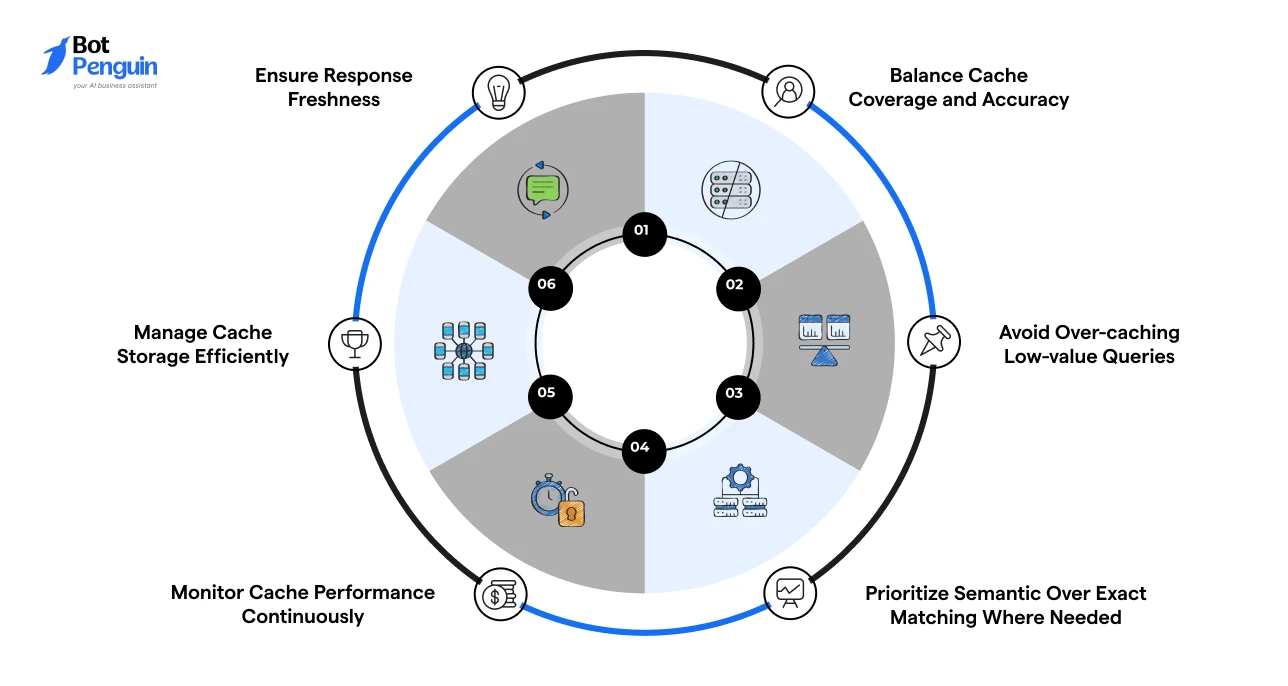
Getting CAG to work in production depends less on setup and more on how well the system is tuned and maintained. Poor configuration can reduce accuracy or limit performance gains.
To ensure cache-augmented generation (CAG) chatbots perform reliably, focus on the following:
In production, CAG performance of chatbots depends on continuous tuning rather than just the initial implementation.
But even with the right practices, implementation is not without challenges. The next section covers the common issues teams face when deploying CAG in real-world chatbot systems.
While CAG for AI chatbots improves performance and cost efficiency, it introduces its own set of technical challenges. These issues typically emerge during scaling and real-world deployment.
Some of the most common challenges include:
Addressing these challenges early ensures that CAG for chatbots delivers consistent performance without compromising accuracy or reliability in production systems.
CAG in chatbots is best viewed as a practical optimization layer rather than a standalone architectural decision. When applied to the right query patterns, it reduces latency, controls LLM costs, and improves overall system efficiency.
The impact, however, depends on fit. Your query patterns, data stability, and performance needs should guide whether CAG makes sense.
In many real-world scenarios, cache-augmented generation (CAG) chatbots perform best when combined with retrieval.
For teams looking to move faster, platforms like BotPenguin offer CAG-like capabilities along with integrations, automation, and no-code deployment. It makes building a chatbot with CAG more practical, without the need for heavy engineering from scratch.
Implement CAG when your chatbot handles repetitive queries, stable responses, and requires lower latency or reduced LLM costs in production environments.
You can implement CAG in chatbots by identifying repetitive queries, setting up a cache layer, defining lookup logic, integrating LLM fallback, and continuously optimizing cache performance and accuracy.
Choose CAG for repetitive queries and RAG for dynamic data. Use a hybrid approach when your AI chatbot handles both static and real-time information.
You need a cache layer, an embedding model, a similarity-matching logic, and LLM fallback integration to build an AI chatbot that handles queries that cannot be served from the cache.
Track cache hit rate, response latency, and cost per query. These metrics indicate how effectively your AI chatbot system reuses responses and reduces LLM usage.
Avoid caching queries with dynamic data, real-time dependencies, or highly variable responses, as they can lead to outdated or inaccurate outputs.
Use TTL-based expiration, event-driven updates, or versioning strategies to ensure your AI chatbots' cached responses remain accurate as underlying data changes.
Yes, especially for support-heavy workflows. It improves scalability by reducing repeated processing, but often works best when combined with retrieval systems.
Yes. Platforms like BotPenguin offer CAG-like capabilities with built-in automation and integrations, making it easier to deploy optimized AI chatbot systems without heavy engineering.
Get 10x Faster AI Chatbot Responses with BotPenguin
Deliver instant answers using BotPenguin’s Cache-Augmented Generation for chatbots. Eliminate retrieval latency, handle high-volume queries and provide a lightning-fast experience for your users.
Let’s DiscussCheckout our related blogs you will love.
Updated at May 27, 2026
10 min to read
Updated at Oct 7, 2026
11 min to read
Table of Contents

