How to Add a Chatbot to Your Website: A Complete Step-by-Step Guide
Updated at Oct 6, 2026
17 min to read
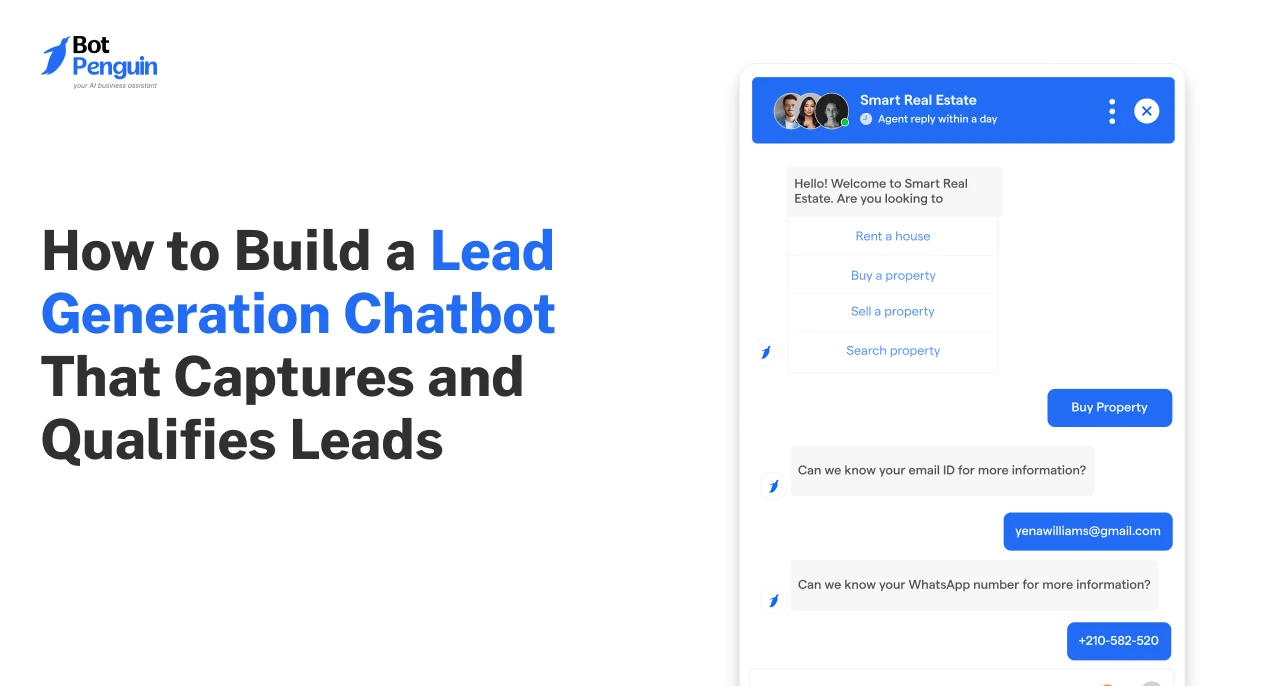
Static forms collect information. A lead generation chatbot collects intent.
That difference, between a visitor filling a field and a prospect telling you what they need, is what separates a full pipeline from a list of cold contacts.
When built correctly, these tools ask the right questions, capture useful contact details, qualify prospects, and send sales-ready leads to the right team.
This guide explains how to build a lead generation chatbot without creating a long, slow, form-like experience.
You will learn how to plan the flow, choose channels, ask qualification questions, connect your CRM, route leads, and optimize the chatbot after launch.
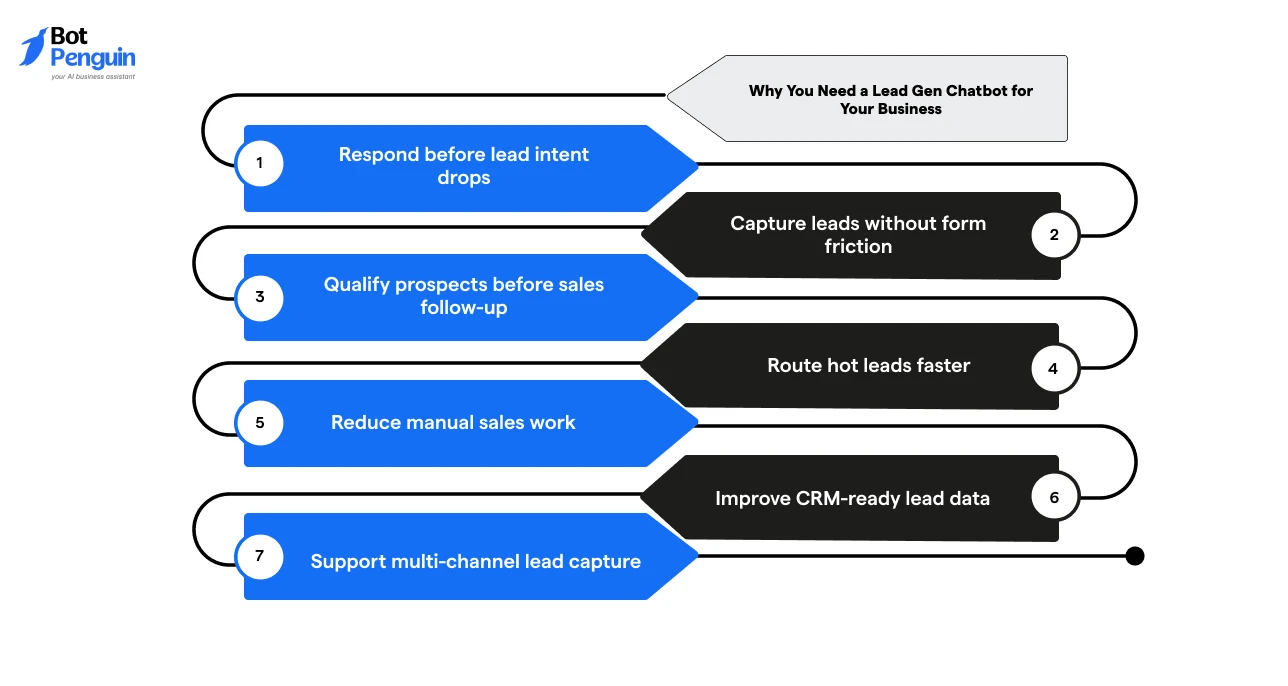
A lead gen chatbot helps businesses capture visitor intent before prospects leave the website.
Instead of waiting for users to fill out static forms, it starts a conversation, asks relevant questions, and sends qualified leads to the right follow-up path.
A lead generation chatbot is useful when you need to:
This makes chatbot lead generation useful for businesses that want cleaner lead data, faster response times, and fewer missed sales opportunities.
Let’s avail the benefits by building a chatbot flow that captures lead details without adding friction.
To build a lead generation chatbot, define the goal, choose the right channel, map the conversation, connect your lead data system, test the flow, and launch it on high-intent pages or messaging channels.
The process should stay focused on one outcome: capturing and qualifying leads without making the user feel as if they are filling out a long form.
Here is a quick overview of the process before the detailed steps:
The steps below to build a lead generation chatbot will only take a few minutes. However, the required complexity may make the process a bit longer.
Start by deciding what the chatbot should achieve.
A lead generation chatbot should focus on one primary outcome rather than trying to support every possible visitor need.
Choose one goal, such as:
A clear goal keeps the chatbot short. It also helps you decide which questions to ask, which fields to collect, and when to route the lead to sales.
Choose the channel where users already show buying intent.
For most businesses, the website is the best starting point, especially pricing pages, service pages, demo pages, and landing pages.
You can also use lead generation chatbots across:
Start with one strong channel first. Once the workflow performs well, expand it to other channels.
A no-code chatbot platform helps marketing and sales teams build lead generation workflows without waiting on developers for every change.
This is useful when you need to quickly test messages, questions, CRM fields, and routing rules. Look for a platform that supports:
For example, BotPenguin can help teams build AI chatbot workflows for websites, WhatsApp, Instagram, Facebook, and other channels while connecting lead data to CRM and live chat workflows.
Map the full conversation before building the chatbot. This step should include the opener, lead capture fields, qualification questions, and final action.
A simple lead generation chatbot flow can look like this:
Keep the flow shorter than a form. Ask only what sales needs to qualify and follow up with the lead.
For example, a pricing-page flow can ask, “Need help choosing the right plan?” or “What are you looking for?”, which keeps lead capture and qualification within a single natural conversation.
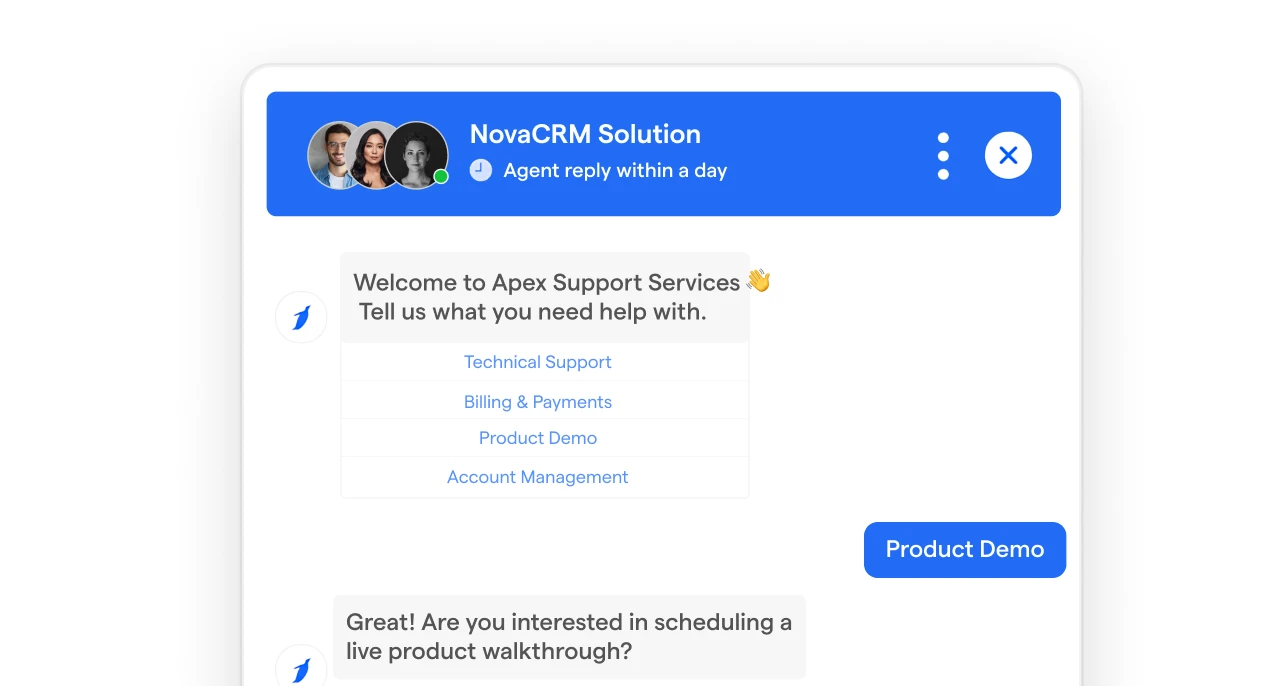
If a common chatbot is placed throughout the website, you just need a standard welcome message.
But for page-specific chatbots, the opener should match the visitor’s page context, a prompt tied to buying intent.
Here are some examples:
The opener should make the next step obvious and feel useful before asking for contact details.
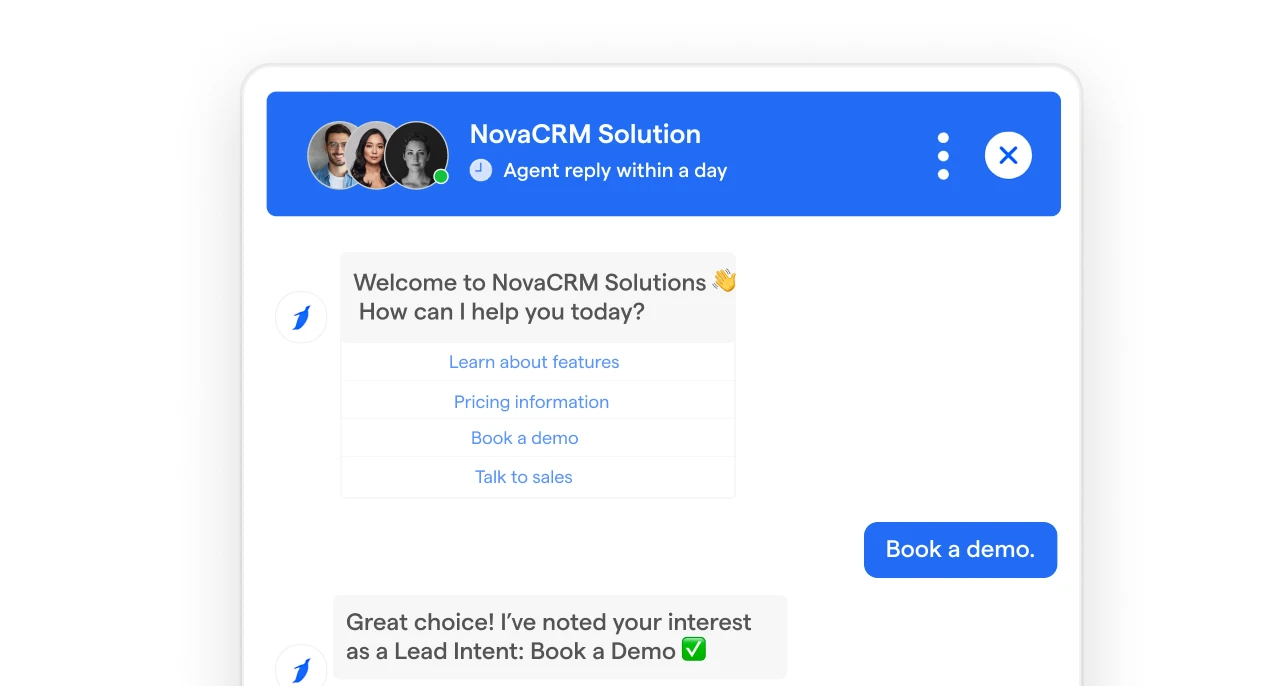
Set lead attributes before launch, so every important chatbot answer becomes a structured sales context.
These attributes help your team understand the lead without having to read the full conversation.
Useful lead attributes include:
For example, if a visitor selects “Book a demo,” save it as a lead intent. If they select “This month,” save it as a buying urgency.
This makes the chatbot more useful after launch because every captured answer has a clear destination in your sales workflow.
Connect the chatbot to your CRM, spreadsheet, or sales tool so leads do not stay inside the chatbot dashboard.
Every important field should map to the right destination.
Set notifications for high-intent actions such as demo requests, pricing inquiries, quote requests, and live chat requests.
Speed matters when a prospect is ready to talk.
A lead generation chatbot should route users based on intent. Not every visitor should go to sales.
Add routing rules based on lead intent, fit, customer type, and query complexity so each visitor moves toward the right next step without overloading sales.
Use human handoff for users asking about pricing, demos, implementation, enterprise needs, or urgent timelines.
Test the chatbot before publishing. Run through the workflow as different visitor types to check whether the logic works.
Test for:
A chatbot should be tested as part of a sales workflow. The goal is to ensure it replies and that leads reach the right destination.
Launch the chatbot on one high-intent placement first. Once it starts collecting conversations, review the data weekly during the first month.
To optimize your funnel, track user drop-offs, skipped questions, lead-generating pages, CRM field accuracy, and timely sales handoffs with proper context.
Focus on reducing friction, improving qualification, and helping sales respond faster.
Once your chatbot is live and collecting lead details, the next challenge is deciding what to do with them.
Not every lead deserves the same follow-up, and sending every conversation to sales wastes time on both ends.
That's where lead scoring and routing come in.
Score chatbot leads by assigning value to intent, timeline, company fit, and engagement.
Then route high-intent leads to sales and lower-intent leads to nurture.
A simple scoring model is enough for most businesses starting with chatbot lead generation.
Here’s how to approach that:
Routing rules can be simple:
Human handoff matters when the prospect shows clear buying intent. Do not force a pricing-ready lead through a long automated path.
A well-scored routing system is only as good as the number of qualified conversations entering it, which is why where you deploy the lead gen chatbot matters as much as how you build it.
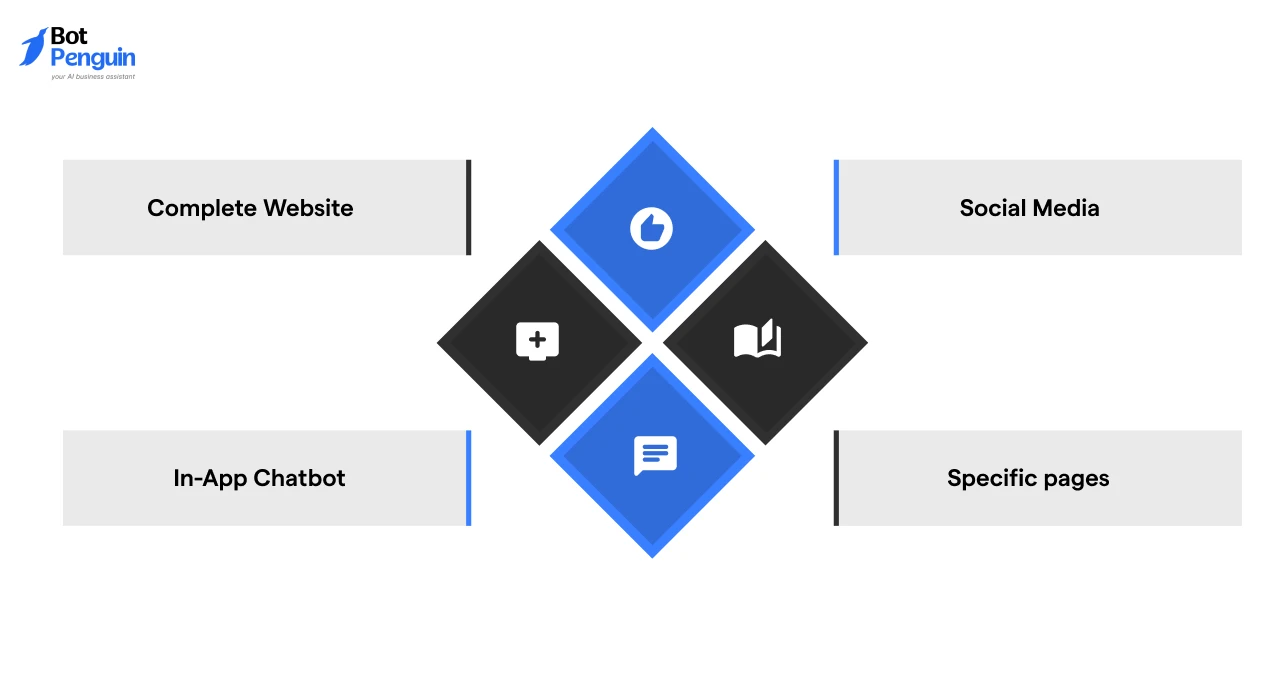
A chatbot needs to appear where the visitor already has intent. Please consider your target audience and budget before finalizing your chatbot placement.
Placement gets the chatbot in front of the right visitors. If results are underwhelming after launch, it's worth checking whether your setup is making any of these common mistakes.
The biggest mistakes while building a lead gen chatbot include asking for contact details too early, adding too many questions, skipping CRM integration, and failing to route qualified leads quickly.
A chatbot should make lead capture easier than a form. If it feels longer, users drop off.
Here’s how to look at these challenges along with the ways to fix them:
The simplest fix is to review every question and ask: “Will sales use this answer?” If not, remove it.
For teams that want to manage this without a developer-heavy setup, BotPenguin can help build lead generation chatbots with no-code flows, custom attributes, CRM integrations, live chat handoff, and multi-channel deployment.
This makes it easier to fix common gaps like poor routing, missing lead source tags, weak qualification logic, and delayed sales follow-up from one place.
Lead generation works best when a chatbot goes beyond just capturing contact details.
It should identify user intent, ask the right qualification questions, and guide high-intent prospects toward sales in a smooth, conversational flow.
BotPenguin helps businesses build that kind of flow through AI chatbots, knowledge base training, CRM handoff, live chat, and multi-channel deployment across websites, WhatsApp, and social platforms.
Start with one high-intent use case, such as demo booking, pricing inquiries, quote requests, or consultation leads.
Then train the bot, test the route, and refine it based on real conversations.
The result is faster lead capture, cleaner qualification, and fewer missed sales opportunities across every high-intent channel you use.
Define the chatbot goal, map the conversation, collect essential lead details, qualify intent, connect CRM, test routing, and launch on high-intent channels.
Chatbots work best for demo booking, pricing inquiries, quote requests, WhatsApp leads, consultation requests, abandoned forms, and lead magnet delivery.
The fastest method is using a no-code chatbot builder with templates, lead fields, conditional logic, CRM integration, notifications, and channel deployment.
Avoid long flows, early email requests, vague greetings, poor CRM mapping, missing source tags, weak routing, and no human handoff for hot leads.
Place it on pricing pages, service pages, landing pages, demo pages, comparison pages, paid campaign pages, and WhatsApp entry points.
Build AI Chatbots To Boost Lead Generation by Up to 30%
BotPenguin's AI chatbot captures intent, asks the right questions, and pushes sales-ready leads straight to your CRM without a single line of code.
Start for FREE!Checkout our related blogs you will love.
Updated at Oct 6, 2026
17 min to read
Updated at Sep 28, 2026
15 min to read
Updated at Sep 28, 2026
19 min to read
Updated at Sep 25, 2026
9 min to read
Updated at Sep 1, 2026
10 min to read
Updated at Jun 24, 2026
10 min to read
Table of Contents