How to Add a WhatsApp Link to Your Instagram Profile
Updated at Oct 8, 2026
14 min to read
Reaching customers directly is becoming harder across traditional channels. Open rates are unpredictable, and most outbound messages struggle to get attention.
This is where a WhatsApp broadcast stands out. It allows businesses to send messages to multiple users at once while maintaining a personal, one-to-one feel.
However, managing broadcasts consistently becomes more challenging as audience size and messaging needs grow.
This is why businesses eventually look toward more structured solutions like the WhatsApp Business API.
This guide covers everything you need to know about WhatsApp broadcasts, from how they work to how businesses use and scale them effectively.
WhatsApp broadcast is a feature that allows businesses to send the same message to multiple recipients at once using a broadcast list, without creating a shared conversation like a group.
Each message is delivered as a private chat, making it suitable for announcements, updates, and targeted business communication.
Unlike groups, recipients do not see each other, and conversations remain separate.
Key characteristics of WhatsApp broadcasting:
This positions WhatsApp broadcasting as a controlled one-to-many messaging approach for businesses.
If you’re curious about how businesses use WhatsApp beyond broadcasts, read our complete guide on WhatsApp for businesses.
WhatsApp broadcasting operates through a list-based system with specific delivery conditions.
Businesses create a WhatsApp broadcast list and select the contacts they want to message.
Once a message is sent, it is processed and delivered individually to each recipient rather than as a single bulk push.
However, delivery depends on platform rules and is not guaranteed for every contact. Key conditions include:
Because of these constraints, WhatsApp broadcasting behaves differently from traditional bulk messaging tools and requires structured contact management to work effectively.
Additionally, for businesses with larger audiences or multiple messaging lists, managing broadcasts manually can become difficult, which is why many eventually move toward the WhatsApp Business API discussed later in this guide.
These limitations are also why businesses often confuse WhatsApp broadcasting with bulk messaging.
But in reality, the two approaches operate very differently, which we’ll clarify next.
One of the most common misconceptions is treating broadcast WhatsApp messages as the same as traditional bulk messaging.
While both involve sending messages to multiple users, they operate very differently in practice.
Here’s a direct comparison to help clarify the difference.
Treating WhatsApp broadcasting as a bulk messaging tool can lead to poor delivery, low engagement, or even account restrictions.
Understanding this difference is critical before planning any messaging strategy. Now it's time to learn how to send broadcast messages on WhatsApp, step-by-step.
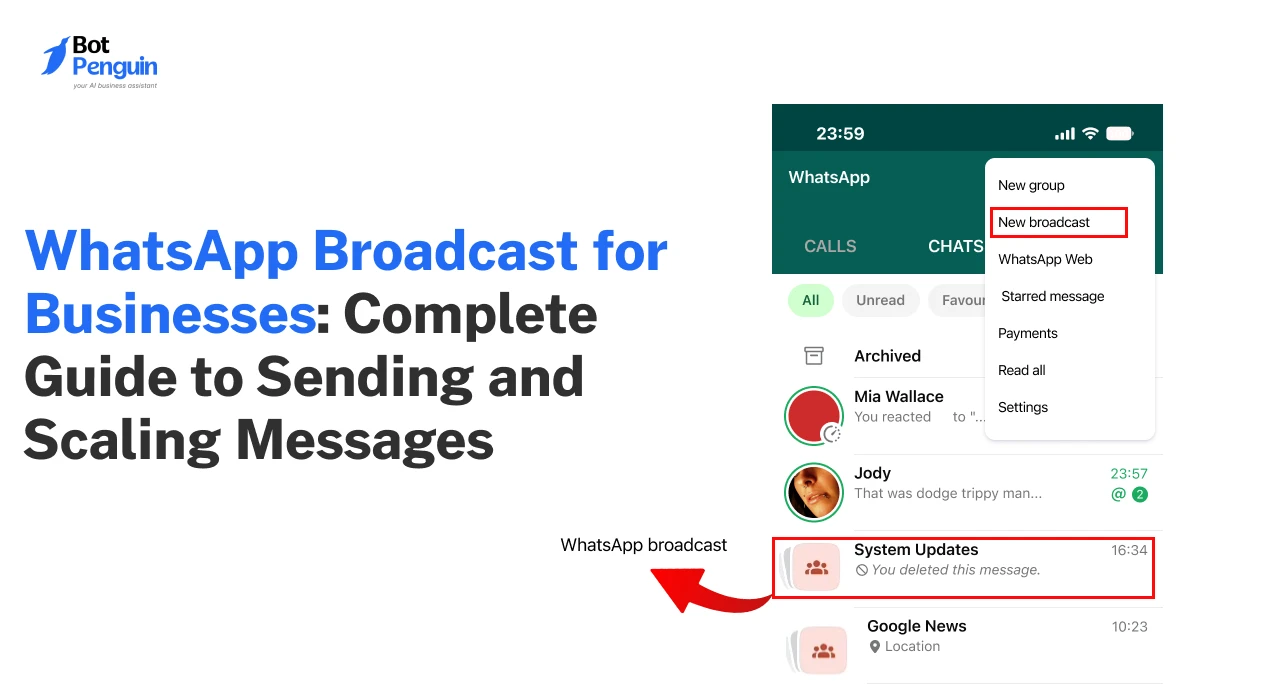
You can send a broadcast message using the WhatsApp Business app, and not the regular WhatsApp application.
Once you have the app set up, you can follow these steps to create a broadcast list and send messages to multiple contacts at once.
1. Open the WhatsApp Business app.
2. Tap on the menu (three dots on Android or “Broadcast Lists” on iPhone).
3. Select New Broadcast.
4. Choose the contacts you want to include.
5. Tap Create to finalize the list.
6. Type your message and tap “Send”.
Once sent, the message is delivered to each contact individually, and user replies appear as separate conversations in your chat list.
You can also reuse broadcast lists, making it easier to send updates to the same set of contacts without creating a new list each time.
However, a single broadcast list supports only 256 contacts. So, for larger audiences, businesses often need to move to the WhatsApp Business API to scale communication more efficiently.
Now that you know how to send broadcast messages, the next step is to understand where and how to use them in a business context.
WhatsApp broadcasts enable businesses to send promotions, customer updates, and re-engagement messages directly to multiple users in a controlled, personalized way.
It is most effective for communicating with an existing audience where visibility and timeliness matter.
In practice, businesses use it across three key areas: marketing campaigns, operational updates, and retention messaging.
The sections below break down how each of these works in real scenarios.
Businesses use broadcast WhatsApp messages to share offers, product launches, and seasonal campaigns with their audience.
Since messages reach users directly in their chat inboxes, they tend to have higher visibility than email or SMS.
Typical examples include:
This makes broadcast messaging a strong channel for quick campaign outreach, especially when targeting an already engaged customer base.
Broadcast messaging is widely used for transactional communication, where timely updates are critical.
Businesses often combine broadcasts with WhatsApp chatbots to automate responses, handle follow-up queries, and keep conversations active after messages are delivered.
Common use cases include:
These messages help businesses keep customers informed without requiring continuous interaction, making communication more efficient and streamlined.
Businesses also use broadcast messaging to reconnect with users who have become inactive or less engaged. This includes:
Used correctly, this helps improve customer retention and lifecycle engagement by maintaining consistent communication without being intrusive.
These WhatsApp broadcast use cases deliver the most value in real business scenarios when applied correctly.
However, many businesses fail to achieve results because it is used poorly.
So, let’s look at the common mistakes businesses make when using it and how to avoid them.
Businesses often struggle with WhatsApp broadcasting not because of the tool itself, but due to how it is used.
Common mistakes usually come from treating it like bulk messaging, ignoring user behavior, or overlooking platform rules.
The table below highlights the most common mistakes, their impact, and how to fix them.
Avoiding these mistakes is essential to getting consistent results from WhatsApp broadcasting.
And once these gaps are addressed, the next step is understanding how to use it more effectively through the right practices.
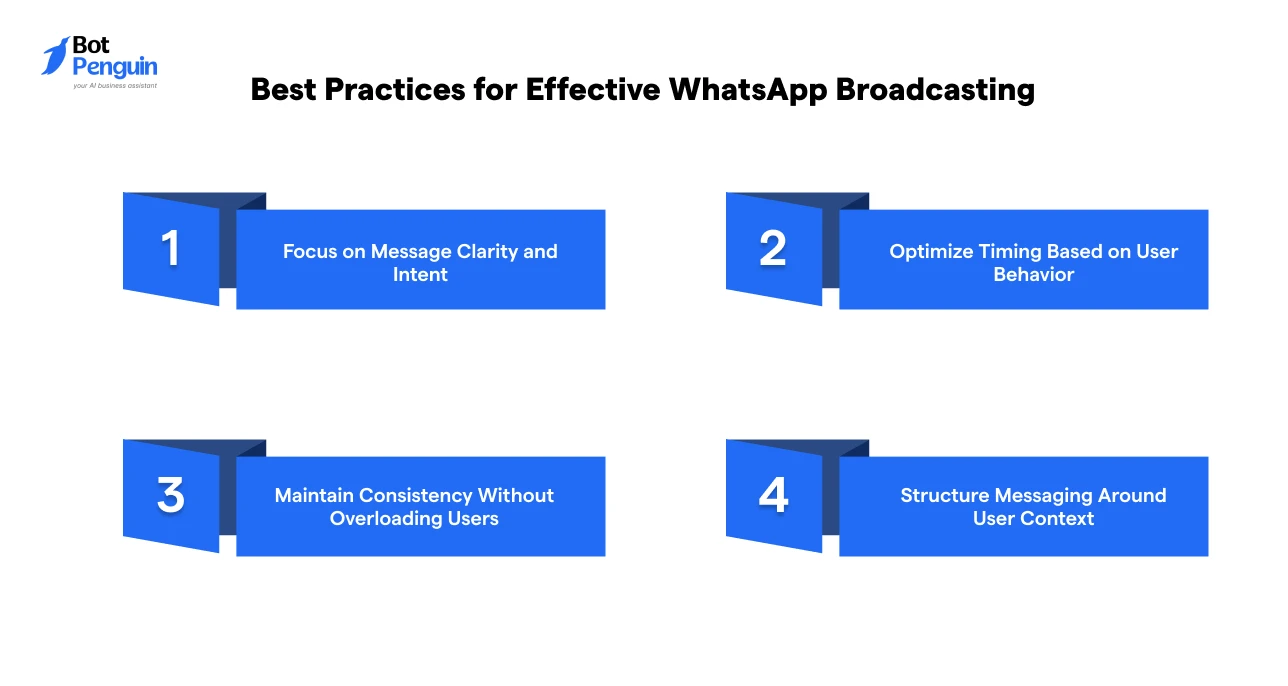
The best practices for effective WhatsApp broadcasting focus on improving message clarity, timing, consistency, and relevance to drive better engagement and results.
Instead of just sending messages, businesses need to optimize how they structure and deliver communication.
The following practices help ensure that messages are not only received but also read and acted upon.
Users decide within seconds whether to read or ignore a message.
A clear message with a strong purpose performs significantly better than a generic update.
For businesses using WhatsApp at scale, following Meta-approved message templates also helps maintain compliance and improve delivery reliability.
Example: For a limited-time offer, instead of sending a long message with multiple details, keep it focused: “Get 20% off on your next order. Valid till tonight.”
When you send a message matters as much as the message you send.
Sending messages during inactive hours reduces visibility, even if the content is relevant. Instead, align messaging with:
Consistent timing improves open rates and makes communication feel more natural.
Example: For a food delivery business, sending a lunch offer during peak hours works better: “Hungry? Get 15% off on lunch orders. Valid till 2 PM.”
Broadcast messaging works best when it is consistent but not excessive.
Irregular messaging can cause users to forget your brand, while too many messages can lead to fatigue.
Define a communication rhythm that balances frequency, value, and relevance. This helps maintain engagement over time without overwhelming users.
Example: Instead of sending daily generic updates, space communication meaningfully, like a weekly update: “This week’s top deals are live. Check them out now.”
Messages perform better when they align with where the user is in their journey. So, instead of sending generic updates, tailor communication based on:
Even within broadcast limitations, context-aware messaging improves engagement and response quality.
Example: For users who added items but didn’t complete the purchase: “Your cart is still waiting. Complete your order today and get free delivery.”
But even with these best practices, WhatsApp broadcasting starts to fall short as your messaging needs grow.
The next step is understanding the limitations that impact its scalability.
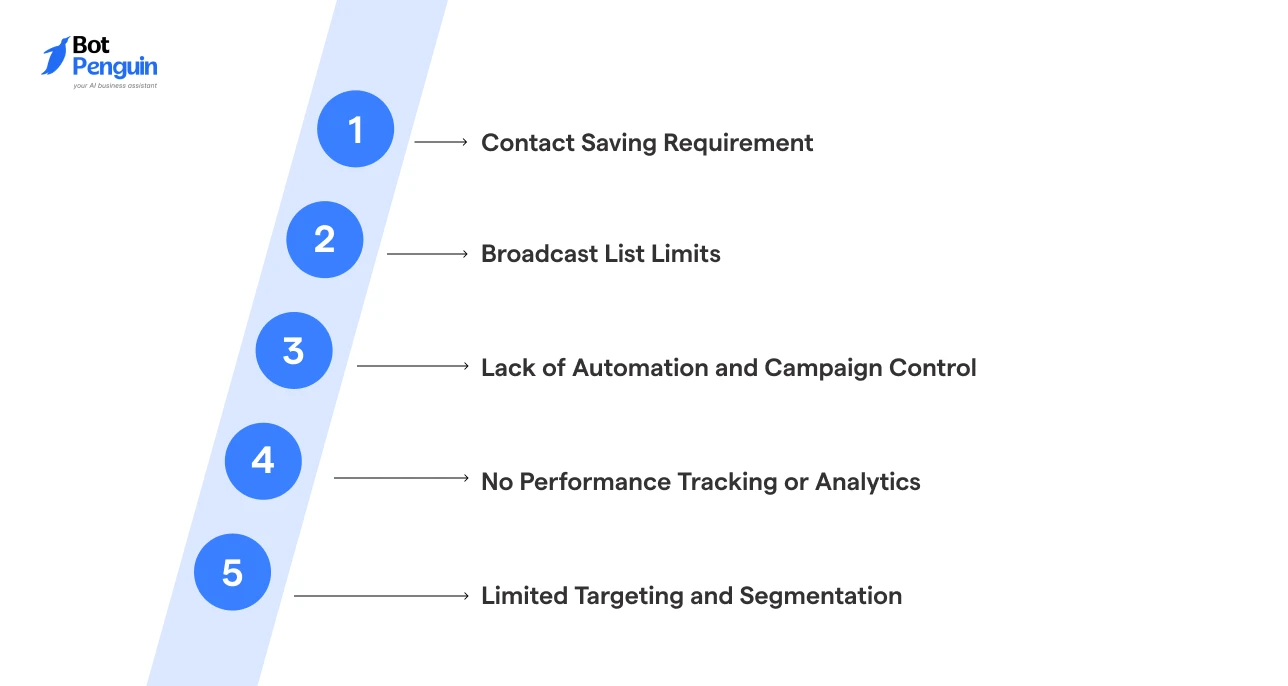
WhatsApp broadcasts don’t scale easily because they're built for small, controlled communication, not high-volume or automated messaging.
As your audience and messaging needs grow, this creates friction in reach, efficiency, and management.
The most common limitations are discussed in detail below.
WhatsApp broadcast messages depend on a saved contact condition for delivery.
Recipients must have the sender’s number saved in their contacts to receive broadcast messages.
This makes it difficult to reach new users or cold audiences, even if they are part of your contact list.
Result: Limited reach and inability to expand communication beyond an existing, engaged user base
Each broadcast list is capped at 256 contacts, which restricts how many users you can message at once.
To reach a larger audience, you must split contacts across multiple lists and manage them separately.
Result: Fragmented audience management and difficulty handling large-scale messaging efficiently
WhatsApp broadcasting does not support message scheduling, triggers, or workflow automation. Every message must be created and sent manually.
There is also no way to run structured campaigns or automate communication based on user actions.
Result: Inability to scale messaging operations or maintain consistent communication at higher volumes
There are no built-in tools to measure how messages perform. You cannot track delivery rates, engagement, or user responses at scale.
This lack of visibility makes it difficult to understand what is working and where improvements are needed.
Result: No data-driven optimization, leading to inefficient messaging strategies
Broadcast messaging works with static contact lists and does not support dynamic segmentation based on behavior, preferences, or engagement history.
As messaging needs become more complex, personalization and relevance are limited.
Result: Lower engagement and reduced effectiveness of communication over time
These constraints are manageable on a small scale, but they can create real bottlenecks as your messaging grows.
So, let’s look at when businesses should move from WhatsApp broadcasts to the WhatsApp Business API.
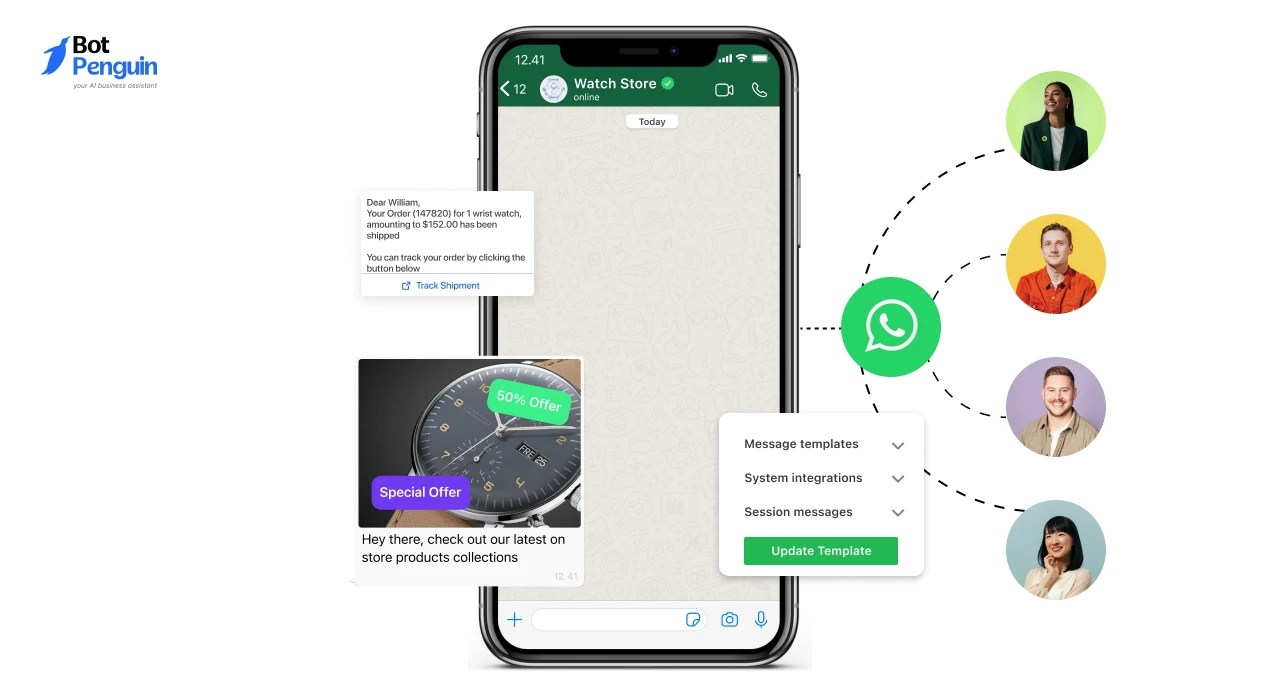
WhatsApp broadcasting works well in the early stages, when communication is limited and straightforward.
But as your business grows, there comes a point when manual broadcasts no longer efficiently support your messaging needs.
The shift usually happens when communication becomes frequent, audiences grow larger, or campaigns require more structure and automation.
The table below highlights the most common signs that businesses should consider using the WhatsApp Business API rather than relying solely on the WhatsApp Business app.
At this stage, the challenge is no longer just sending messages; it is managing communication efficiently at scale.
This is where businesses begin adopting the WhatsApp Business API.
So, next, let’s understand how the WhatsApp Business API helps businesses scale messaging beyond the limitations of manual broadcasts.
To scale WhatsApp messaging effectively, businesses eventually move beyond manual broadcasts and adopt the WhatsApp Business API.
This allows them to automate communication, manage larger audiences, and handle messaging more efficiently as operations grow.
Instead of manually creating and managing multiple broadcast lists, businesses can use API-based systems to automatically send messages in response to user actions, workflows, or campaign triggers.
This makes communication faster, more consistent, and easier to manage at scale.
The sections below explain how WhatsApp Business API messaging works and how it differs from app-based broadcast messaging.
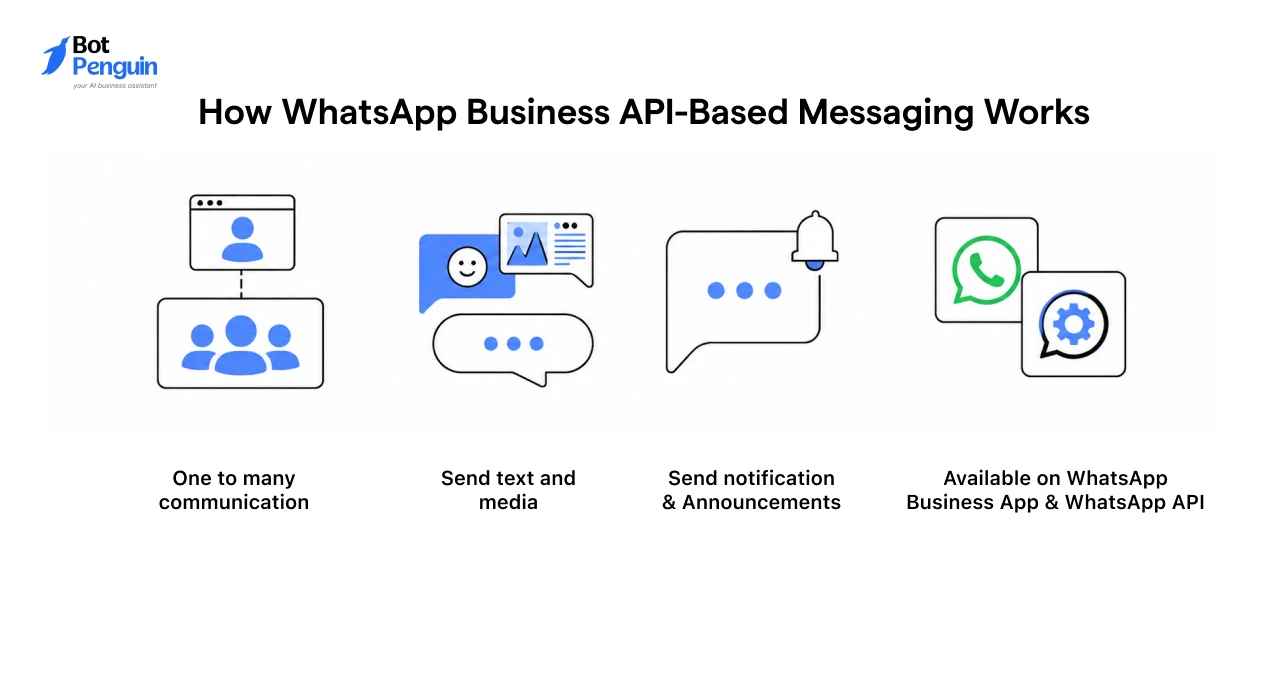
API-based messaging connects WhatsApp with business systems such as CRMs, support tools, or marketing platforms.
Messages are triggered automatically rather than sent manually.
This is powered by three core components:
For example, when a user places an order, a confirmation message can be sent instantly without manual effort.
This ensures communication is consistent and scalable.
WhatsApp Business API messaging also follows a structured model:
To implement this, businesses typically access the WhatsApp Business API via approved platforms such as BotPenguin, which simplify setup, integration, and automation workflows.
This allows businesses to move beyond manual broadcast messaging without complex development.
As businesses scale, the difference between sending broadcast messages through the WhatsApp Business app and through the API becomes more apparent.
The table below compares the approaches in terms of scale, automation, and overall efficiency.
With API-based messaging, broadcast is no longer just a manual feature.
It becomes part of a scalable communication system that supports automation, targeting, consistency, and long-term business growth.
Here are some key benefits businesses gain by choosing API-led messaging:
Therefore, with the WhatsApp Business API in the mix, messaging shifts from manual execution to system-driven communication, enabling businesses to handle scale without increasing operational complexity.
WhatsApp broadcast is a strong starting point for sending messages directly to your audience.
It works well for promotions, updates, and staying connected with users in a simple, controlled way.
However, it is designed for limited, manual communication.
As your audience grows and messaging becomes more frequent, its constraints around reach, effort, and consistency become harder to manage.
At that point, the shift becomes necessary.
That’s when moving to the WhatsApp Business API enables automation, better control, and scalable messaging to support long-term growth in your business communication.
WhatsApp broadcast allows businesses to send the same message to multiple contacts individually. It is commonly used for updates, promotions, and customer communication.
Messages are only delivered if recipients have your number saved. Without this, WhatsApp restricts delivery to prevent unsolicited messaging.
A single broadcast list supports up to 256 contacts. Larger audiences require multiple lists, which increases manual effort.
It works well for small to medium audiences but becomes inefficient for large-scale communication due to limitations in reach, automation, and management.
Key limitations include contact dependency, list-size caps, limited automation, and no performance tracking, making it difficult to scale communication.
Broadcasting stops being effective when messaging becomes frequent, audiences grow, or you need structured campaigns, segmentation, and analytics.
The WhatsApp Business API enables automated, scalable messaging via integrations, templates, and workflows, unlike manual broadcasts in the app.
Businesses can adopt WhatsApp API-based solutions via platforms like BotPenguin to automate communication, manage audiences, and handle messaging at scale.
Automate WhatsApp Broadcasts
Access official WhatsApp Business API and automate WhatsApp broadcasts, reach more users, and manage campaigns at scale with BotPenguin.
Get AccessCheckout our related blogs you will love.
Updated at Oct 8, 2026
14 min to read
Updated at Oct 7, 2026
12 min to read
Updated at Oct 6, 2026
13 min to read
Updated at Oct 6, 2026
10 min to read
Updated at Oct 5, 2026
11 min to read
Updated at Oct 1, 2026
9 min to read
Table of Contents