


Cache-Augmented Generation for Chatbots: A Complete Guide
Updated at May 27, 2026
10 min to read
Updated On Oct 7, 2026
11 min to read
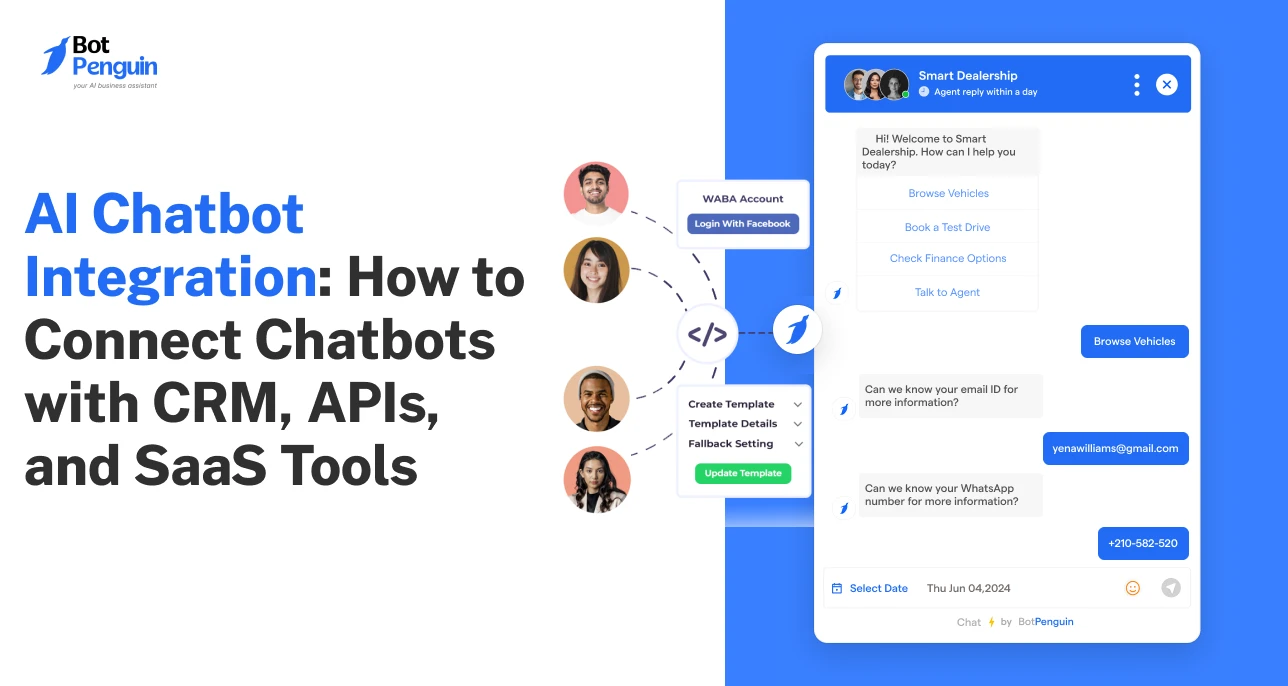
Over 80% of businesses are expected to use AI-powered chatbots for customer interactions (Gartner). Yet, many still struggle to see real business impact.
The issue is not deployment. It is integration.
Without connecting to core systems, chatbots remain isolated tools that cannot capture leads, update CRMs, or trigger workflows, but only answer basic queries.
This is where AI chatbot integration becomes critical. It connects chatbots with your tools, data, and processes to drive real outcomes.
This guide breaks down how AI chatbot integration works across connected systems, the methods behind it, and how businesses use it to drive real outcomes.
AI chatbot integration is the process of connecting a chatbot to your business systems, such as CRMs, payment gateways, helpdesk platforms, or databases, so it can operate as part of your overall software ecosystem.
A chatbot without integration works in isolation. It can answer simple queries, but it cannot access or act on business data.
Integration changes that role. It integrates the chatbot into your system architecture, enabling it to interact with data, tools, and processes already in use.
At a high level, chatbot integration works by linking three layers:
These layers work together to ensure that conversations are not just responses, but connected interactions within a broader system.
Now that this foundation is clear, the next step is to understand exactly where chatbots fit within your business stack and interfaces.
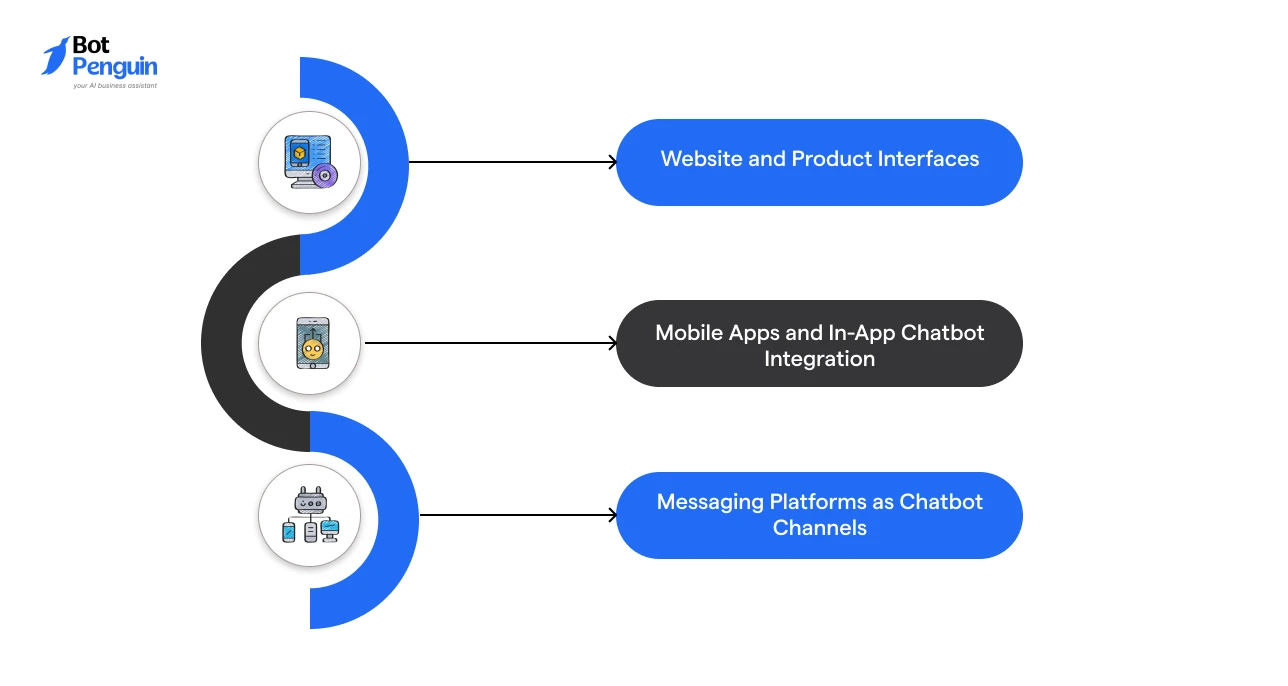
AI chatbots can be integrated across multiple business touchpoints where user interactions happen.
These integrations place the chatbot at the interface layer of your systems, allowing users to engage with your business through conversational experiences.
Depending on the platform, the integration method and chatbot role can vary.
The following sections explain the most common environments where businesses integrate and deploy AI chatbots.
Chatbots on websites and SaaS products are integrated directly into the user interface using widgets, scripts, or SDKs.
This is the most common way to embed a chatbot into software environments.
It keeps conversations within your product ecosystem while allowing the chatbot to interact with backend systems in the background.
Key characteristics:
Chatbots in mobile apps are integrated as in-app features using mobile SDKs or native UI components.
This allows businesses to embed AI chatbots directly into the app experience, rather than redirecting users to external channels.
Key characteristics:
Businesses also integrate chatbots with messaging platforms to extend conversations beyond their owned applications.
These integrations enable chatbots to operate on channels like WhatsApp, Instagram, and Facebook Messenger while still connecting to internal systems.
Key characteristics:
Many businesses now use no-code chatbot platforms to integrate and deploy chatbots across websites, apps, and messaging channels without engineering effort.
Tools like BotPenguin support this through ready integrations and flexible multi-channel deployment options.
Now that the deployment and integration environments are clear, let’s understand the core methods for connecting chatbots to backend systems and business tools.
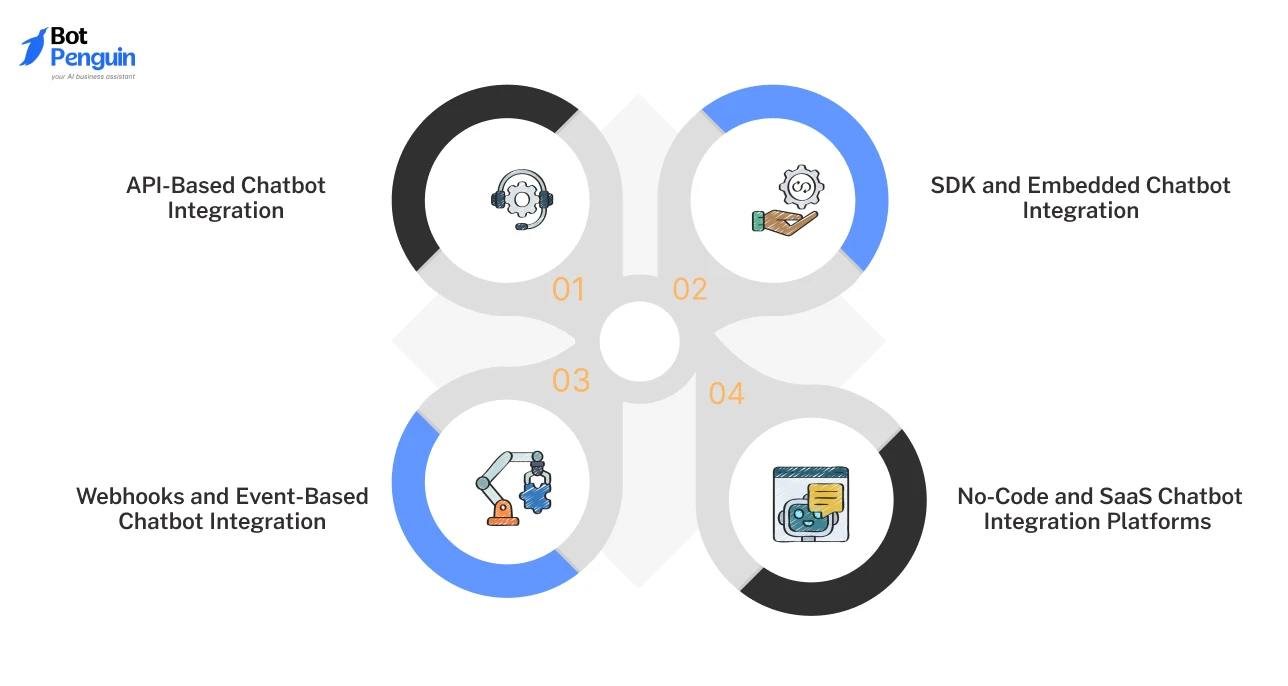
AI chatbot integration is implemented through a few core methods that define how chatbots connect with systems, exchange data, and trigger actions.
Some focus on backend communication, while others handle frontend deployment or workflow automation.
Understanding these methods helps you map how integration actually happens, without jumping into tool selection too early.
Each of these methods plays a specific role in how chatbots operate within your system. The sections below explain how they work and where they fit in detail.
Application Programming Interface (API)-based integration enables chatbots to communicate directly with backend systems via structured requests and responses.
This is the foundation of most chatbot integration API setups. It allows chatbots to interact with systems such as CRMs, databases, and internal services during conversations.
What this enables:
APIs act as the bridge between the chatbot and your operational systems.
SDKs and embedded integrations define how chatbots are integrated into your product interface.
This method embeds a chatbot into software such as websites or SaaS dashboards.
It focuses on user interaction rather than backend logic.
What this enables:
This method controls how users access the chatbot within your product.
Webhook-based integration allows chatbots to trigger actions automatically when specific events occur.
It operates on an event-response model rather than in a continuous communication mode.
This makes webhooks effective for real-time automation.
What this enables:
This approach is commonly used to drive backend automation flows.
No-code and SaaS platforms simplify chatbot integration by providing prebuilt integrations and visual workflow builders.
They remove the need to manually configure APIs or backend logic. This makes SaaS chatbot integration more accessible across teams.
For teams building their tech stack without developers, these no-code SaaS tools can also help with everything from product development and forms to automation and customer engagement.
This makes SaaS chatbot integration more accessible across teams.
What this enables:
These platforms are commonly used to streamline both deployment and system connectivity without adding technical complexity.
Understanding these methods is only the first step.
The real impact of integration is seen when these approaches are applied to core business systems, such as CRM. Let’s check that out next.
Integrating a chatbot with your CRM connects conversations directly to your CRM, turning user interactions into structured, actionable business data.
This shifts the chatbot’s role from answering queries to feeding your sales and support systems.
Each interaction contributes to your pipeline instead of ending as a standalone conversation.
At a functional level, this connection follows a structured flow in which user inputs are routed directly into your CRM. Here’s how this works in practice:
This ensures consistent lead sync between conversations and CRM records.
A typical CRM chatbot integration example is capturing a website inquiry and instantly adding it as a qualified lead inside a sales pipeline.
What changes with CRM integration:
This setup ensures continuity across touchpoints and enables structured workflows without manual coordination.
CRM chatbot integration is used to automate processes that depend on structured customer data and timely follow-through.
The table below shows where it delivers the most impact.
This is how connecting your CRM and chatbot supports structured sales workflows and coordinated customer management.
And once CRM integration is in place, the same approach extends to other tools that support your broader operations. Let’s explore next how that works.
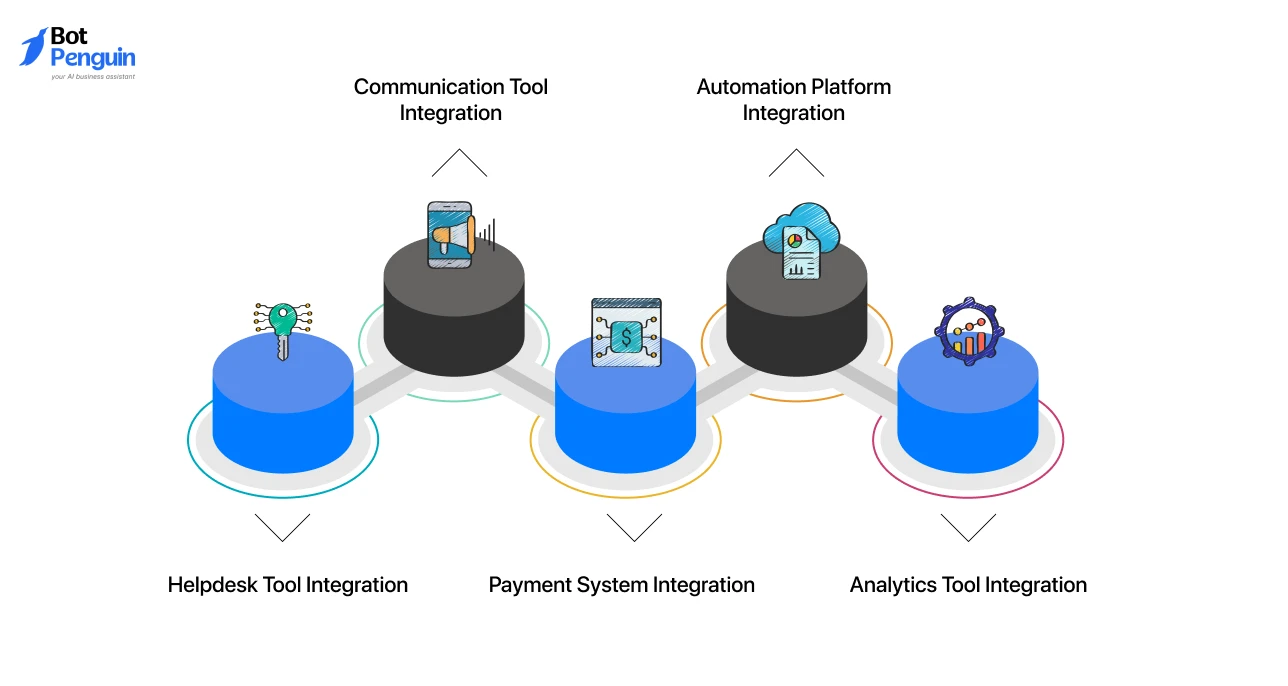
AI chatbots integrate with a wide range of SaaS tools beyond CRM to support operations like support, payments, communication, and analytics.
CRM is only one part of the system.
Most business processes span multiple tools, such as helpdesk platforms, communication apps, payment systems, and automation tools, that need to work together.
Here are the most common categories of tools chatbots integrate with:
AI chatbots integrate with helpdesk platforms to manage customer support conversations more efficiently.
These integrations help convert chatbot interactions into structured support workflows.
Common helpdesk integrations include: Zendesk, Freshdesk
What this enables:
Chatbots also integrate with communication platforms to improve internal coordination and real-time collaboration across teams.
Common communication tool integrations include: Slack, Microsoft Teams
What this enables:
AI chatbots can integrate with payment systems to support transactional workflows directly within conversations.
Common payment integrations include: Stripe, Razorpay
What this enables:
Automation platforms help chatbots connect multiple tools and workflows without requiring custom backend logic.
Common automation platform integrations include: Zapier, N8N
What this enables:
Analytics integrations help businesses track chatbot interactions and measure performance across workflows and channels.
Common analytics integrations include: Google Analytics, Mixpanel
What this enables:
These integrations expand chatbots from standalone interfaces into connected operational systems.
The next step is understanding how businesses actually integrate chatbots with these tools in a structured workflow.
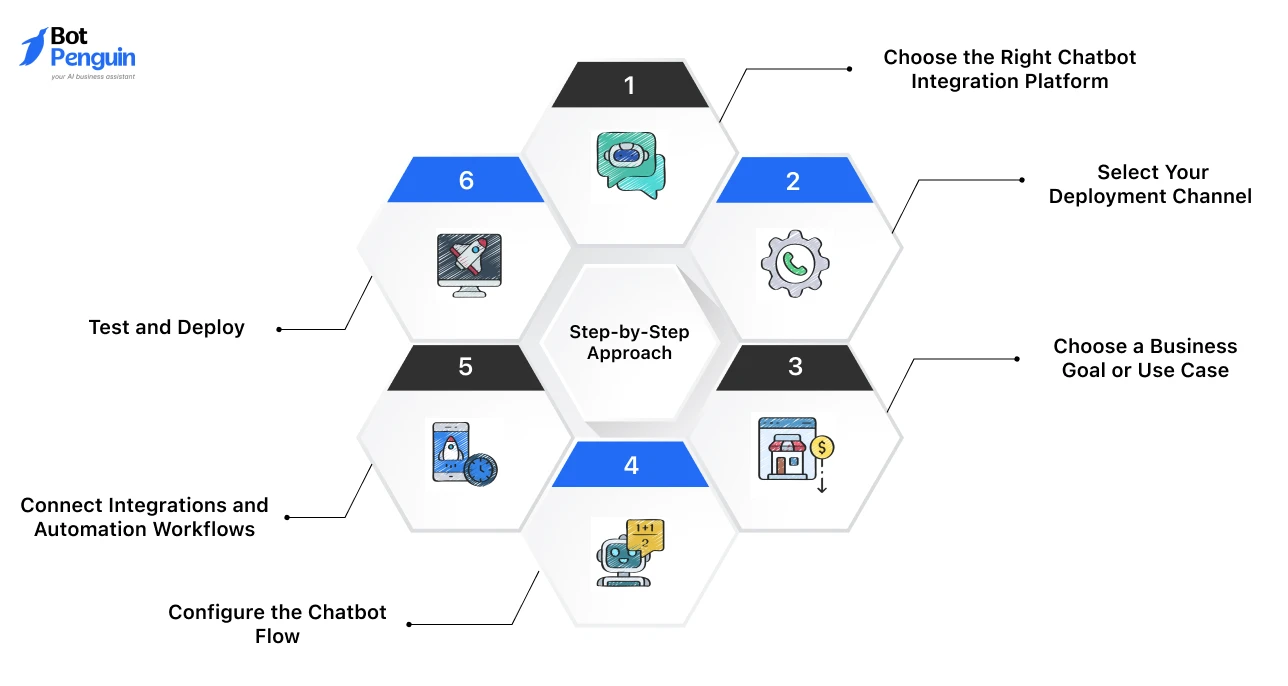
AI chatbot integration typically starts with choosing the right platform, selecting deployment channels, connecting business tools, and configuring workflows around a specific goal.
The process becomes easier when the platform supports no-code setup, multi-channel deployment, and built-in integrations.
Below is a step-by-step guide to setting up AI chatbot integration.
Start by selecting a platform that supports your deployment channels, business tools, and automation needs.
Look for capabilities such as:
A platform like BotPenguin can be considered here if you need a no-code setup, multi-channel deployment, and 80+ integrations.
Choose where the chatbot will operate based on where your users interact with your business.
Common deployment channels include:
This defines where users will start conversations with the chatbot.
Select the primary outcome the chatbot should support.
Common goals include:
This keeps the chatbot flow focused and easier to integrate with the right tools.
Build the conversation flow based on the selected business goal.
This usually includes:
The goal is to make the chatbot capture the right information before passing it to connected systems.
Connect the chatbot with tools such as CRM systems, helpdesk platforms, communication apps, or automation platforms.
This step allows the chatbot to:
Test the chatbot before launch to confirm that conversations, integrations, triggers, and responses work correctly.
Once validated, deploy the chatbot across selected channels.
After launch, monitor real interactions and refine workflows based on performance.
This structured setup process helps businesses move from chatbot deployment to connected automation workflows without adding unnecessary technical complexity.
But, as chatbot integrations scale across tools and workflows, implementation complexity increases as well.
The next section addresses the common challenges businesses face in real-world integration setups.
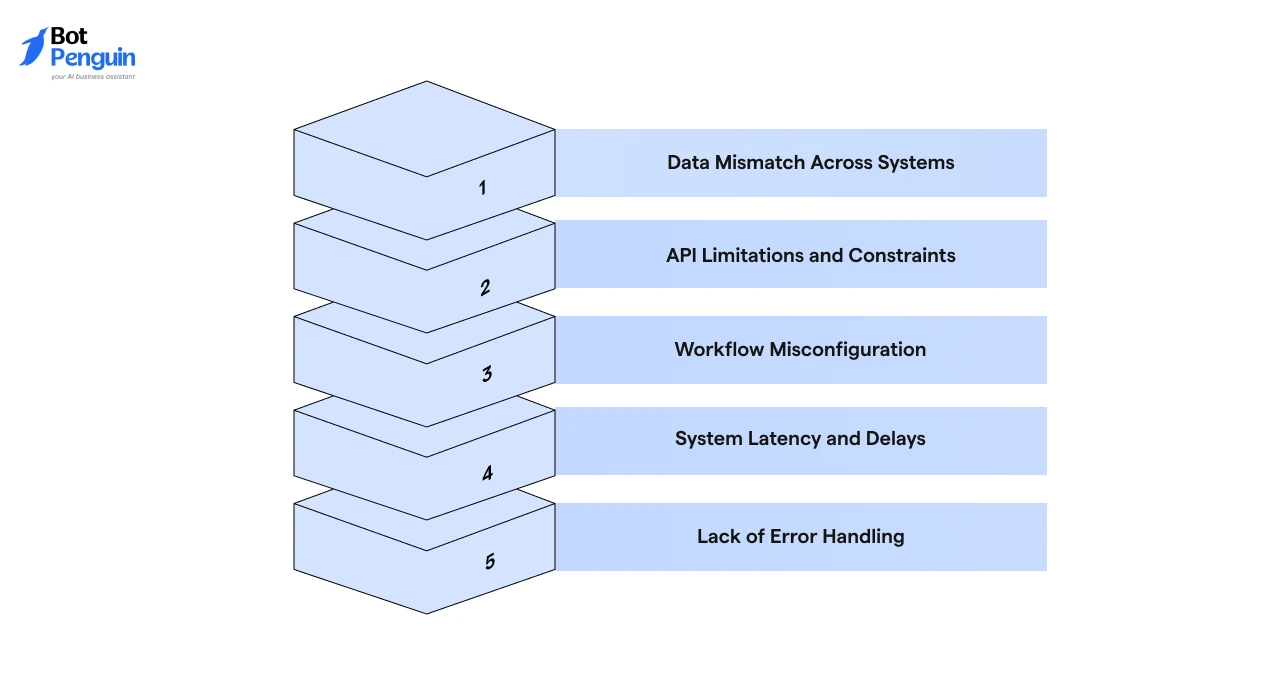
Issues while integrating AI chatbots arise from connecting multiple systems that operate with different data structures, response times, and logic layers.
These issues typically surface during real-world implementation, especially when workflows span across tools.
Below are the most common challenges and how to address them.
Different tools often use different data formats, field structures, and naming conventions.
Without proper alignment, information captured by the chatbot may not map correctly into backend systems.
This results in incomplete, duplicated, or incorrect records in your CRM or databases.
Solution: Standardize field mapping across systems and define a consistent data structure before integration.
APIs may have rate limits, restricted endpoints, or incomplete capabilities. This can prevent the chatbot from accessing or updating data as expected.
It leads to delays, failed requests, or partial system updates during workflows.
Solution: Review API documentation in advance and design workflows within supported limits, including retries and fallbacks.
Automation depends on correctly defined triggers, conditions, and actions. Small errors in logic can break the entire flow.
This results in missed follow-ups, duplicate actions, or incorrect task execution.
Solution: Test workflows in controlled scenarios and validate every trigger condition before deployment.
Different systems respond at different speeds, especially when multiple APIs are involved.
This affects real-time chatbot responses and the execution of actions.
Users may experience delays or inconsistent outputs during conversations.
Solution: Optimize API calls, reduce unnecessary steps, and design workflows that handle delays gracefully.
When integrations fail, there is often no fallback mechanism in place. The chatbot may stop mid-process without notifying the user or system.
This creates broken user experiences and incomplete workflows.
Solution: Implement fallback logic, error logging, and recovery steps to handle failures without disrupting the flow.
Addressing these challenges requires a structured approach to integration design, which is where best practices play a critical role.
Successful chatbot integration requires clear structure, controlled workflows, and reliable data handling across systems.
Instead of overcomplicating the setup, focus on the following core practices to ensure stability and scalability:
These six best practices ensure your chatbot operates as a controlled system layer rather than just a connected tool.
They define how well your integrations perform in real environments.
By using a no-code chatbot platform like BotPenguin, businesses can move from planning to execution without heavy technical dependencies.
More importantly, it allows you to start small, validate quickly, and scale integrations as your workflows evolve.
AI chatbot integration is not just about deploying a chatbot. It is about connecting it with your business systems so conversations can drive real outcomes.
In this guide, we covered how chatbot integration works at the system level, the core methods for connecting tools, and how integrations extend beyond CRM into broader workflows.
We also walked through a step-by-step approach to implement chatbot integration using a no-code platform like BotPenguin, including how to add a chatbot to your website and connect it with your business workflows.
The key takeaway is simple. Treat your chatbot as part of your system, not a standalone tool.
Start with a clear use case, follow a structured setup, and scale integrations over time to build a reliable, outcome-driven automation system.
AI chatbot integration is the process of connecting a chatbot to systems such as CRMs, APIs, and SaaS tools so that conversations can trigger actions, update data, and automate workflows.
You can integrate a chatbot by embedding it in your website or app and connecting it to backend systems via APIs or a no-code automation platform.
A chatbot integration API is used to enable communication between the chatbot and backend systems, allowing it to fetch data, update records, and trigger actions during conversations.
CRM chatbot integration works by capturing user data during conversations, mapping it to CRM fields, and creating or updating records while triggering actions like lead routing or follow-ups.
Chatbots can integrate with tools like helpdesk platforms, payment gateways, communication apps, and automation tools to support end-to-end business workflows.
The easiest way is to use a no-code platform like BotPenguin, which lets you connect systems, configure workflows, and deploy chatbots without manually managing APIs.
Common challenges include mismatched data formats, API limitations, misconfigured workflows, and inadequate error handling, which can affect automation accuracy and reliability.
Choose based on your use case, required tools, and technical resources. Start with a simple workflow and use a method or platform that supports easy scaling.
Integrate AI Chatbots Faster
Integrate AI chatbots with 80+ tools, including CRM and others, instantly using BotPenguin and turn conversations into real business actions.
Explore IntegrationsCheckout our related blogs you will love.
Updated at May 27, 2026
10 min to read
Updated at May 22, 2026
8 min to read
Table of Contents

